Table 13 (Continuation): Parameter codes for alarm programming�
Parameter Code Parameter Code
ActivepowerL3 13 PowerfactorL3 15
Inductive/CapativereactivepowerL3 14 MaximumdemandL3
(1)
43
(1)
Parametervalidonlyifprogrammedthemaximumdemandcurrentperphase�
Inaddition,therearesomeparameters(Table 14)thatrefertothethreephasesatthesame
time(ORfunction)�Ifyouhaveselectedoneofthesevariables,thealarmwillbeactivatedwhen
anyofthethreephasesmeetstheprogrammedconditions�
Table 14:Multiple parameter codes for alarm programming�
Parameter Code
VoltagesPhase-Neutral 85
Currents 86
Activepowers 87
Reactivepowers 88
Powerfactor 89
VoltagesPhase-Phase 90
THDV 91
THDA 92
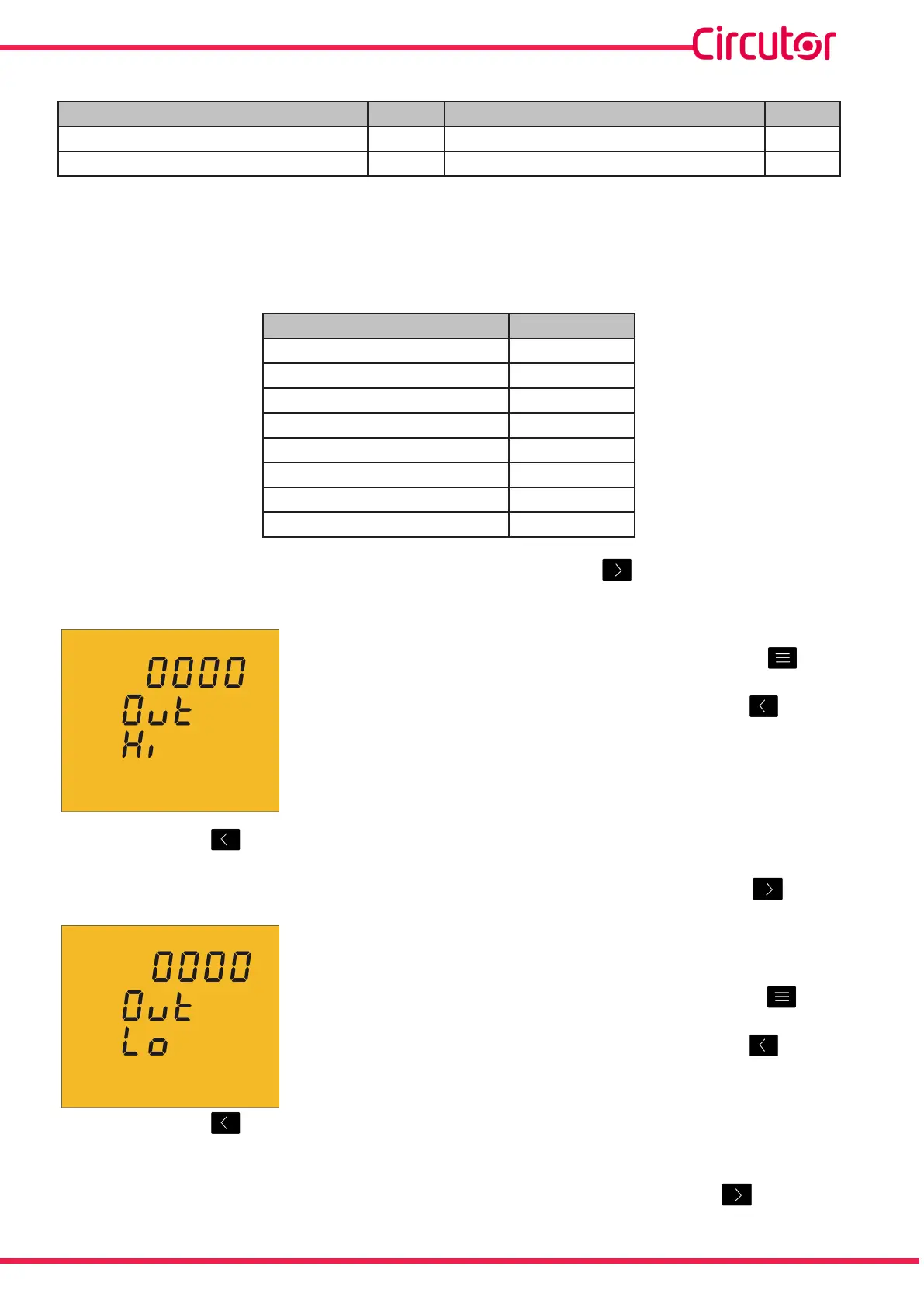
Onceanalarmcodehasbeenselectedandvalidatedwiththe keyyoumustenterthe
maximumvalueofthealarmcondition�
Themaximum value:abovethisvaluethetransistorisclosed�
Toenterormodifythemaximumvalue,pressthe key
repeatedly,increasingthevalueoftheashingdigit�
Whentheon-screenvalueisthatdesired,pressthe keyto
gotothenextdigittomodifytheothervalues�
Ifyoupressthe keyaftermodifyingthelastdigitthedecimalpointpositionwillbe
programmed�
Tovalidatetheinformationandproceedtoprogrammingtheminimumvalue,press �
Theminimum value:belowthisvaluethetransistorisclosed�
Toenterormodifytheminimumvalue,pressthe key
repeatedly,increasingthevalueoftheashingdigit�
Whentheon-screenvalueisthatdesired,pressthe keyto
gotothenextdigittomodifytheothervalues�
Ifyoupressthe keyaftermodifyingthelastdigitthedecimalpointpositionwillbe
programmed�
Tovalidatetheinformationandproceedtoprogrammingthedelayvalue,press �
37
Instruction Manual
CVM-C5-xxx-485













 To Next Page