x
Cisco Aironet 1552 Series for Hazardous Locations Installation Guide
Preface
Click this link to browse to the Cisco Wireless documentation home page:
http://www.cisco.com/en/US/products/hw/wireless/index.html
To browse to the access point documentation, click Cisco Aironet 1550 Series listed under “Outdoor
and Industrial Wireless.” The documentation can be accessed from the Support box.
To browse to the Cisco Wireless LAN Controller documentation, click Standalone Controllers listed
under “Wireless LAN Controllers.” The documentation can be accessed from the Support box.
Finding the Product Serial Number
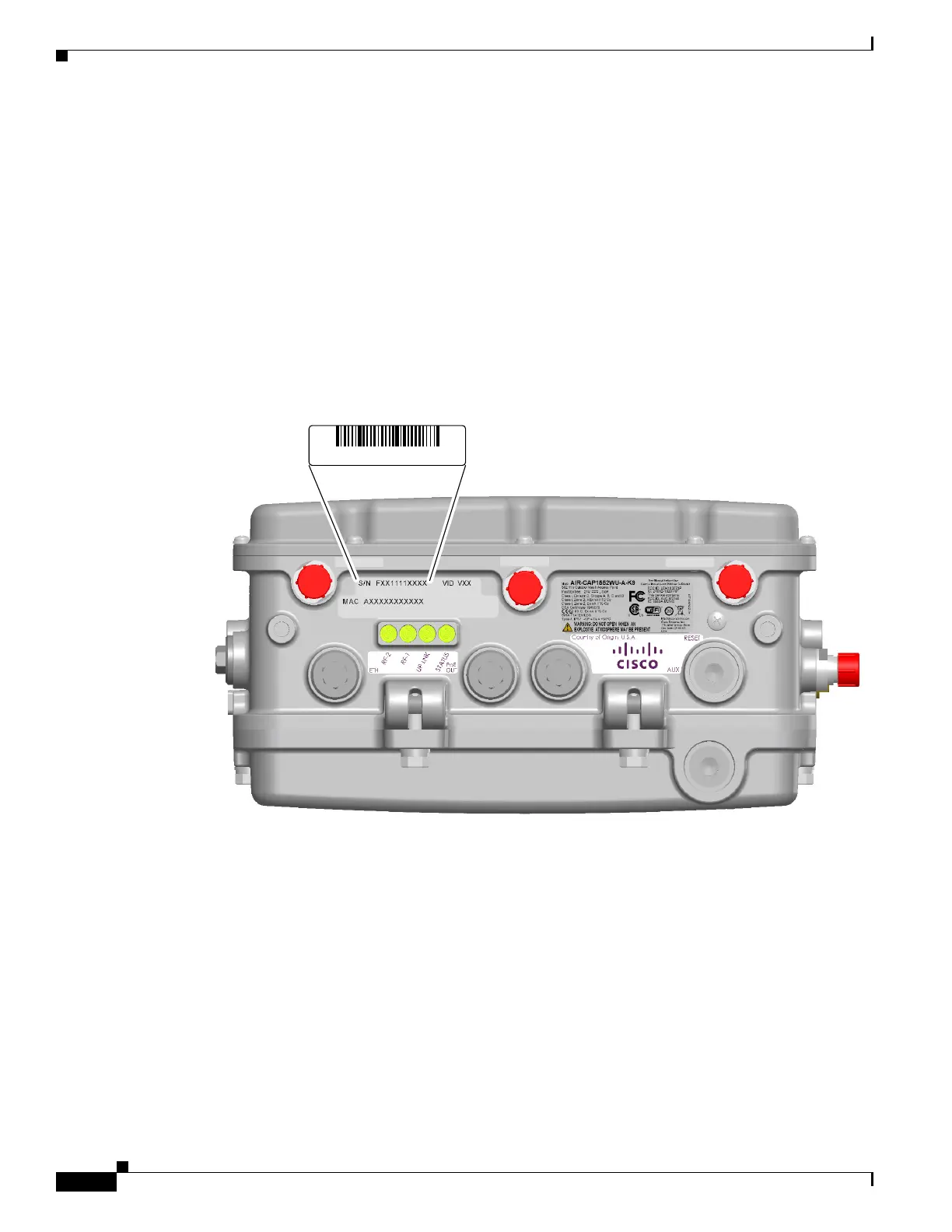
The access point serial number is on the bottom of the access point (refer to Figure 1).
Figure 1 Location of Serial Number Label
The access point serial number label contains the following information:
• Model number, such as AIR-CAP1552SA/SD-x-K9.
• Serial number, such as WCN0636279B (11 alphanumeric digits).
• Access point MAC address, for example 68BDABF54600 (12 hexadecimal digits). It is located
under the serial number.
You will need your product serial number when requesting support.












 To Next Page