3-63
Cisco Aironet 1552 Series for Hazardous Locations Installation Guide
Chapter 3 Installing the 1552 Series Access Points in Hazardous Locations
Installation Details for the 1552SA and 1552SD Access Point
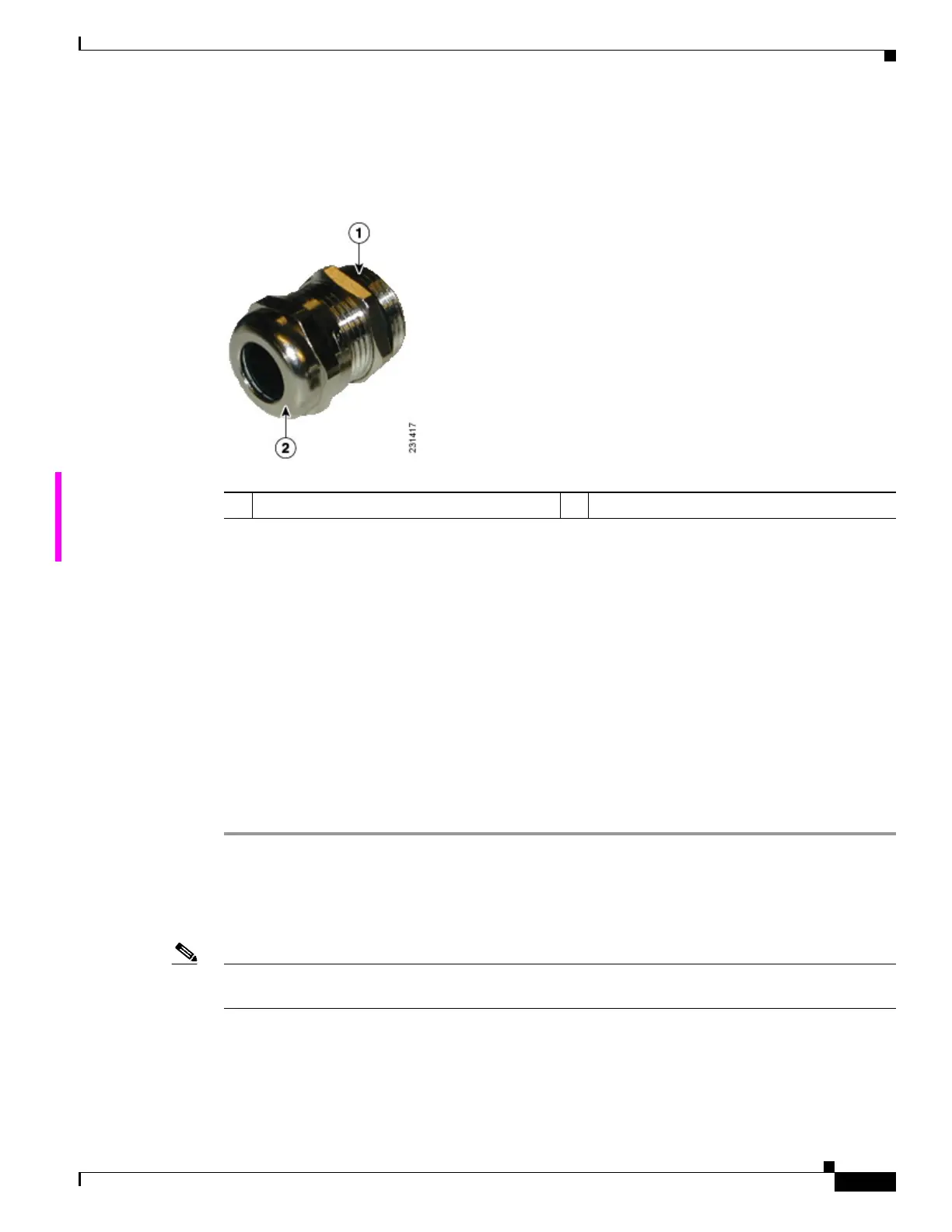
Step 6 Loosen the round end of the liquid-tight connector by turning counterclockwise, but do not remove (see
Figure 3-13).
Figure 3-13 Liquid -Tight Adapter
Step 7
Carefully screw the threaded end of the adapter into the access point and hand-tighten.
Step 8 Use an adjustable wrench, the 22 mm socket, or the Sealcon S-2200-WR wrench to tighten the threaded
end of the adapter to 6 to 7 ft lbs (8.1 to 9.5 Nm).
Step 9 Carefully remove approximately 1 to 2 ft (30.5 cm) of the external jacket from the fiber-optic cable,
exposing the inner strand.
Step 10 Carefully insert the fiber-optic LC cable connector into the rounded end of the liquid-tight adapter (see
Figure 3-13), and push through the adapter.
Step 11 Wrap excess fiber-optic cable around the take-up reels in a figure eight (8) pattern.
Step 12 Insert the fiber-optic LC cable connector into the SFP module.
Step 13 Use an adjustable or open-end wrench to tighten the round end of the adapter to 2.7 to 3.2 ft lbs
(3.66 to 4.34 Nm).
Step 14 Close the hinged cover (see the “Closing the Access Point Hinged Cover” section on page 3-59).
Installation Details for the 1552SA and 1552SD Access Point
Note There are differences in the port adapter sizes and threading between the different models. Be sure to
review the connector details for the access point model you are installing in Connectors, page 1-7.
The fiber-optic kit (AIR-1550S-FIB-KIT=) enables the 1552SA and 1552SD access points to support
fiber-optic network connections. The kit contains these parts:
• Two take-up reels
• One bracket to support the reels
1 Thread end 2 Round end












 To Next Page