3-7
Cisco 2600 Series Routers Hardware Installation Guide
OL-2171-02
Chapter 3 Installing the Router
Setting Up the Chassis
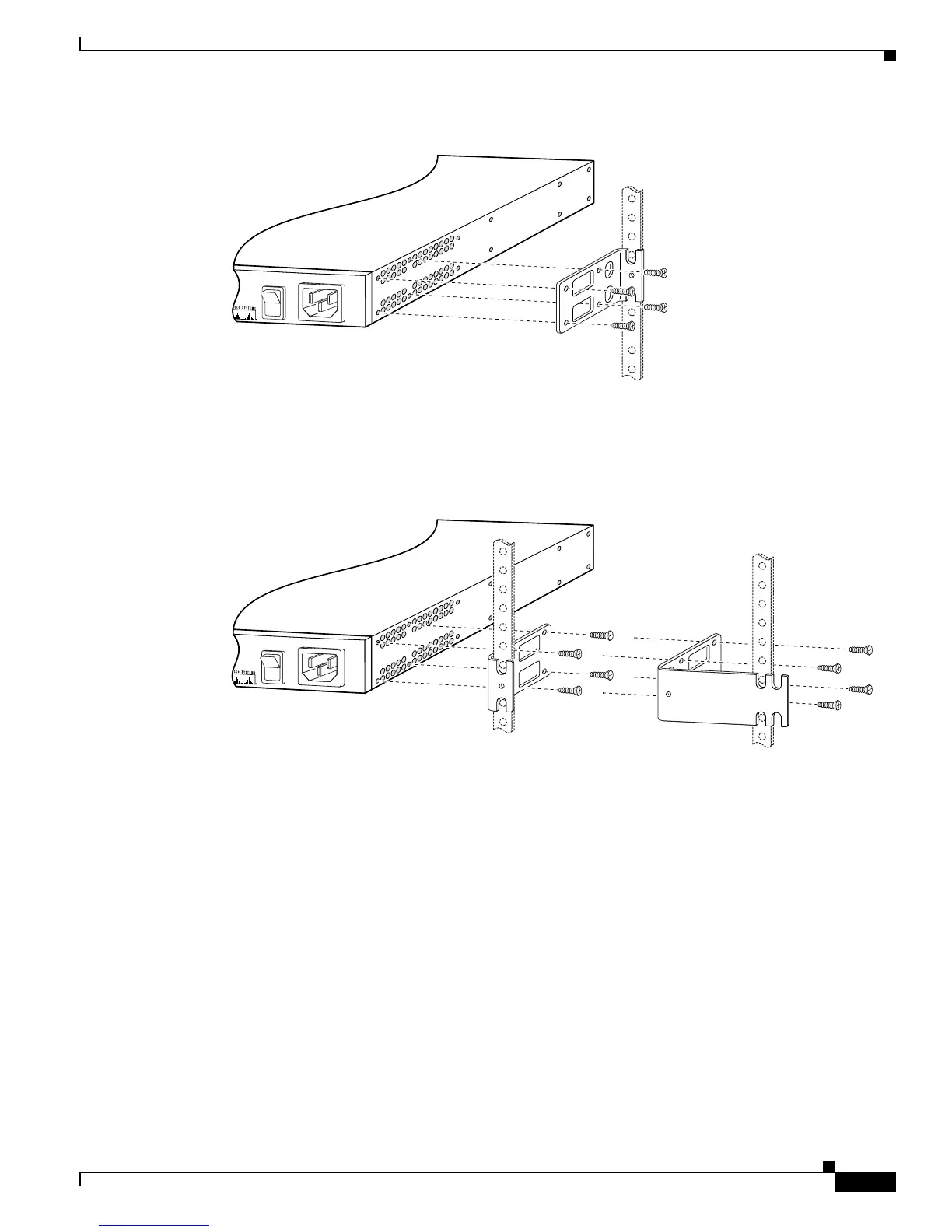
Figure 3-8 Bracket Installation—Rear Panel Forward (19-Inch Rack with a 17.5-Inch Opening)
Figure 3-9 Bracket Installation—Rear Panel Forward (19-Inch Rack with a 17.75-Inch Opening or a
23- or 24-Inch Rack)
72013
Note: The second bracket attaches
to the other side of the chassis.
Brackets for
19-inch rack
110V 60 Hz
1.6A MAX
72014
Note: The second bracket attaches
to the other side of the chassis.
110V 60 Hz
1.6A MAX
Brackets for
19-inch rack
Brackets for
23-inch or 24-inch rack


 To Next Page
 Loading...