10-13
Cisco TelePresence System 3200
OL-14521-01
Chapter 10 First-Time Setup
Setting Up CTS Components
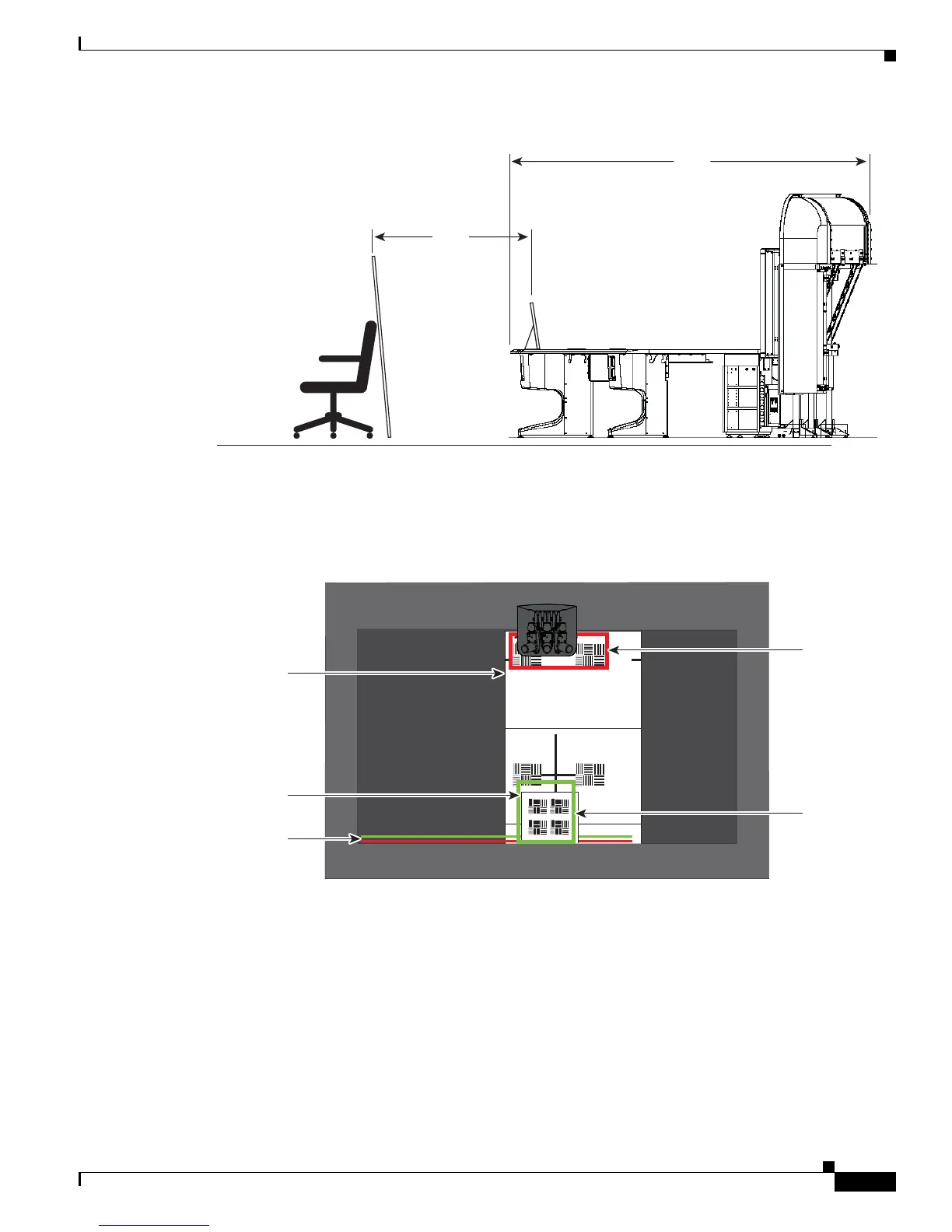
Figure 10-8 Arranging the Small and Large Targets
Step 3 In the Cisco TelePresence Administrative GUI, click Setup, then click Show Focus Target.
Step 4 Adjust the small target so that the red box encloses the upper patterns on the large target and the green
box encloses the patterns on the small target.
Figure 10-9 Positioning the Small and Large Targets
Step 5 Adjust the focus on the camera by performing the following steps:
a. Loosen the thumbscrew for the lens focus ring. The ring is labeled “N-8”.
207151
Large target
Small target
10 ft
5 ft
206146
Red
rectangle
Green
rectangle
Large
target
Small
target
Red and green
horizontal bars










 To Next Page