3-2
Cisco TelePresence System 3200
OL-14521-01
Chapter 3 Mounting and Leveling the Plasma Displays
Parts List
Note Figure 3-3 through Figure 3-8 illustrate the process of leveling the Plasma displays. You may want to
review all of this chapter before beginning the leveling process.
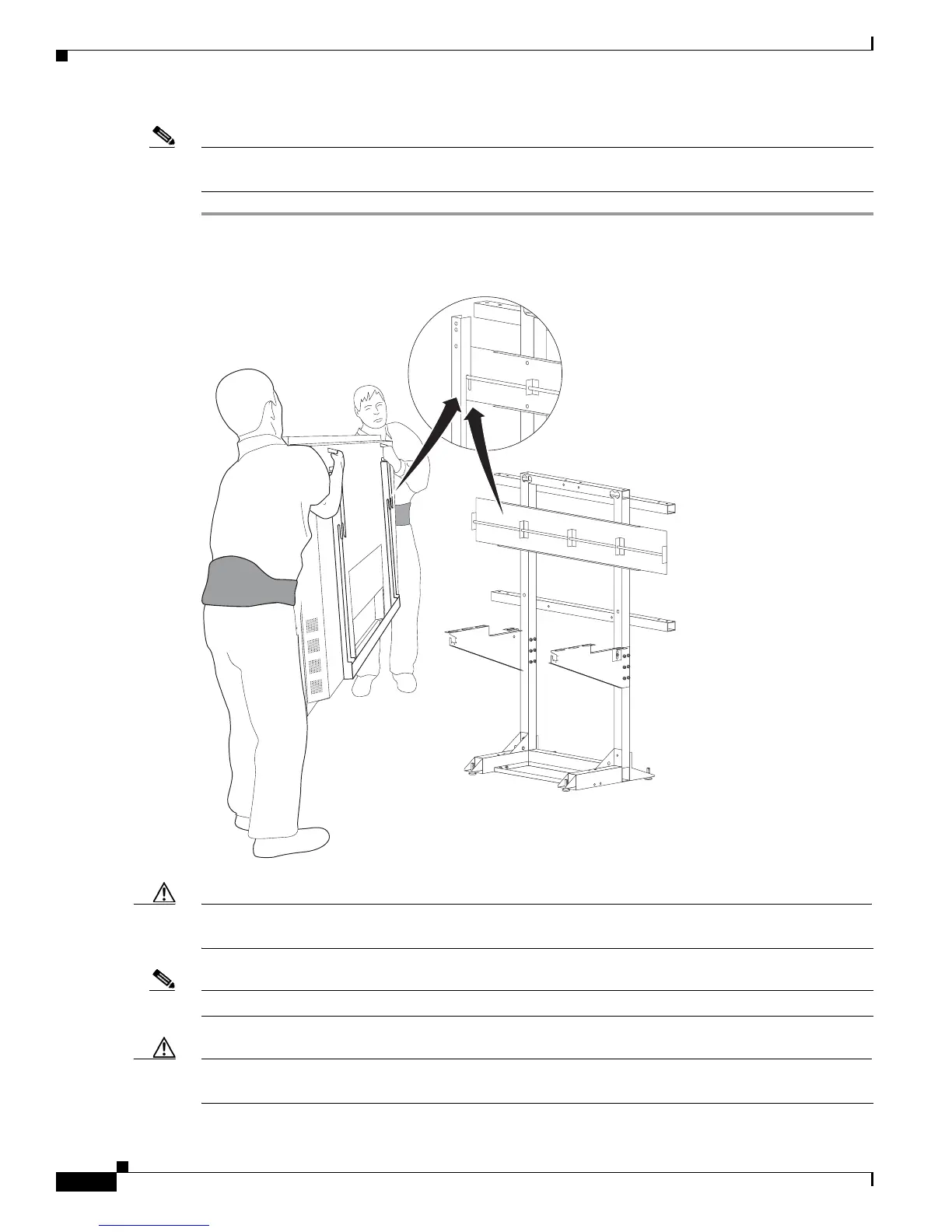
Step 1 Hang the left, center, and right Plasma displays on the Display structure crossbars.
Figure 3-1 The left, center, and right Plasma displays
Caution The edges of the Plasma displays are sharp and uncomfortable to lift with bare hands. Nonslip gloves
are recommended.
Note Make sure the Plasma display Leveling feet remain firmly seated on top of the Display shelf supports.
Caution Do not lift the display without appropriate back support, foot protection (such as steel-toed shoes), and
room to lift the display using your legs and not your back.










 To Next Page