4-7
Cisco TelePresence System 3200
OL-14521-01
Chapter 4 Building the Display Shelf Assembly
Parts List
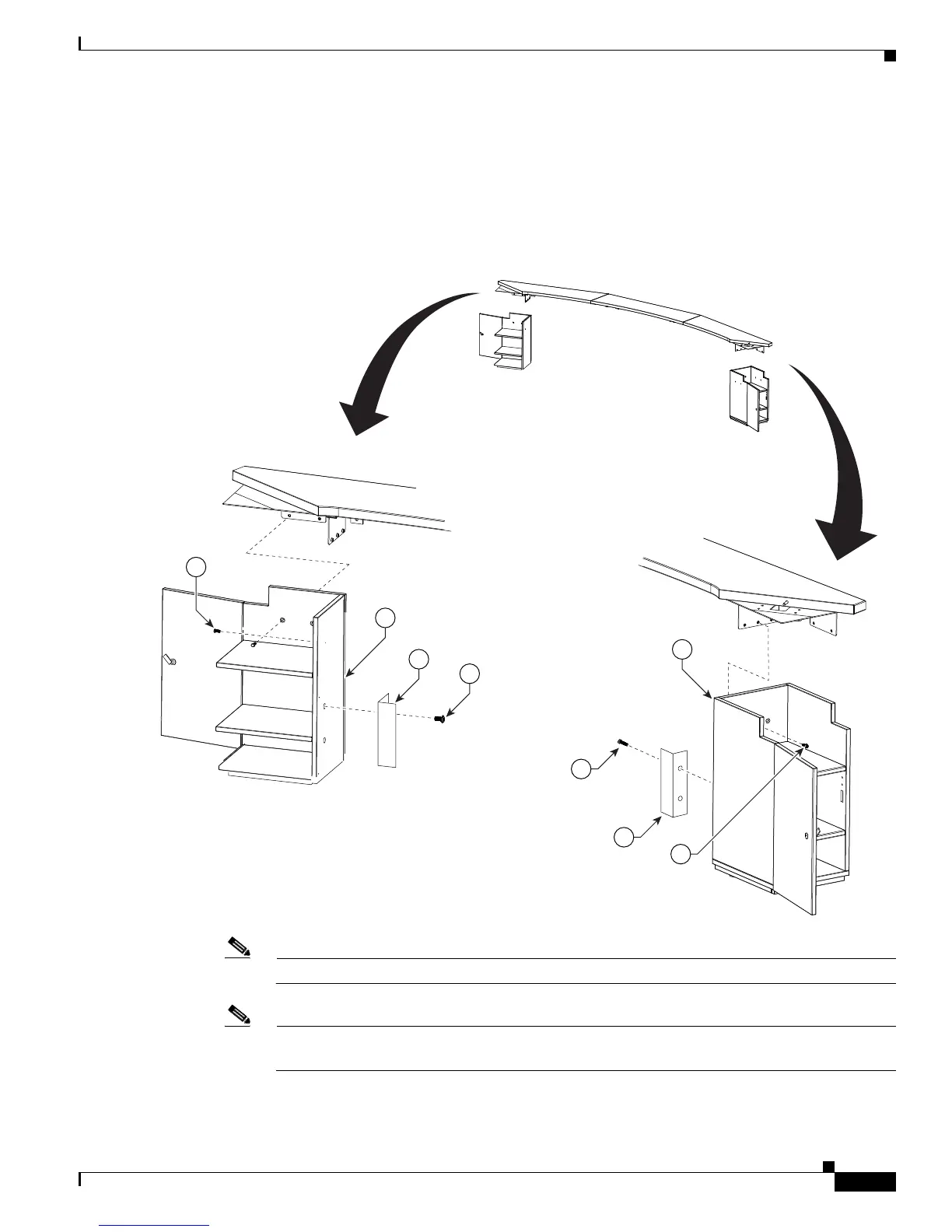
Step 5 Attach the screen supports to the accessory cabinets and position, but do not attach, the cabinets to the
left and right attachment brackets
These screen supports are only required if you use a Type 1 projector screen, part number 800-28681-01.
If your installation uses the projector screen with a product ID of CTS3K-SCREEN and a part number
of 74-5416-01, do not install these brackets.
Figure 4-5 Accessory Cabinet
Note One wall of the left Accessory cabinet was removed from this illustration for clarity.
Note Before you attach the Accessory cabinets to the brackets, use them as supports while assembling
the table segments in Chapter 6, “Building the First Row Table Assembly.”










 To Next Page