5-25
Cisco TelePresence System 3200
OL-14521-01
Chapter 5 Building the Lighting Assembly
Parts List
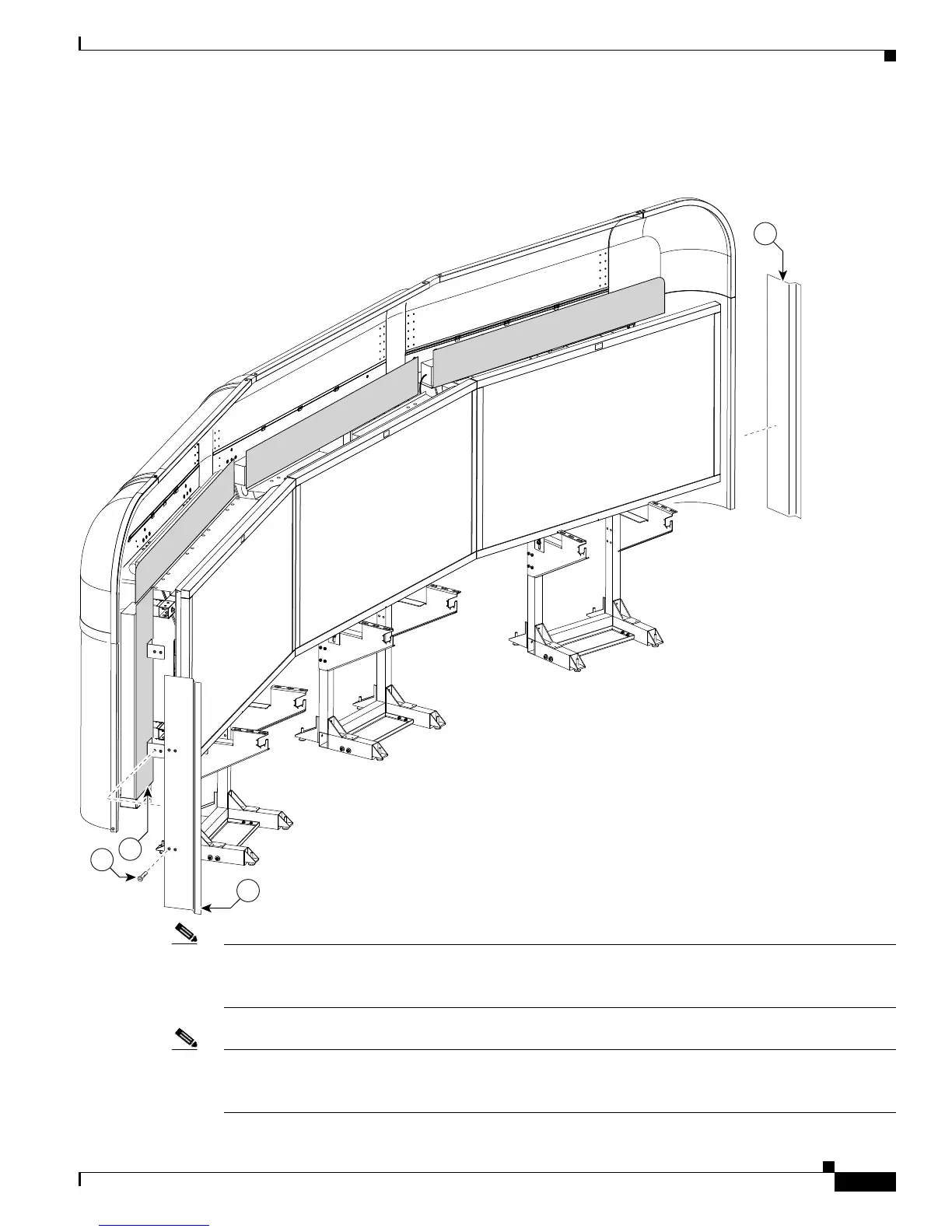
Step 23 Attach the two Metal Trim panels to the L-brackets attached to the two (vertical) Plastic Diffuser panels.
Figure 5-23 Two Metal Trim panels
Note Install the codecs before you continue to the next chapter. See Step 5 through Step 8 in Chapter 8,
“Assembling the Remaining Cisco TelePresence Elements” to install the codecs; then see Chapter 4,
“Building the Display Shelf Assembly” to continue the installation.
Note These Metal Trim panels cover the access opening used to route cables. You may not want to attach these
Metal Trim panels until you complete the cable routing in Chapter 9, “Routing Power and Signal
Cables.”










 To Next Page