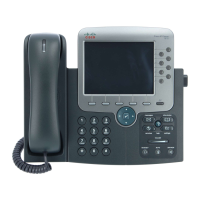
An Overview of Your Phone
Cisco IP Phone 7970 15
Entering and Editing Text
Getting Help on Your Phone
Your Cisco IP Phone provides a comprehensive online help system. Help topics appear on the
touchscreen. See the table below for details.
If you want to... Then...
Enter a letter on your
touchscreen
Press the appropriate keypad number one or more times to select a letter
(with or without capitalization) from the pop-up menu. When you pause,
the cursor automatically advances to allow you to enter the next letter.
Delete within an entry or
reposition your cursor
Press << or Delete to remove a letter or digit. Press >> to reposition the
cursor.
If you want to... Then...
View the main menu Press on your phone and wait for several seconds for the menu to
display. If you are already in Help, press Main.
Main menu topics include:
• About Your Cisco IP Phone—descriptive details about your phone
• How do I...?—procedures and information about common phone tasks
• Calling Features—descriptions and procedures about calling features
• Help—tips on using and accessing Help
Learn about a button or
softkey
Press , then quickly press a button or softkey.
Learn about a menu
item
Press , then quickly press the menu item on the touchscreen.
Or, press twice quickly with the menu item highlighted.
Get help using Help Press . After a second or two, press again or choose Help from the
Main Menu.


 To Next Page