28 78-15630-02
Prioritizing Critical Calls
In some specialized environments, such as military or government offices, you might need to make and
receive urgent or critical calls. These critical calls might require higher priority handling, such as being
able to bypass other calls. If you have the need for this specialized call handling, your system
administrator can add Multilevel Precedence and Preemption (MLPP) to your phone.
Keep these terms in mind:
• Precedence indicates the priority associated with a call.
• Preemption is the process of ending an existing, lower priority call while accepting a higher
priority call that is sent to your phone.
Tips
• When you make or receive an MLPP-enabled call, you will hear special ring tones and call waiting
tones that differ from the standard tones.
If you want to... Then...
Choose a priority (precedence) level
for an outgoing call
Contact your system administrator for a list of corresponding
precedence numbers for calls (ranging from low to highest).
Make a priority (precedence) call Enter the MLPP access number (which is provided by your
system administrator) followed by the phone number.
Receive a priority (precedence) call Hear the special call waiting tone and note the special icon
displayed in the call activity area for the incoming call.
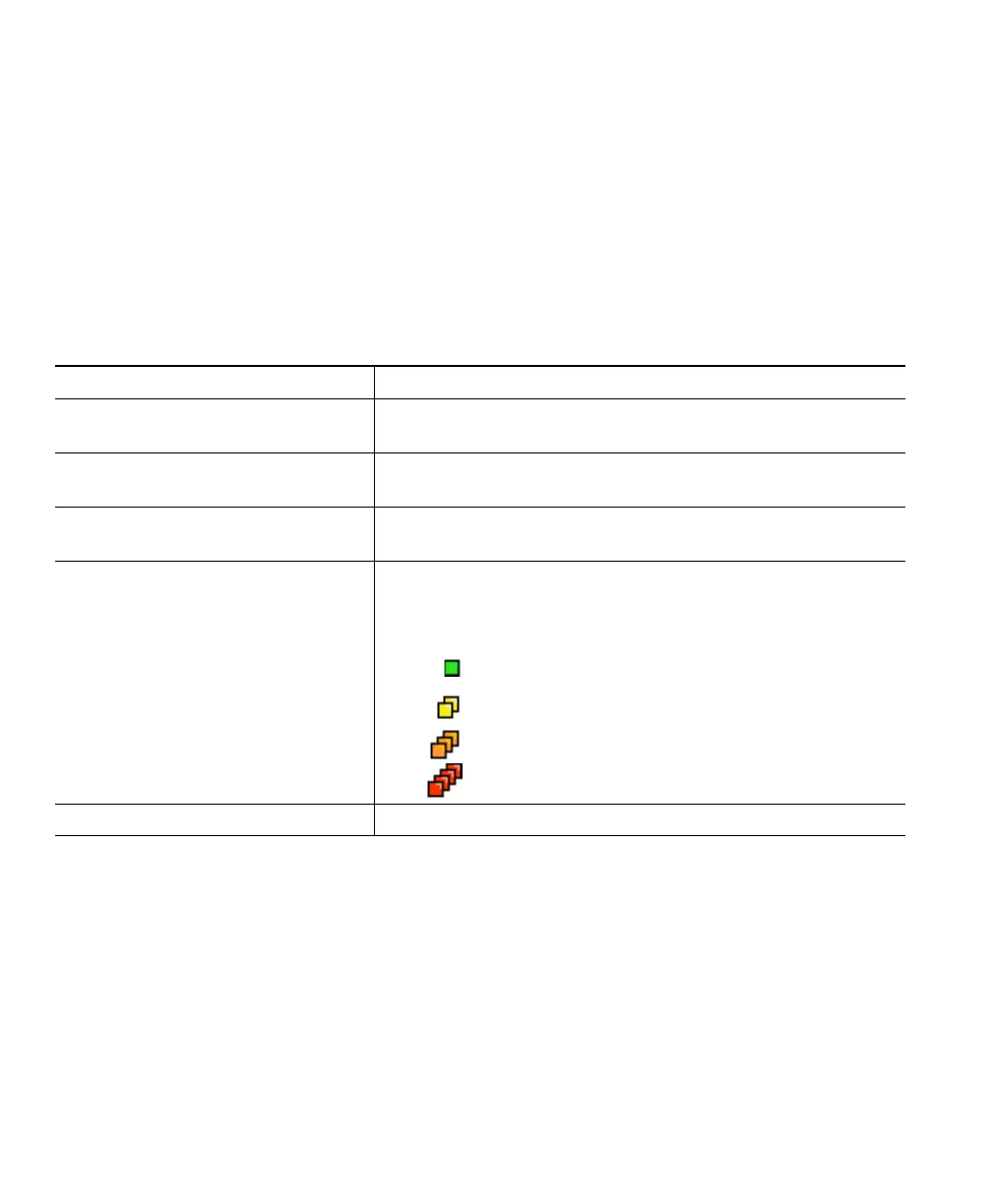
View priority level of a call Higher priority calls display at the top of your call list, and
these icons indicate the assigned priority as follows:
No icon—Normal (routine) call
Green—Low priority (priority) call
Yellow—Medium priority (immediate) call
Orange—High priority (flash) call
Red—Highest priority (flash override) call
Accept an higher-priority call End an active call and answer the higher-priority call.


 To Next Page