Appendix C Configuring the Switch with the CLI-Based Setup Program
Taking Out What You Need
C-4
Catalyst 2970 Switch Hardware Installation Guide
OL-6422-01
Taking Out What You Need
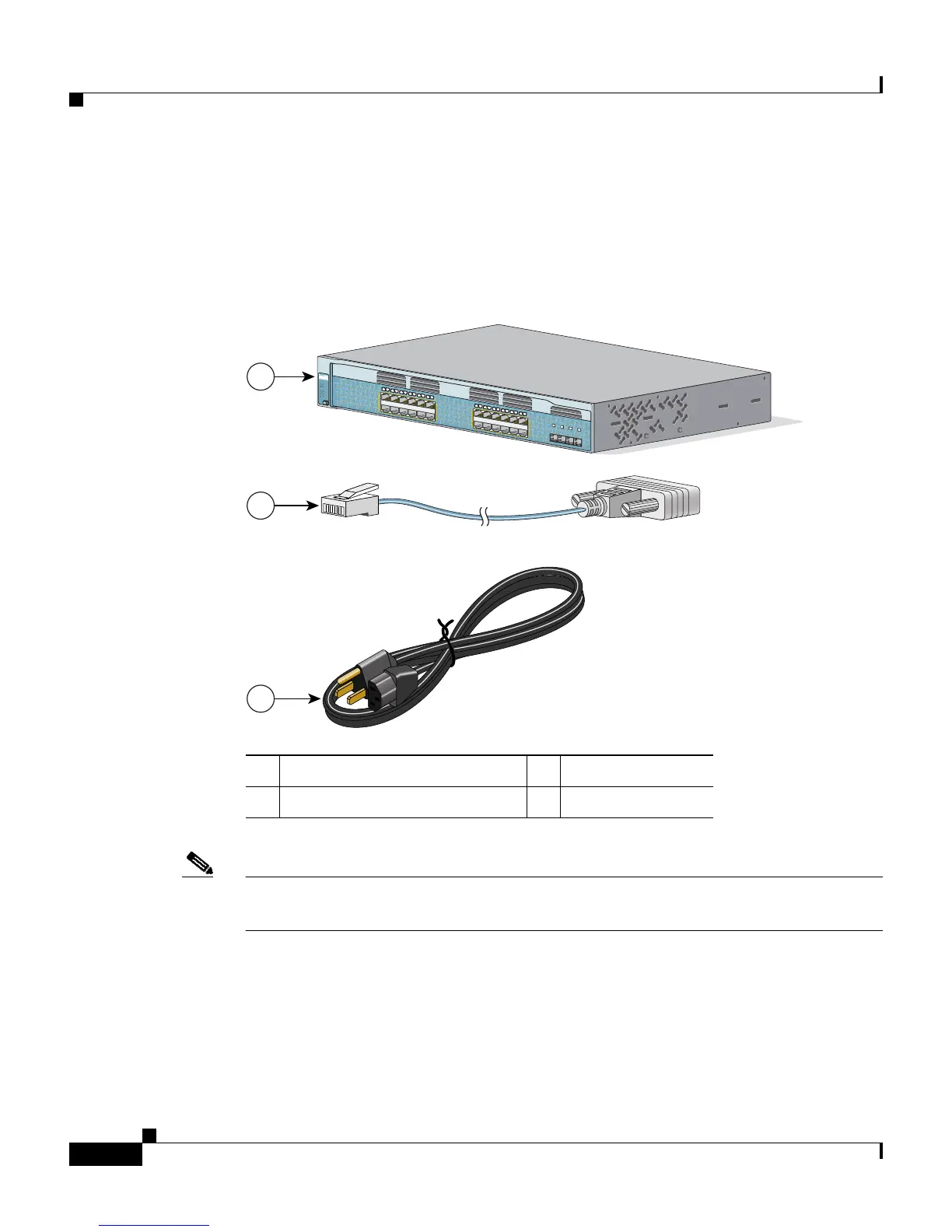
Remove the items shown in Figure C-1 from the shipping container:
Figure C-1 The Catalyst 2970 Switch, Adapter Cable, and AC Power Cord
Note You need to provide the Category 5 straight-through cables to connect the switch
ports to other Ethernet devices.
1 Catalyst 2970 switch 3 AC power cord
2 RJ-45-to-DB-9 adapter cable
1
2
3
97461
1
3
X
1
4
X
2
3
X
2
4
X
1
X
1
1
X
1
2
X
Catalyst 2970
S
ERIES
S
Y
S
T
R
P
S
S
T
A
T
D
U
P
L
X
S
P
E
E
D
M
O
D
E
1
2
3
4
5
6
7
8
9
1
0
1
1
1
2
1
4
1
5
1
6
1
7
1
8
1
9
2
0
2
1
2
2
2
3
2
4
1
3
2
5
2
6
2
7
2
8














 To Next Page