Chapter 2 Switch Installation
Installing the Switch
2-10
Catalyst 2970 Switch Hardware Installation Guide
OL-6422-01
To install the switch in a 19-inch or 24-inch rack (24-inch racks require optional
mounting hardware), follow the instructions described in these procedures:
• Removing Screws from the Switch, page 2-10
• Attaching Brackets to the Catalyst 2970 Switch, page 2-11
• Mounting the Switch in a Rack, page 2-18
• Attaching the Cable Guide, page 2-19
Note Installing the switch in a 24-inch rack requires an optional bracket kit not included
with the switch. You can order a kit containing the 24-inch rack-mounting
brackets and hardware from Cisco. The kit part number is RCKMNT-1RU=.
Removing Screws from the Switch
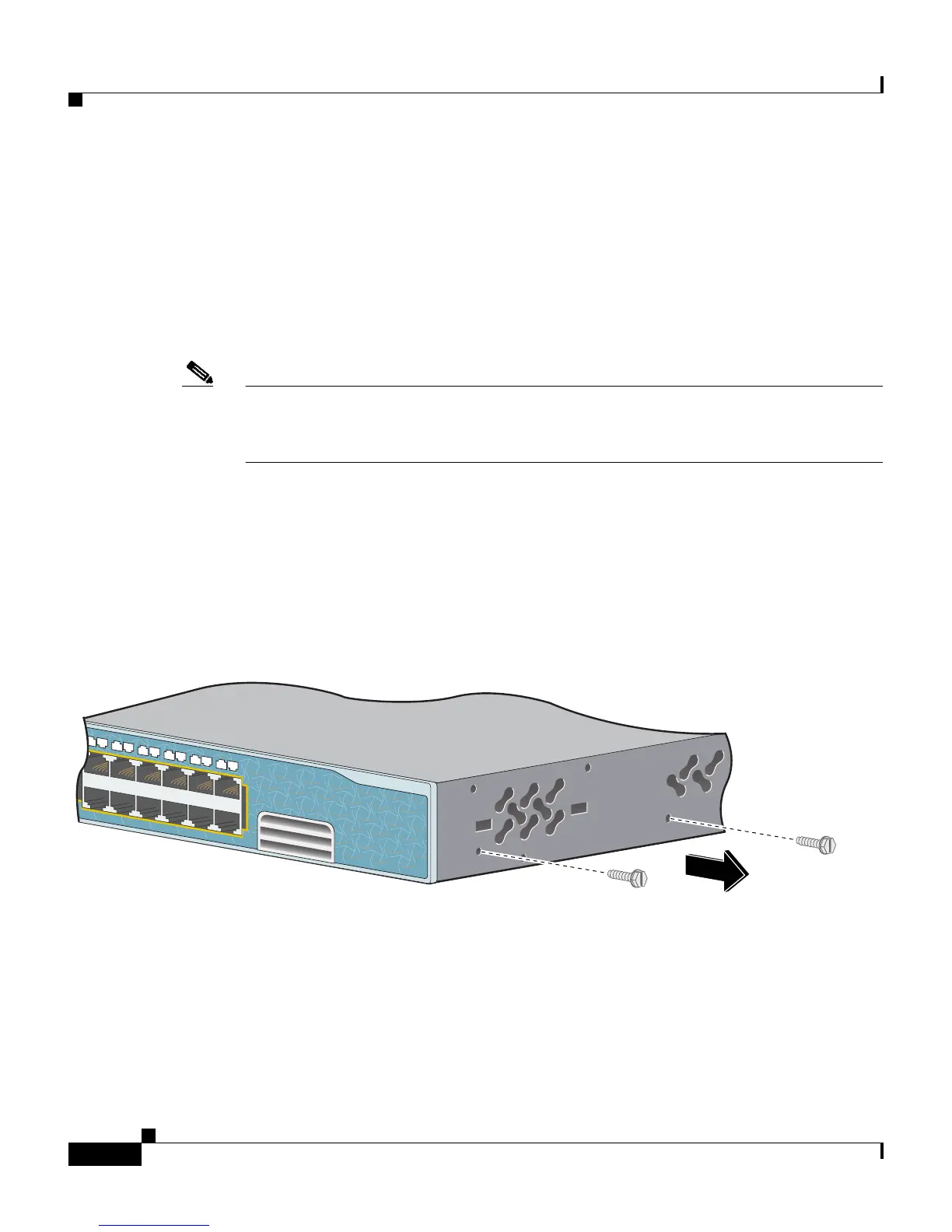
If you plan to install the switch in a rack, you must first remove screws in the
switch chassis so that mounting brackets can be attached. Figure 2-1 shows how
to remove the chassis screws in a Catalyst 2970G-24T switch.
Figure 2-1 Removing Screws from the Catalyst 2970G-24T Switch
Figure 2-2 shows how to remove the chassis screws in a Catalyst 2970G-24TS
switch.
Catalyst 2970
S
E
R
IE
S
13X
14X
23X
24X
13
14
15
16
17
18
19
20
21
22
23
24
87642














 To Next Page