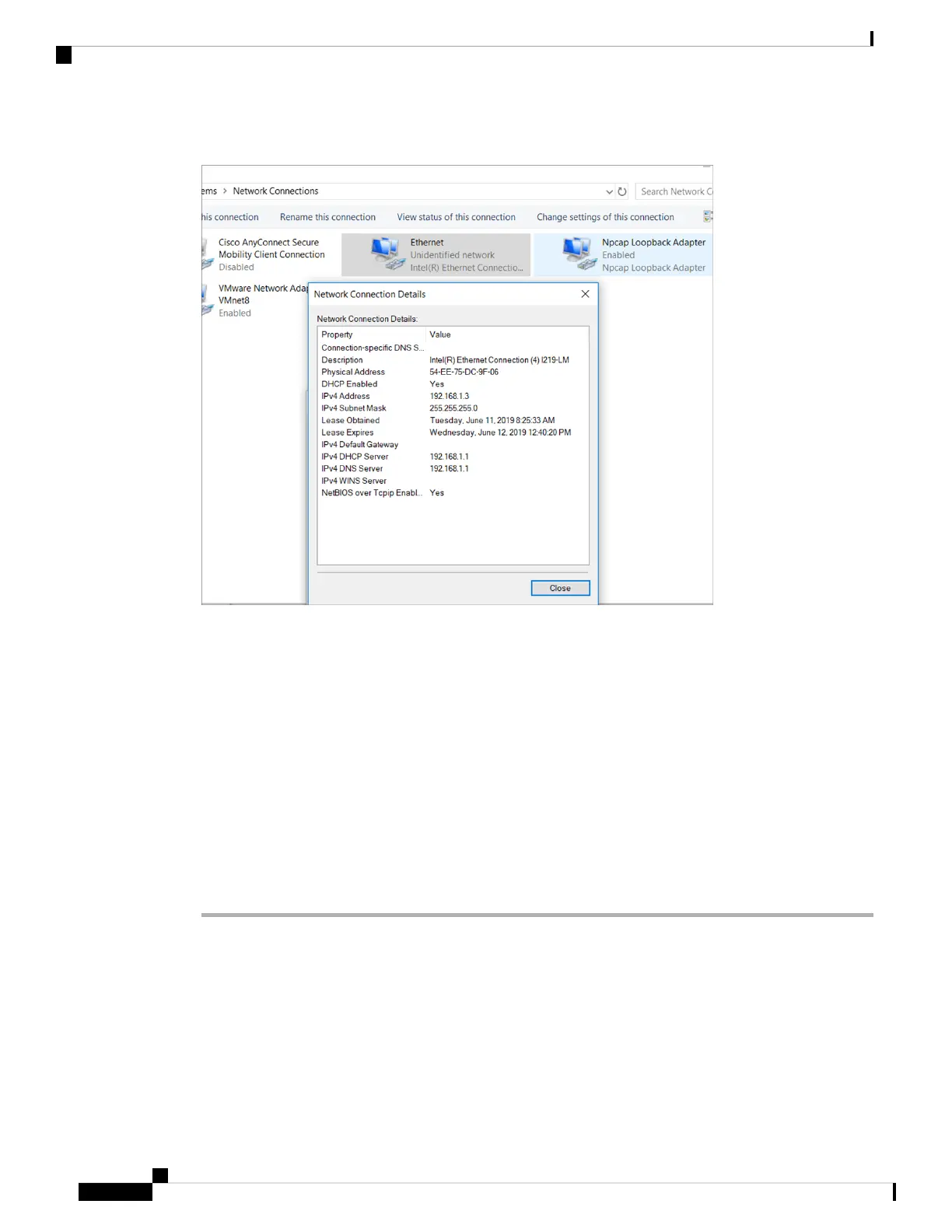
Figure 37: Obtaining the IP Address
It may take up to three mins. You must complete the Day 0 setup through the web UI before using the device
terminal.
Step 4 Launch a web browser on the PC and enter the device IP address (https://192.168.1.1) in the address
bar.
Step 5 Enter the Day 0 username webui and password serial number of the switch. Note that the serial
number is case sensitive.
The Day 0 username and password depends on the software version of your switch.
For Cisco Catalyst switches running software versions earlier than Cisco IOS XE Fuji 16.9.x, the
default username is webui; the default password is the serial number of the switch chassis.
For Cisco Catalyst switches running software version Cisco IOS XE Amsterdam 17.1.x, the default
username is webui; the default password is cisco.
Note
What to do next
Create a user account.
Cisco Catalyst 9200 Series Switches Hardware Installation Guide
56
Configuring the Switch
Connecting to the Switch



 To Next Page
 Loading...