7
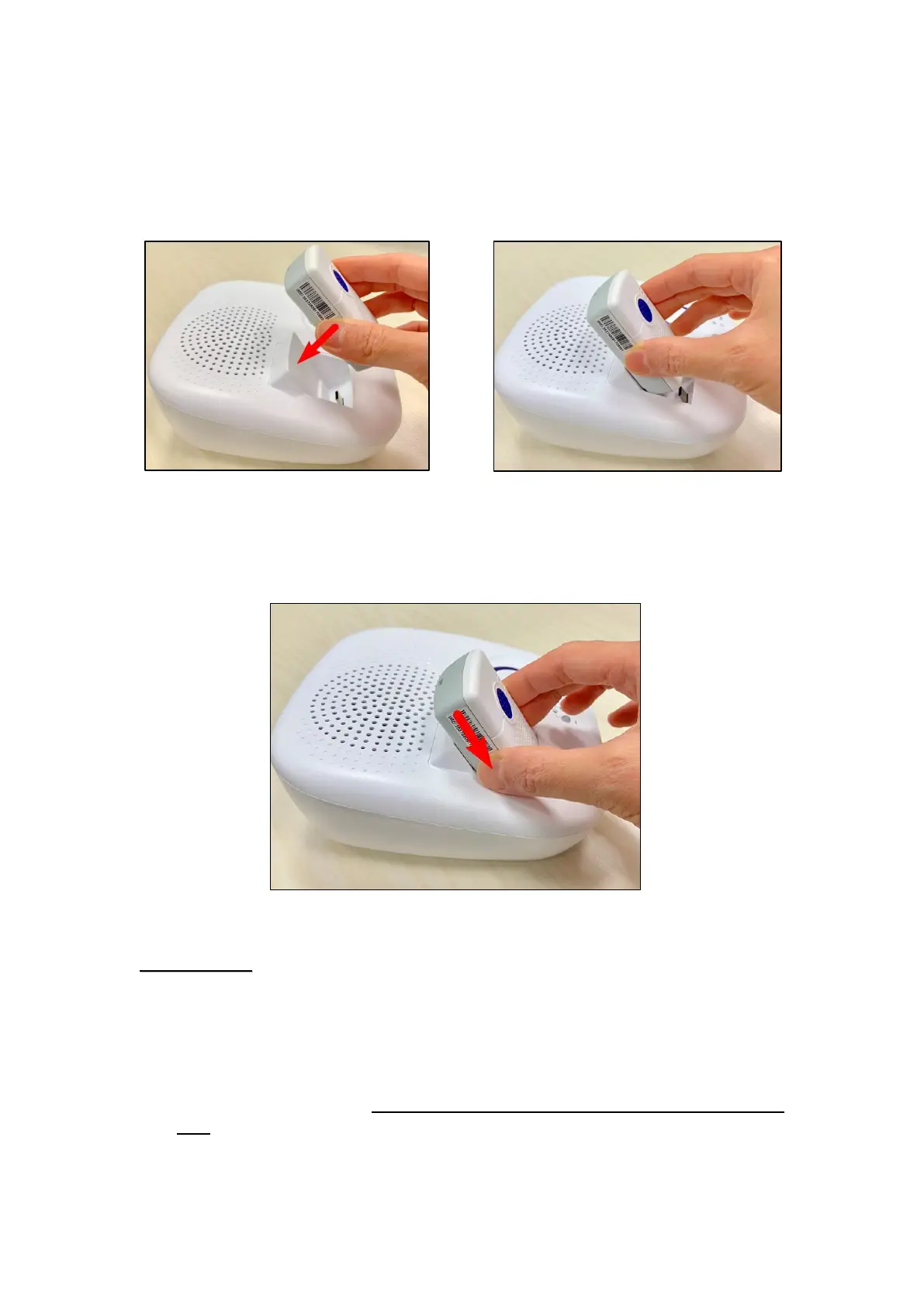
3.3. Position the Mobile Lite on the Amplifier Base
Step 1. Place the Mobile Lite against the slot of the Amplifier Base, making
sure the back of Mobile Lite is touching the surface of the slot, so that
they are in the same orientation.
Step 2. Slide in the Mobile Lite to connect it to the Type C USB of the
Amplifier Base.
When the Mobile Lite is placed properly against the slot, it can be easily
slid in over the surface of the slot.
If the Mobile Lite is incorrectly positioned, you are not able to have the
Type C USB of the Amplifier Base propertly inserted into the Type C USB
port of the Mobile Lite. Please do not forcifuly press down the Mobile
Lite, otherwise the Type C USB port and the Type C USB will be
damaged.



 To Next Page