8
3.4. Charging Mobile Lite
Step 1. Connect Amplifier Base to AC power to power up the base
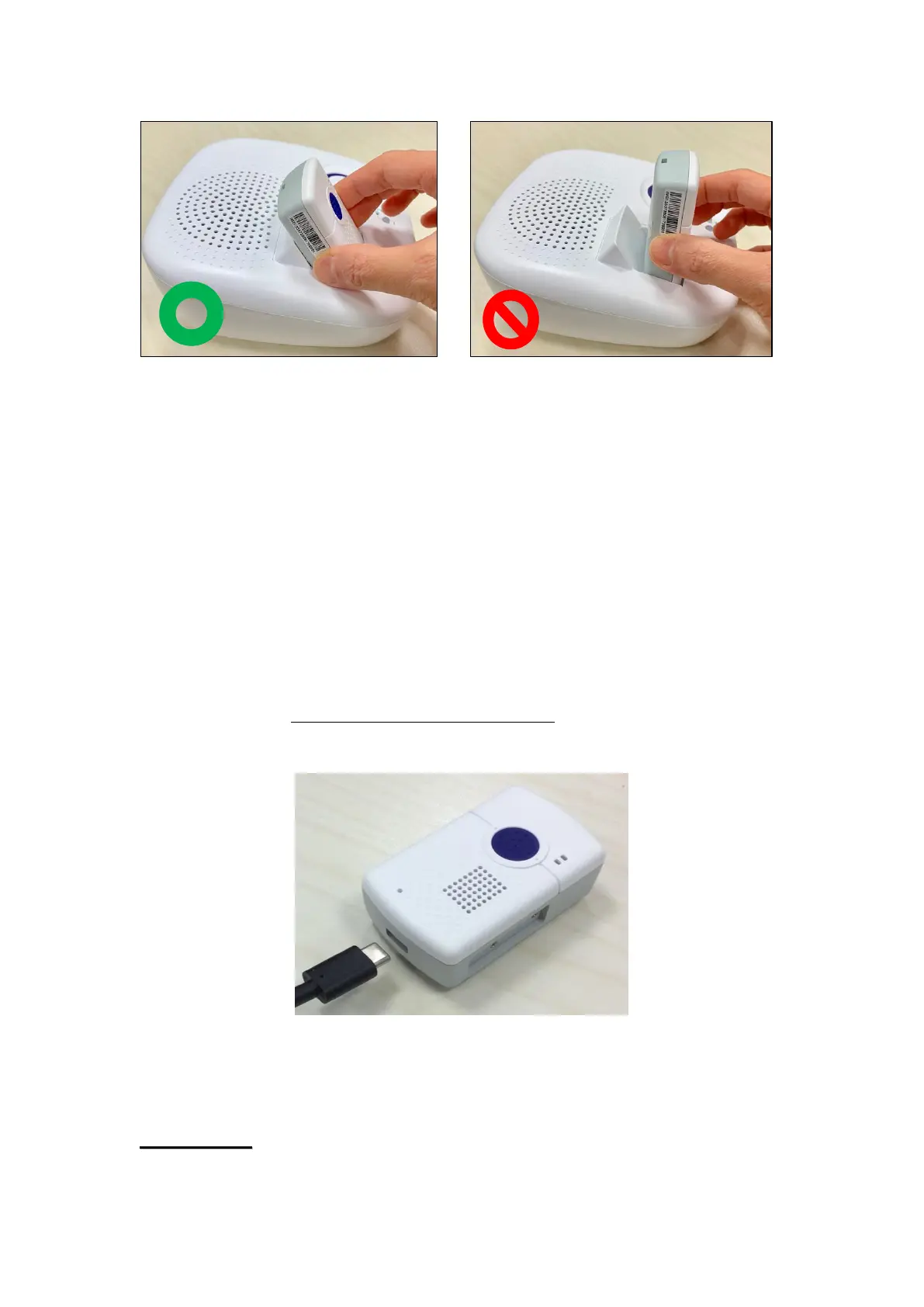
Step 2. Place Mobile Lite onto the slot on Amplifier Base to charge Mobile
Lite (Refer to 3.3. Position the Mobile Lite on the Amplifier Base).
The Blue LED on the base will light up if Mobile Lite is properly
connected.
3.5. Hardware Installation
To use PC Programming Tool for programming Mobile Lite, follow the
hardware installation steps below:
Step 1. Connect Programming Micro-USB Cable to the USB Type C port at
bottom of Mobile Lite.
Step 3. Insert the programming/charging end of the Programming Micro-USB
Cable into a computer USB port as shown in the picture below:
If programming cable is not provided, please contact your supplier. DO



 To Next Page