19
4.1.4. Report Setting
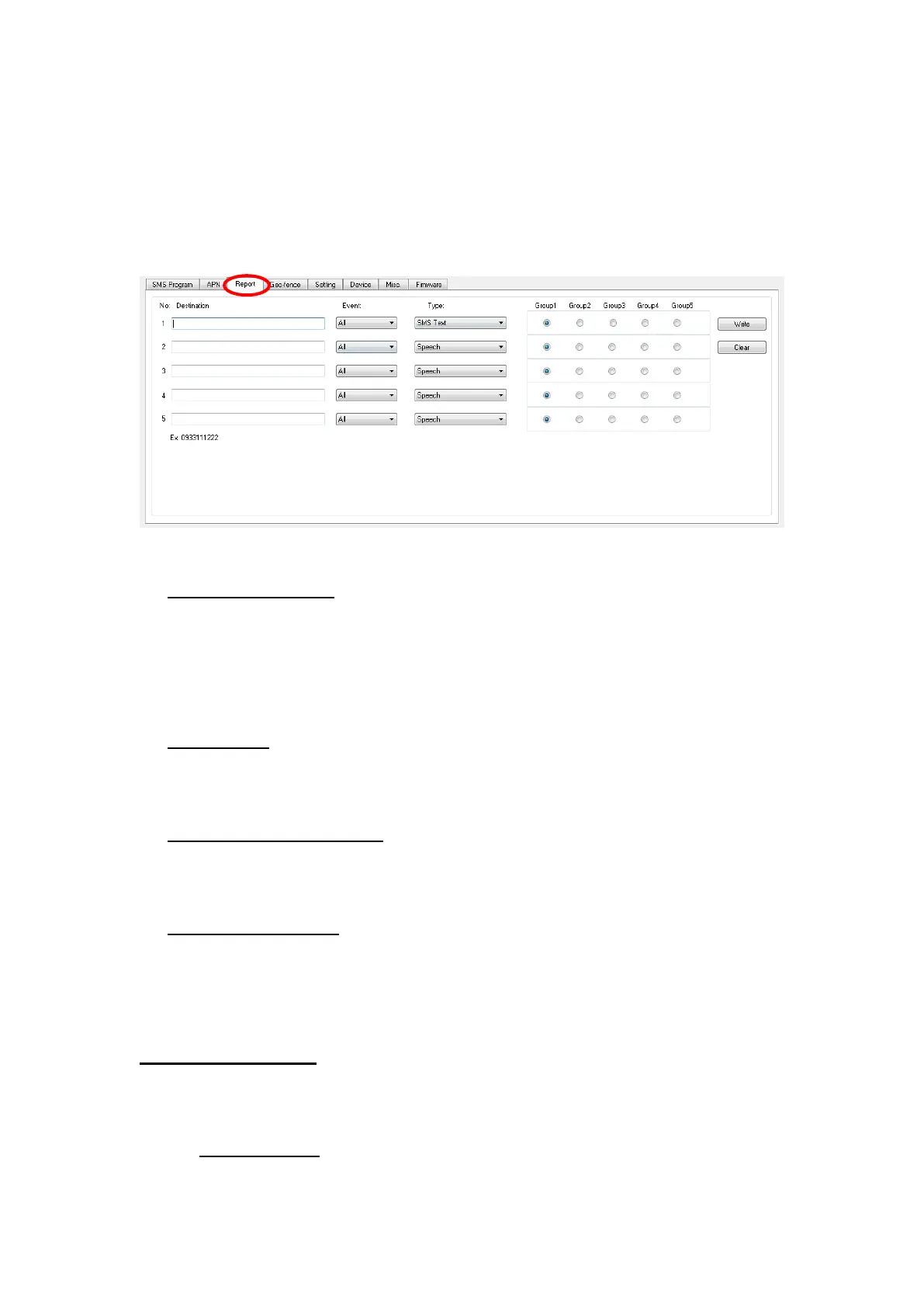
The “Report” tab allows the user to configure report settings.
Mobile Lite reports over 3 media: Speech channel, Cellular Network, and SMS
message.
5 Report Indexes are available for setting:
4 programmable settings are available per Report Index:
1. Report Destination
Enter a report destination. The format of the report destination will depend
on the Reporting Format (Type). Please see Report Destinations below.
If there are no report destinations programmed, Mobile Lite will not report
upon alarm activation and will emit 1 beep as a reminder.
2. Event Filter
Select an event filter. The event filter determines which events are reported
to the selected Report Destination.
3. Reporting Format (Type)
Select a reporting format. The reporting format determines how the events
are reported to the Report Destination.
4. (Reporting) Groups
Assign the Report Index to a Reporting Group. The Reporting Group
determines the sequence of reporting.
Click “Write” to the apply the settings to Mobile Lite.
Report Destinations
After Report Format is determined, enter the Report Destinations according to
the designated Report Format:
IP Report Format: AccountNumber@server:port



 To Next Page