EasyManua.ls Logo

Climax Mobile Pro - System Overview; Identifying the Parts

Default Icon
63 pages
Print Icon
To Next Page IconTo Next Page
To Previous Page IconTo Previous Page
Loading...
3
2. System Overview
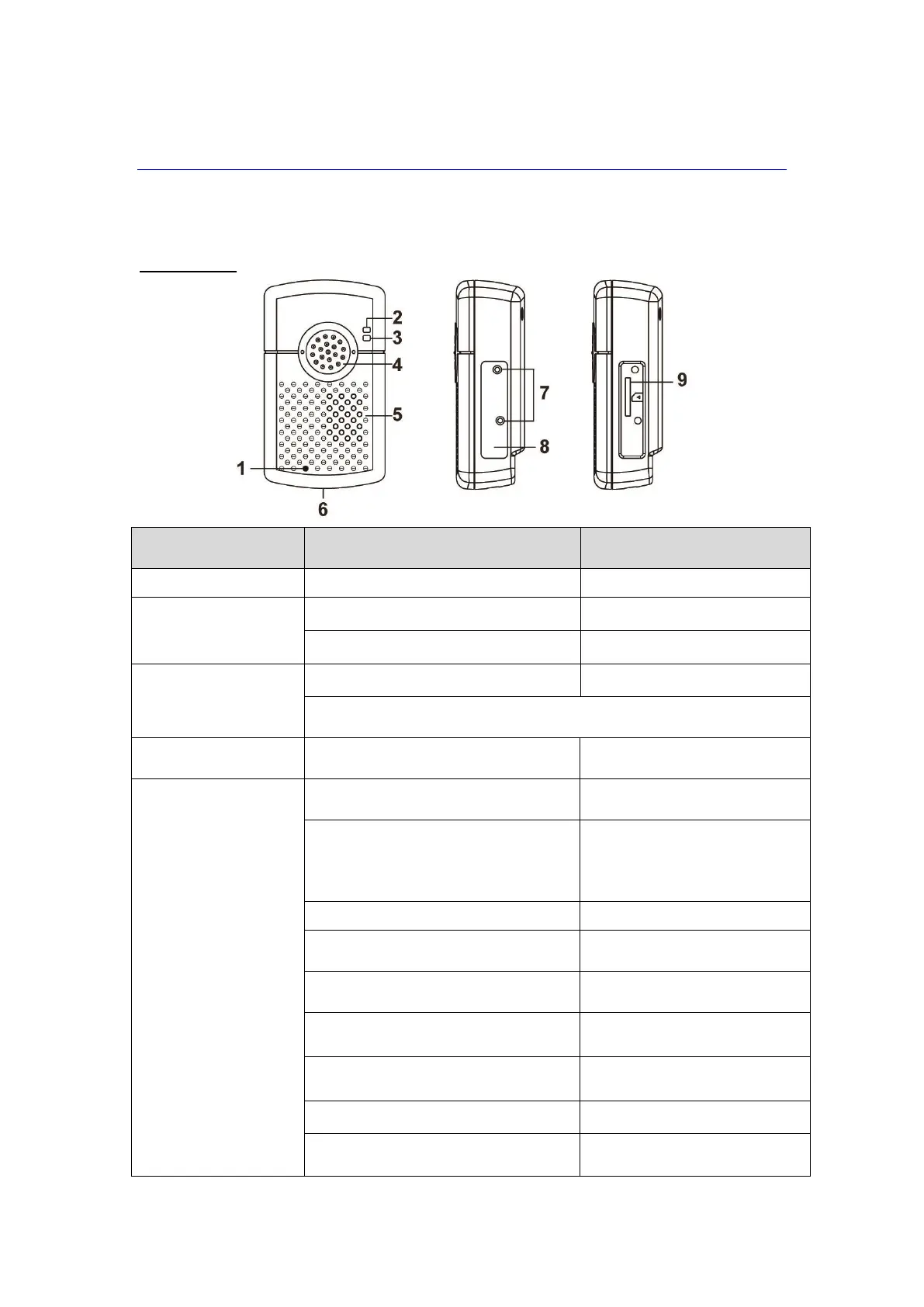
2.1. Identifying the Parts
Mobile Lite
Button/LED/Compon
ent
Behavior
Function/Indication
1. Microphone
2. Top LED (Green)
On
Charging
1 flash every 5 seconds
Normal Operation
Top LED (Red)
1 Flash every 3 seconds
Low Battery
When Mobile Lite is charging, the Red LED will not indicate the battery
status.
3. Bottom LED
(Amber)
1 Flash every 3 seconds
Cellular Network fault
4. Active Button
Plug Mobile unit into base
To turn on the unit (exits sleep
mode)
Press and hold for 5 seconds
- To turn on the unit (exits sleep
mode) without using the base.
- To turn off the unit (enters
sleep mode)
Press once
Trigger emergency alarm
Press and hold for 5 seconds during
a Guard Time
Cancel alarm
Press once when Mobile Lite is
ringing
Pick up incoming call
Press and hold for 5 seconds during
a call
Terminate the call
Press and hold for 8 seconds in
normal mode
Enter RF device learning mode
Press twice in learning mode
Remove all learnt device
Press once in learning mode
Exit learning mode

Related product manuals