6
3. Getting Started – Setting up Mobile Lite
3.1. SIM Card Insertion
Step 1. Loosen the Cover Fixing Screws using a Philips screwdriver and
remove the SIM Card Protective Cover.
Step 2. Insert SIM Card into Mobile Lite, the chip side of the SIM card should
face the front side of Mobile Lite as you insert the card.
Only a Micro SIM card can fit it the SIM card slot. If you don't have the
right SIM size, please contact your service provider for a replacement SIM
card, or use a SIM card adapter to convert your SIM card to correct size.
Please make sure that the micro SIM card PIN code is deactivated and all
SMS messages removed before insertion.
Step 3. Replace the Protective Cover and tighten the Protective Cover Fixing
Screws using a Philips screwdriver.
3.2. Amplifier Base Installation
Step 1. Clean the location where you wish to place the Amplifier Base with
degreaser.
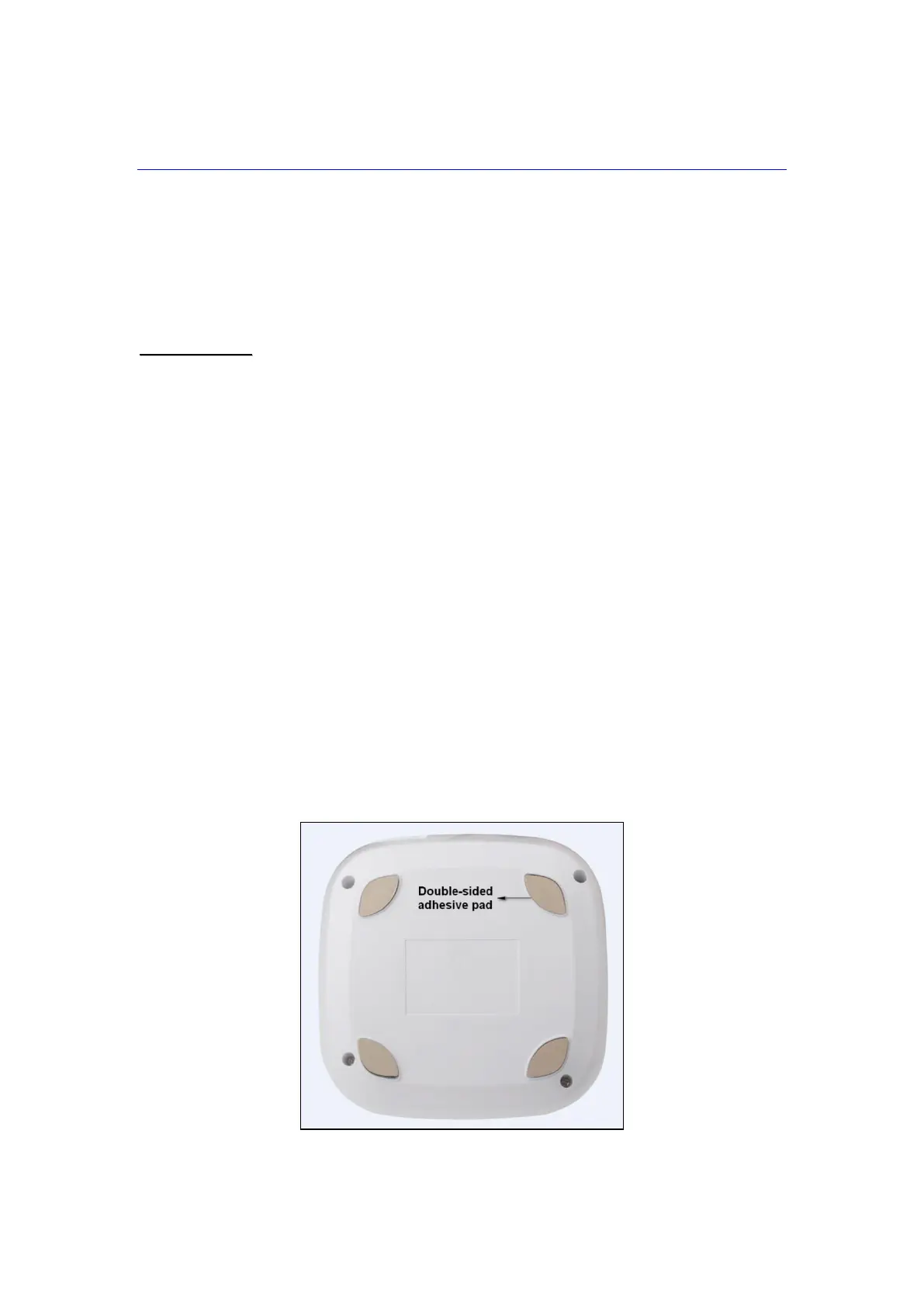
Step 2. Remove the paper backing of the double-sided adhesive pad on the
back of the Amplifier Base.
Step 3. Place the Amplifier Base at the desired locaiton, and press firmly for
30 seconds to ensure good contact.



 To Next Page