12
Step 5. Click on “Change” if you wish to select a different destination folder.
Click on “Next” to proceed to the next step.
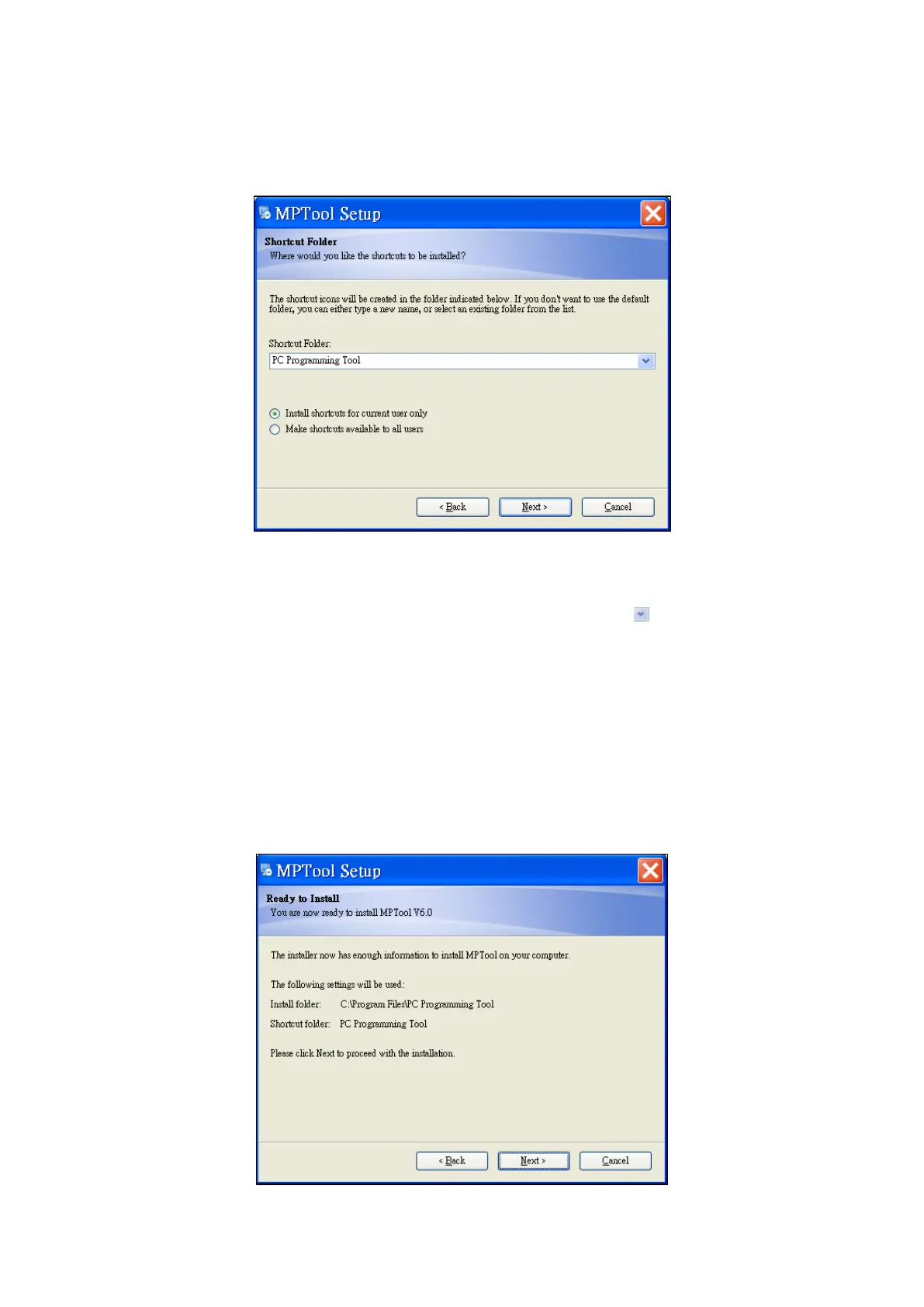
Step 6. This will create a shortcut folder for the PC Programming Tool.
Select a different shortcut folder by clicking on the icon.
Alternatively, click on the field to edit a new shortcut folder name.
Click on “Next” to proceed to the next step.
Step 7. Confirm the details on the installation window.
Click on “Back” to go back and reconfigure the installation details.
Click on “Next” to proceed with the installation.



 To Next Page