15
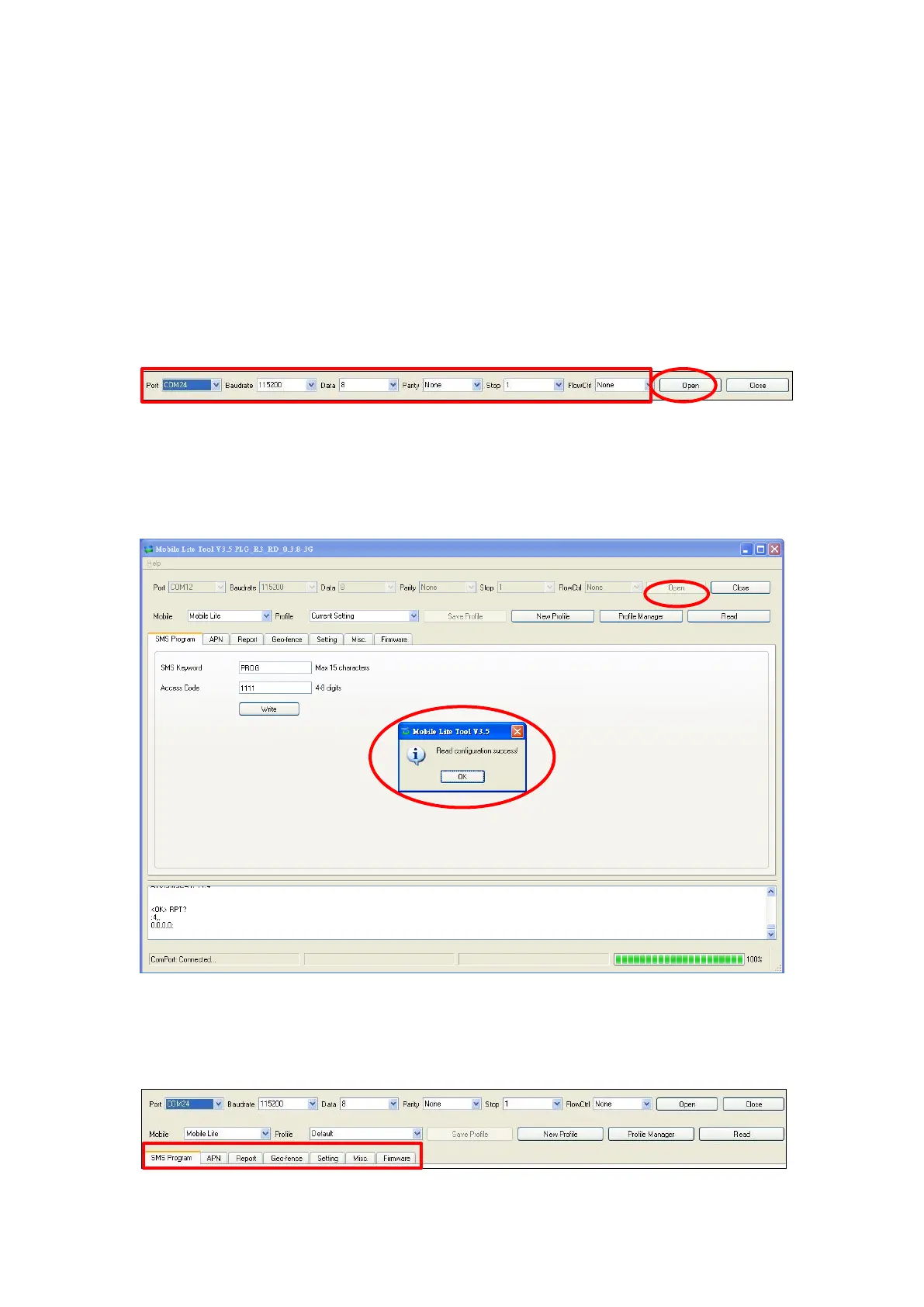
Step 2. Select the following settings in the top section of the configuration
screen and click “Open.”
Port: Select the COM port generated for Mobile Lite after
installing the USB Driver (the USB port connected to Mobile
Lite).
Baud rate: 115200
Data: 8
Parity: None
Stop: 1
FlowCtrl: None
Step 3. Read Configuration
To start configuring Mobile Lite settings, click on “Open”. A Read configuration
success message will pop up, click “OK” to proceed:
The current Mobile Lite setting will be displayed. Click on different tabs to see
and edit Mobile Lite functions.



 To Next Page