HCS User Manual
4
ILLUSTRATIONS
Figures
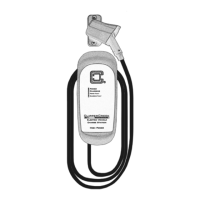
1. HCS Front Panel ............................................................................................11
2. 220/240V Single Phase .................................................................................15
3. 208V 3-Phase, Wye-Connected .....................................................................15
4. 240V 3-Phase, Delta-Connected, w/Center-Tap on One Leg ........................16
5. Mounting the HCS to a Hollow-Wall ............................................................ 19
6. Mounting the HCS to a Solid-Wall ...............................................................21
7. Wiring the HCS in a Junction Box ................................................................ 22
8. Preferred Orientation of the NEMA Receptacles Below
the Plug-in HCS.............................................................................................24
9. Locking the SAE-J1772
TM
Connector with Padlock Included ....................... 26
10. Charge Connector Secured with Padlock which Cannot
be Removed from Vehicle without Key ........................................................ 26
11. Padlock Used in Combination with Connector Holster After Charging .......26
12. ChargeGuard
®
(ON or Enabled Position: Charging is enabled.). ..................30
13. ChargeGuard
®
(OFF or Restricted Access Position: The EVSE will
be enabled for as long as the vehicle remains plugged in. The EVSE
will reset when the vehicle connector is unplugged.)
...................................31
14. ChargeGuard™ EX .......................................................................................33
15. ChargeGuard™ EX Wiring Instructions .......................................................33
16. Share2
®
..........................................................................................................35
17. Share2
®
Connect Vehicle #1 .......................................................................... 36
18. Share2
®
Connect Vehicle #2 .......................................................................... 36
19. Share2
®
One of the Vehicles Disconnects or Completes Charging ............... 37
20. COSMOS
®
Serial and Digital Interface ........................................................39
21. COSMOS
®
Power Level Hook-ups ...............................................................40
22. COSMOS
®
ChargeGuard EX Control Wires ................................................42
23. Enable COSMOS
®
ChargeGuard EX ............................................................ 42
24. Mounting the SAE-J1772
TM
Connector Holster Using the
Exterior Wood Screws and Washers ............................................................. 46
25. Drape the Charge Cable Loosely Around the HCS Enclosure ...................... 47
Tables
1. Front Panel LED Information........................................................................11
2. Service Connections for Standard and Ruggedized HCS .............................12
.............................................................28
4. COSMOS
®
Wiring Instructions .....................................................................39
5. COSMOS
®
Digital Interface Connection ...................................................... 40
6. COSMOS
®
Open Collector Output ...............................................................41
7. COSMOS
®
Digital Interface Compatibility ..................................................41
8. COSMOS
®
ChargeGuard EX Wiring ............................................................ 42


 To Next Page