EasyManua.ls Logo

CNC-Step T-Rex Series - User Manual

CNC-Step T-Rex Series
74 pages
Print Icon
To Next Page IconTo Next Page
Loading...
Status: 29.11.2017
Operating Instructions
T-Rex-Series
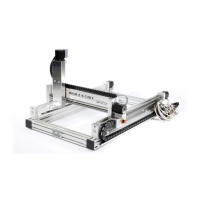
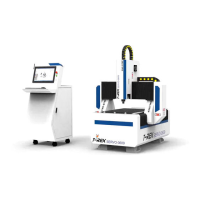
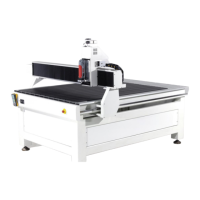
T-Rex 0609 ▪ T-Rex 0712 ▪ T-Rex 1215 ▪ T-Rex 1224
https://www.cnc-step.de/en

Table of Contents

Other manuals for CNC-Step T-Rex Series

Questions and Answers

  • L
    lisamaynardAug 2, 2025
    What to do if my CNC-Step T-Rex Control Systems machine has no function?
    • L
      Lisa EdwardsAug 2, 2025
      If your CNC-Step machine isn't functioning, there are several potential causes. First, ensure that the emergency stop button hasn't been pressed; if it has, cancel the emergency stop. Also, check the pin assignment in the software to make sure the toggle signal is present. Finally, inspect the control cable for any damage and repair if necessary.
  • B
    Brandi ChristianAug 7, 2025
    How to fix step loss on CNC-Step Control Systems?
    • C
      chadlucasAug 7, 2025
      If you're experiencing step loss with your CNC-Step, it could be due to a couple of reasons. The stepper motor of the X-axis (X1 and/or X2) might be overloaded, so check the machine's perpendicularity. Also, the travel speed might be too high, so correct the setting in the software.
  • F
    fmarshallAug 12, 2025
    Why does the stepper motor stand still on my CNC-Step T-Rex Control Systems?
    • A
      arichardsAug 12, 2025
      If the stepper motor (X, Y, and/or Z-axis) is standing still, it might be overloaded. Check the connecting line, inspect the control, and consult the controller's specific instructions for troubleshooting.
  • A
    Aaron ColeAug 17, 2025
    What to do if the real-time module is blocked on CNC-Step T-Rex Control Systems?
    • D
      dthompsonAug 17, 2025
      If the real-time module is blocked, especially on Windows, it could be because other programs are running in the background; close those programs. Another potential cause is an active energy-saving mode for the USB port; disable this mode in the BIOS.
  • M
    Michelle KirbyAug 22, 2025
    Why is there a cracking or loud noise when driving the axes on my CNC-Step T-Rex Control Systems?
    • T
      Tara MaloneAug 22, 2025
      Cracking or loud noises when driving the axes can stem from a couple of issues. The PCI-interface or parallel port might be defective, in which case you should stop the operation and contact the manufacturer. Alternatively, a lack of maintenance could be the cause, so lubricate the spindle waves.
  • D
    danielhaleAug 27, 2025
    What causes a hard lock error on CNC-Step T-Rex?
    • J
      Jesse SanchezAug 27, 2025
      A hard lock error can occur if the USB dongle was not found (WIN PC-NC Economy). Check the USB dongle to ensure it is properly connected.

Summary

Safety

Fundamental Dangers

Details residual risks inherent to the machine when used as intended.

Personal Protective Equipment

Lists essential PPE such as clothing, gloves, hearing protection, and helmets.

Safety Installations

Emphasizes the importance of functional safety installations and avoiding their deactivation.

Technical Specifications

Structure and Functions

Installation and Commissioning

Safety Instructions for Installation and Commissioning

Outlines safety precautions for installation, including suspended loads and improper procedures.

Initial Start-up

Details the steps for the initial start-up of the machine after installation.

Operation

Safety Guidelines for Operation

Stresses the importance of safe operating practices and adherence to manual instructions.

Emergency Shutdown

Explains the procedure for immediate emergency shutdown and subsequent actions.

Maintenance

Safety Instructions for Maintenance

Details safety precautions for maintenance, covering moving parts, electrical systems, and general procedures.

Failures

Cautions for Troubleshooting

Offers initial warnings and precautions for troubleshooting, covering electrical and moving parts.

Problem Resolution

Provides a table of common errors, their causes, remedies, and responsible personnel.

CNC-Step T-Rex Series Specifications

General IconGeneral
BrandCNC-Step
ModelT-Rex Series
CategoryControl Systems
LanguageEnglish

Related product manuals