V001 CL64WLAN User Manual
18 of 44
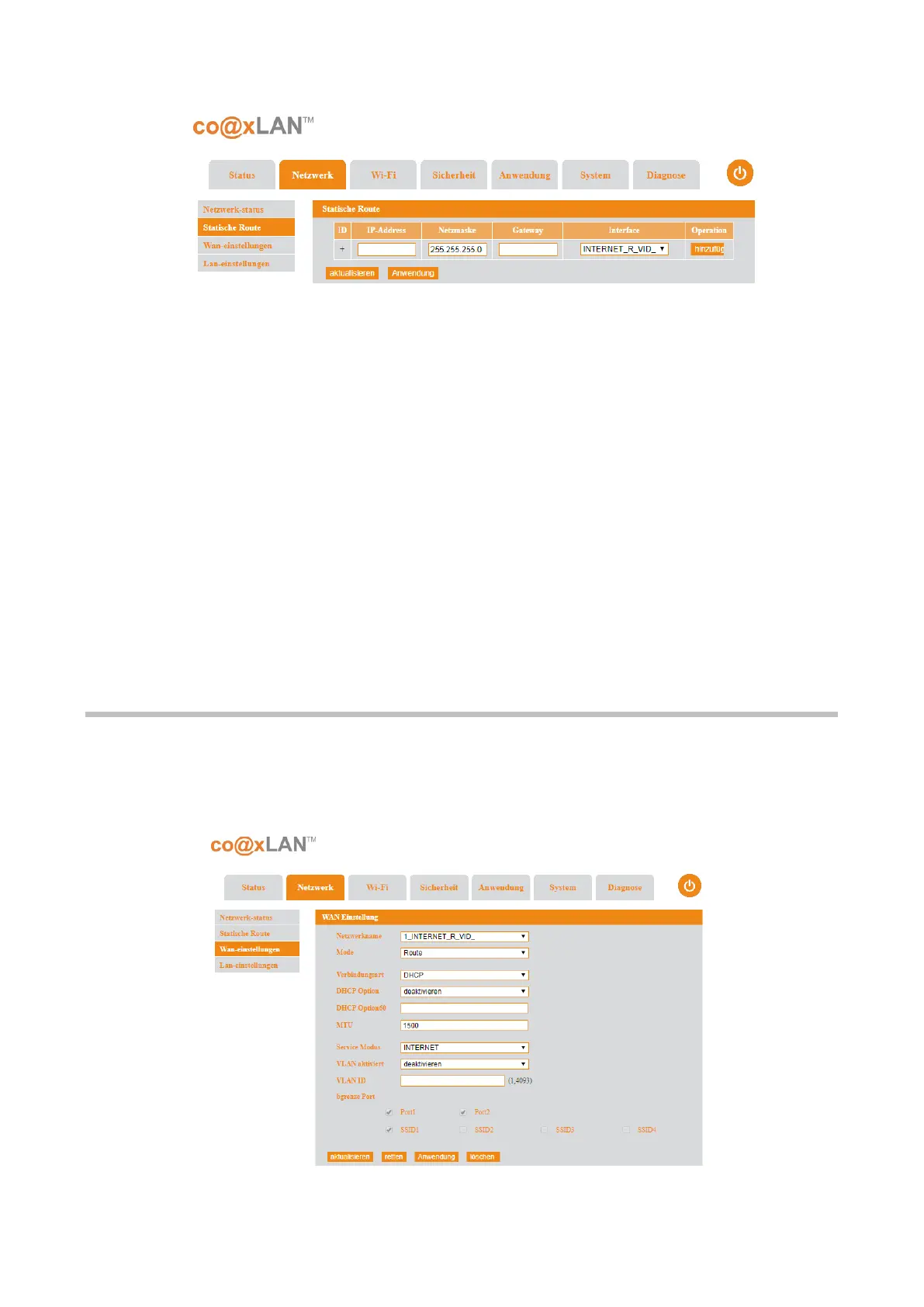
This page allows to create static IPv4 routes. The parameters to configure are:
• IP address: the network destination of the route.
• Subnet mask: the netmask associated with the network destination.
• Gateway: Specifies the forwarding or next hop IP address over which the set of
addresses defined by the network destination and subnet mask are reachable. For
locally attached subnet routes, the gateway address is the IP address assigned to
the interface that is attached to the subnet. For remote routes, available across one
or more routers, the gateway address is a directly reachable IP address that is
assigned to a neighbouring router.
•
Interface: Specifies the interface index for the interface over which the destination
is reachable
To add the route configure the user have to click the Add button. The changes in this screen
are applied when the Apply button is clicked. The Refresh button allows to update the
information shown in this page.
6.2. WAN Settings
If the WAN Settings sub-menu is selected the screen shown in Picture is displayed. The WAN
connection can work under the router or bridging mode. You can bind the LAN ports or the
WiFi to the WAN connection.
Picture 10
Picture 11



 To Next Page