V001 CL64WLAN User Manual
16 of 44
5.4. Configuration Wizard
If the Wireless Status sub-menu is selected the screen shown in Picture is displayed.
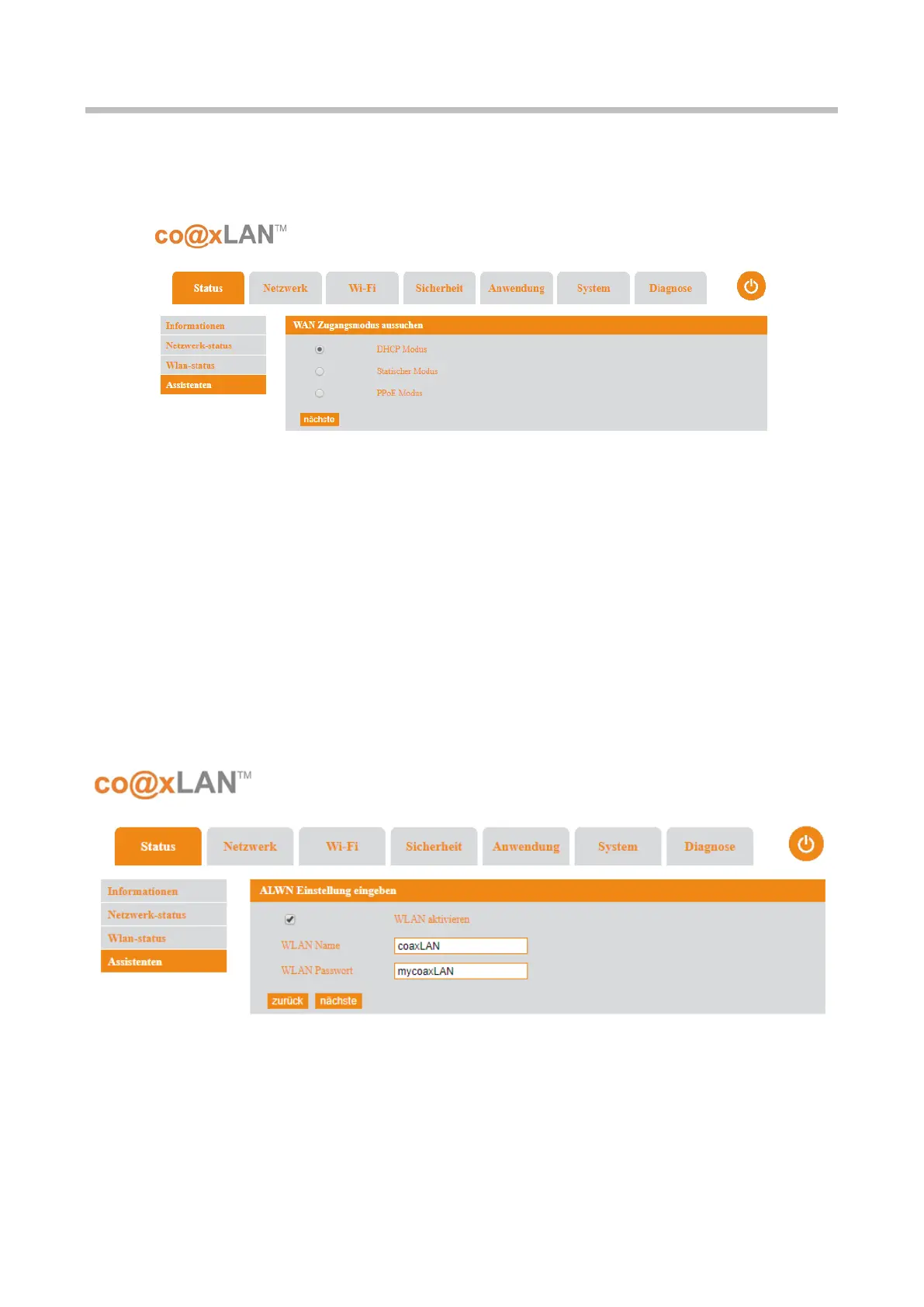
The Configuration Wizard screen provides a rapid configuration of the slave. The first screen
asks about the kind of the WAN access mode to be used; you will select one of the following
options depending on your network:
• DHCP mode
• Static mode
• PPPoE mode
Once the option is selected, the user should click the Next button. The screen shown in
Picture is displayed. In this new screen the user can enable the Wireless interface and to set
the SSID and password of the WiFi interface.
The Back button allows to come back to the previous screen. If the Next button is clicked a
new screen (see Picture ) is shown. This new screen shows all the parameters selected in
the previous screens; if the user wants to confirm this configuration, he has to click the Apply
button. The Back button allows to come back to the previous configuration screen.
Picture 6
Picture 7



 To Next Page