CL64WLAN User Manual V001
33 of 44
9.2. Dynamic DNS
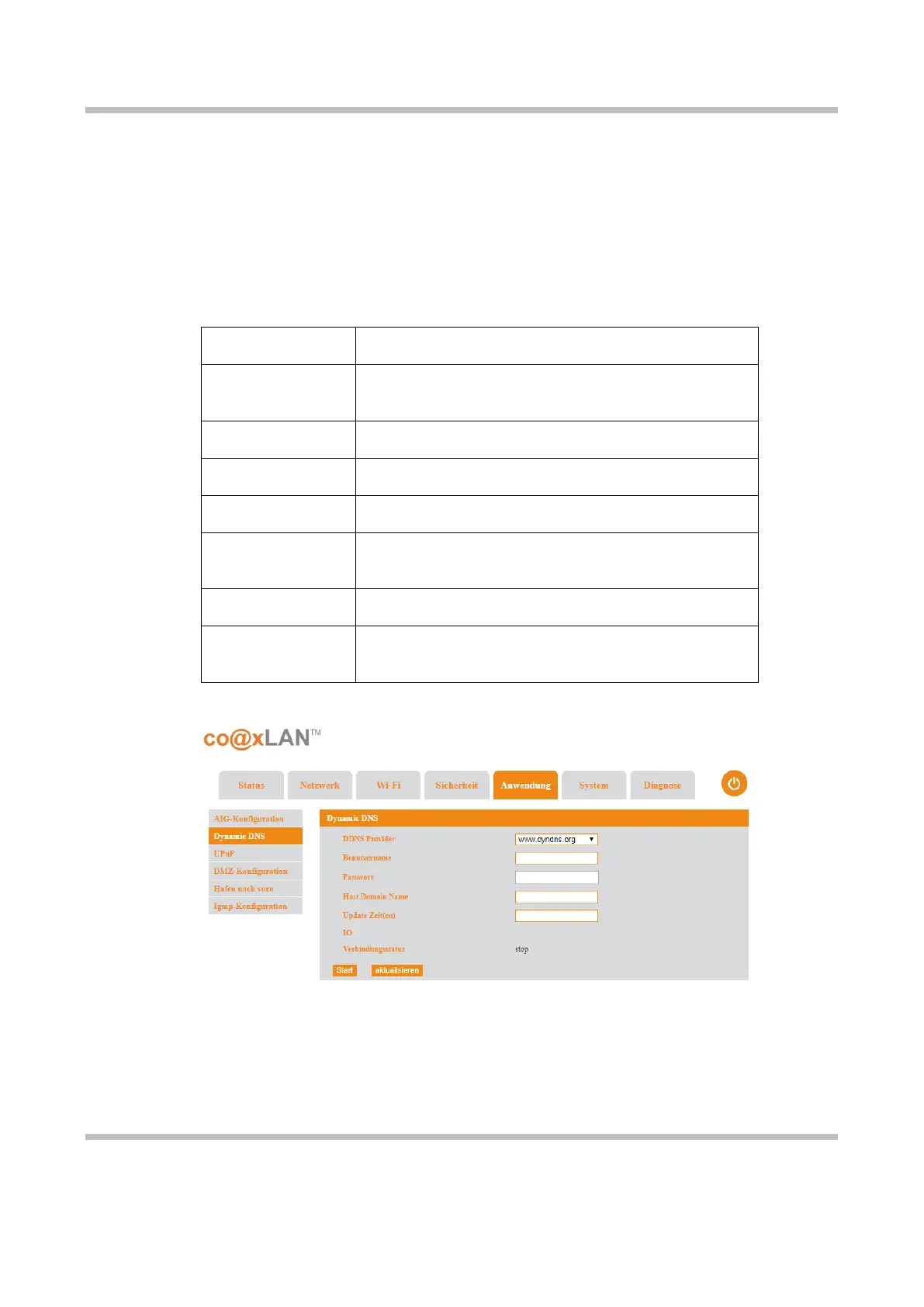
If the Dynamic DNS (DDNS) sub-menu is selected the screen shown in Picture is displayed.
This page allows to configure a dynamic DNS (Domain Name System). DDNS is a method of
automatically updating a name server in the domain name system, often in real time.
This is specially useful when the IP address provided by your CL64WLAN changes
each time you reconnect to the Internet.
T
he following table explains the parameters shown in this page:
It is the URL of the provider which provides de DDNS
service.
It is the username to login the DDNS provider.
It is the password to login the DDNS provider.
The domain name to be update in the DDNS.
The period of time between to consecutive updates
of the domain name in the DDNS.
It is the IP address currently configure in the slave unit.
The status of the connection with the Dynamic DNS
server.
The DDNS service will start as soon as you click the Start button. The Refresh button updates
the information shown on this page.
9.3. UPnP
If the UPnP sub-menu is selected the screen shown in Picture is displayed.
Picture 22



 To Next Page