Chapter 4: To use the web interface
98-140012-H Advanced settings 104
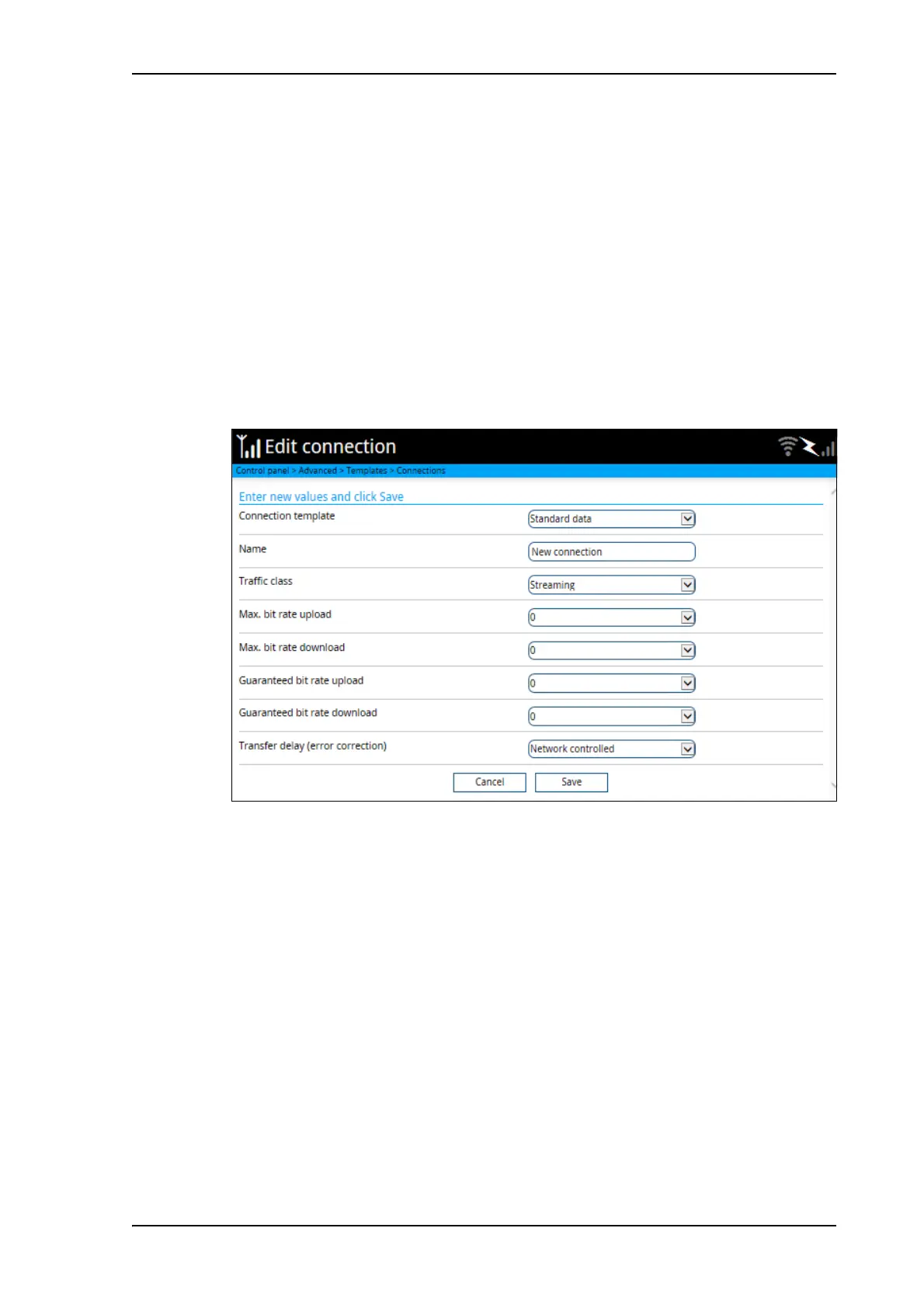
To configure data connection types and filters
If the default connection types and filters do not meet your requirements, you can build new
templates for the connection types and/or traffic flow filters to match your needs.
Connection templates
To access the connection templates, do as follows:
1. Under Advanced, select Templates.
2. Select Connections.
3. To delete a connection type, click in the right side of the connection type.
4. To add a new connection type, click Add template and proceed with the next steps.
5. Select an existing Connection template as a basis for your new template.
6. Type in a suitable Name for the connection type.
7. Select the Traffic class.
• Standard is a shared, best-effort connection, used e.g. for email or Internet browsing.
• Streaming is an exclusive, high-priority connection with a guaranteed bit rate.
8. Select the following bit rates:
• Max. bit rate upload is the maximum upload bit rate allowed for this connection type.
• Max. bit rate download is the maximum download bit rate allowed for this
connection type.
• Guaranteed bit rate upload: For normal Streaming services (e.g. Streaming 128) this
is the guaranteed upload bit rate needed for this connection type. For HDR and BGAN X-
Stream services, this bit rate is only an indicator for which service is used, it is NOT a
guaranteed bit rate.



 To Next Page