Chapter 3: To use the EXPLORER 710
98-140012-H Phone connection 45
To use a Thrane IP Handset with the terminal
In addition to making calls, the Thrane IP Handset offers additional functions for use with a
BGAN terminal.
If you have a Thrane IP Handset connected to the terminal and it is enabled in the Advanced >
Security page, you can use it to:
• Make calls over the BGAN network.
• Enter PIN/PUK for the terminal.
• View pending alarms.
• View event log.
• View current satellite status and signal strength.
• Start/stop connection packages (only for handset with number 0501).
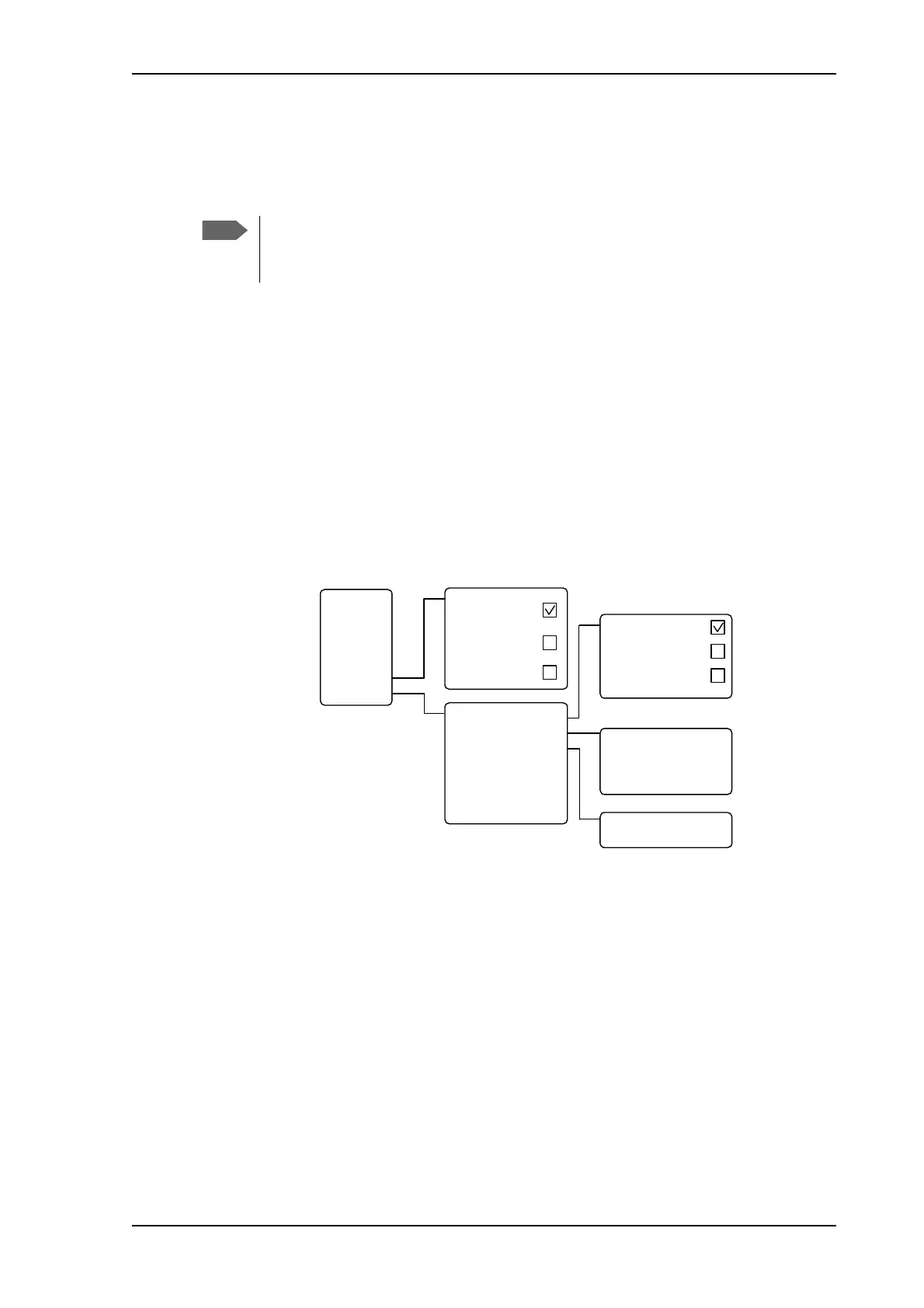
BGAN-specific menu items:
For details, see the user manual for the Thrane IP Handset.
If you want to use the BGAN functions of the Thrane IP Handset you must enable
them in the EXPLORER 710 web interface under Advanced > Security. See Security
on page 108.
BGAN
Reg ist ered
Profile 2
Not in u se
Profile 3
Not in u se
GPS po sition
Status
CNo (signal strength)
PIN sta tus
Terminal type
Terminal SW version
St and ar d
St re am ing 32
St re am ing 64
Main menu
Call log
Contacts
Status
Network
Settings
SIP
BGA N
Conne ct (0501 only)
Status
Properties
Enter PIN code
1)
Active alarms
2)
Event l og
CNo (dBHz)
1) If requeste d.
Not visible if PIN has
already been entered or
is not required.
2) If any.
Not visib le if t here are no
alarms.
Ac tive
Inactive
Inactive



 To Next Page