Chapter 4: To use the web interface
98-140012-H Advanced settings 108
Security
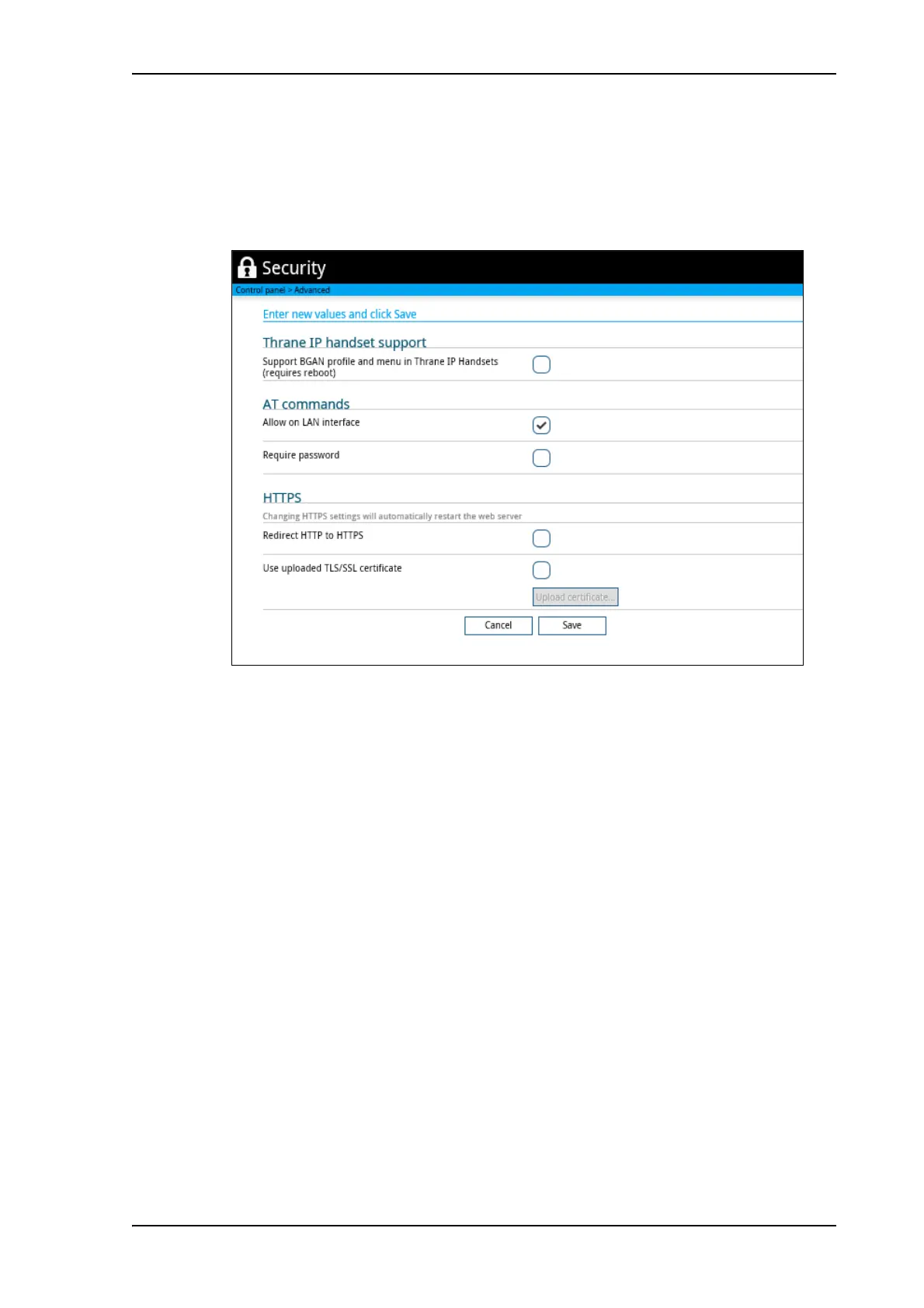
To enable the use of Thrane IP Handset
1. From the Advanced page select Security.
2. Locate the field Thrane IP Handset support.
3. If you want the terminal to support BGAN profile and menu in Thrane IP Handsets, select
Support BGAN profile and menu in Thrane IP Handsets.
This means that, in addition to making calls with the Thrane IP handset over the BGAN
network, you can use the handset display and keypad to:
• Enter PIN/PUK for the terminal.
•View pending alarms.
•View event log.
• View current satellite status and signal strength.
• Start/stop connection packages.
For details, see the user manual for the Thrane IP Handset.
To allow or block the use of AT commands on LAN/WLAN interface
AT commands are low-level commands used to control modems, in this case the
EXPLORER 710. They are typically used during service and maintenance or when
troubleshooting the terminal.
1. Under Advanced > Security, locate the field AT commands.
2. If you want to block the use of AT commands, remove the check mark at Allow on LAN/
WLAN interface (default allowed).



 To Next Page