Chapter 4: To use the web interface
98-140012-H To set up your data connection packages 86
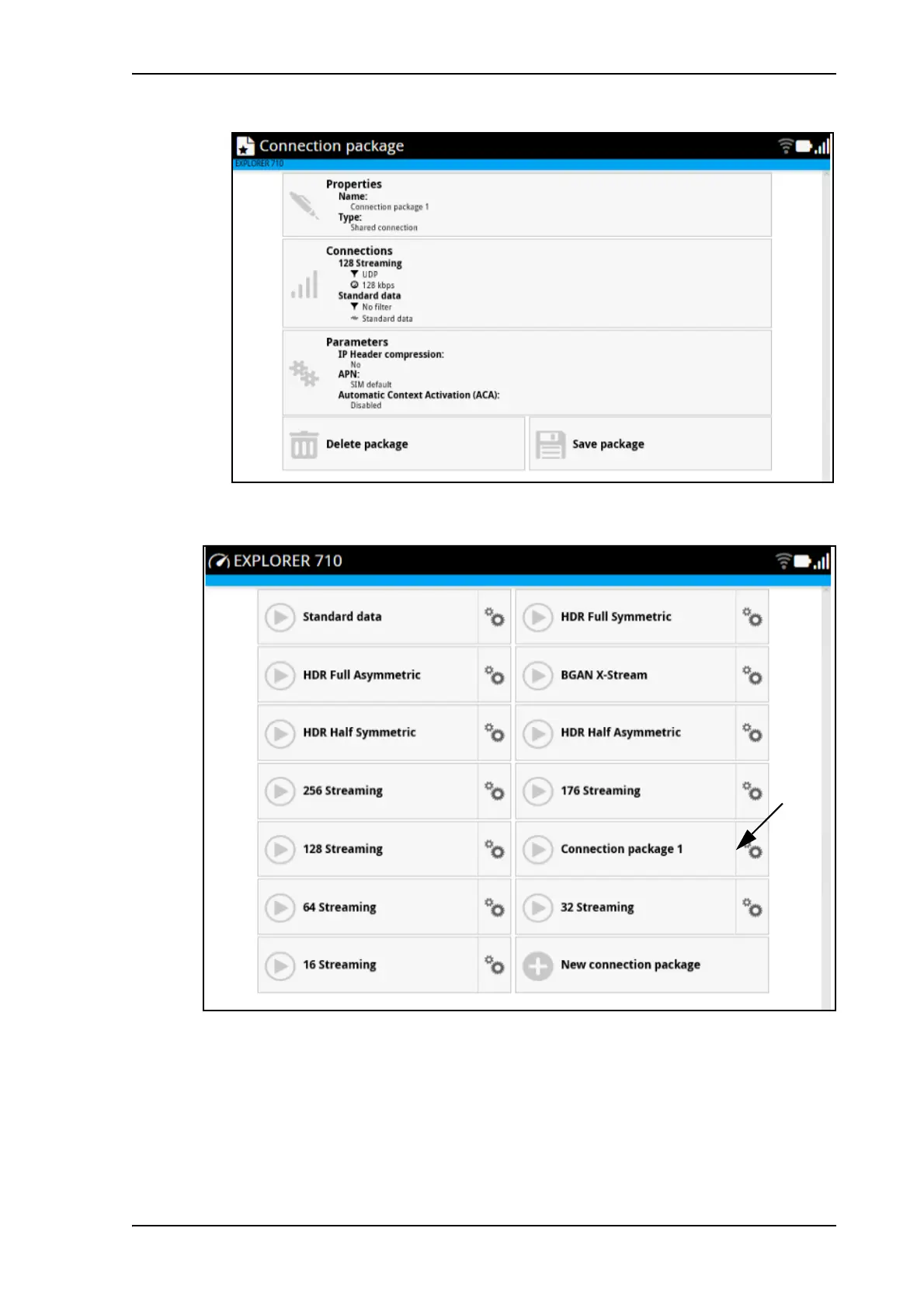
12. Click Save package when you have finished adding connections.
The new connection package is now on the startup page.
When traffic is detected on the LAN or WLAN interface, the filters are used to route the traffic.
E.g. if you connect your video equipment with UDP traffic to the EXPLORER 710, your video
transmission will use the connection that has UDP in the filter settings (128 Streaming in the
example above).



 To Next Page