Code Blue
•
259 Hedcor Street
•
Holland, MI 49423 USA
•
800.205.7186
•
www.codeblue.com
GU-147-Bpage 14 of 47
IP5000 1.0 Series
Administrator Guide
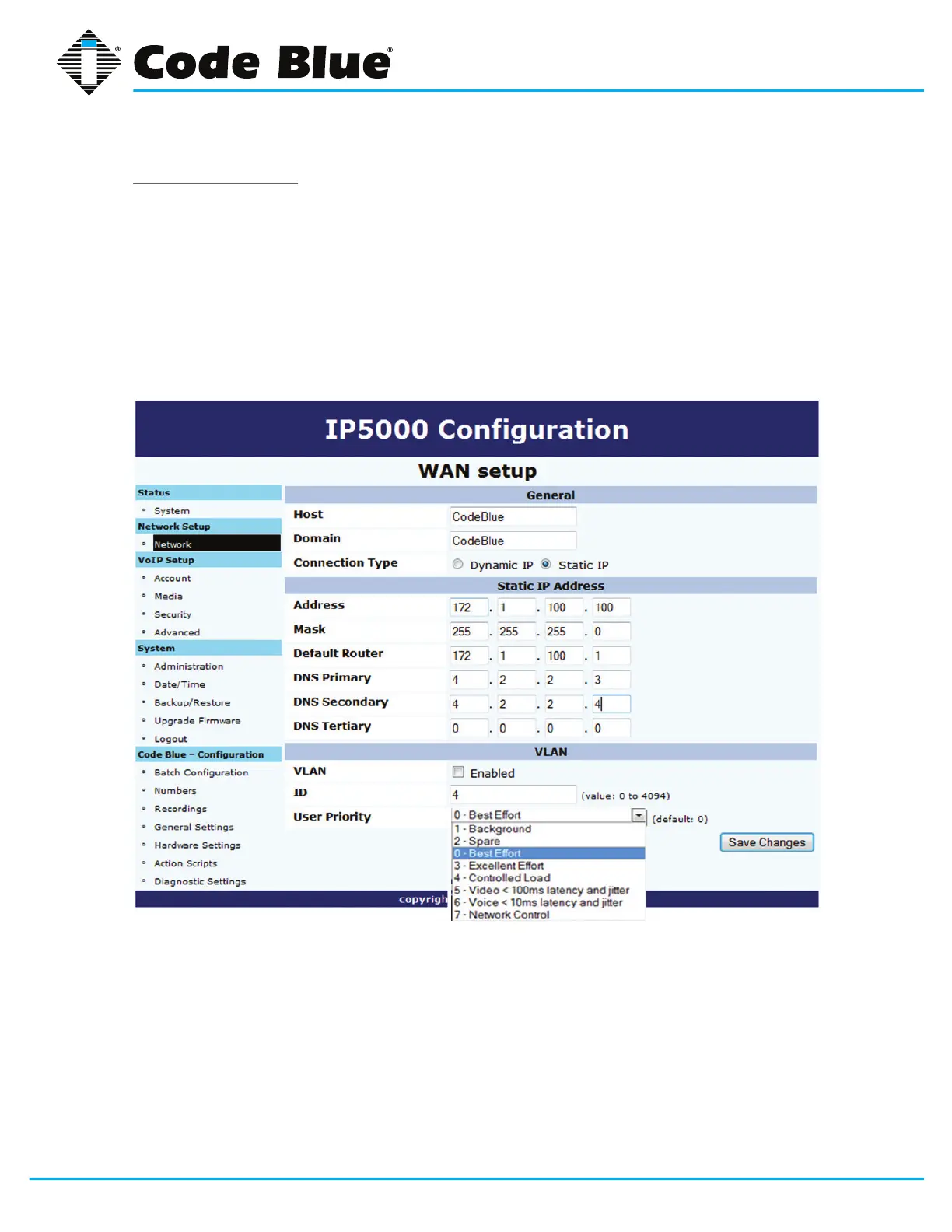
VLANConguration
TheIP5000speakerphoneiscapableofperformingIEEE802.1Qframetagginganduserpriority
settings.
1. Click on the NetworkmenuitemunderNetwork Setup(seefarleft-handcolumn).
2. Click on the VLAN EnabledcheckboxintheVLANsectionandselectyourdesired
VLAN ID and User Priority.
3. Onceyouhaveenteredyoursettings,clickonSave Changes.



 To Next Page