Code Blue
•
259 Hedcor Street
•
Holland, MI 49423 USA
•
800.205.7186
•
www.codeblue.com
GU-147-Bpage 7 of 47
IP5000 1.0 Series
Administrator Guide
3.2 Installing the IP5000
TheIP5000speakerphoneiscapableofbeingconnectedtoPoE(802.11af),12-24VoltsDCor
12-24VoltsACpowersources.Additionally,theIP5000mayalsobeconguredwitha12VoltsDC
batterybackupsystem,whichmonitorsandreportsonthebatteryvoltageforensureduptime.
The IP5000 speakerphone has three Ethernet switch ports, one PoE LAN and two non-PoE LANs
availableforconnectivitytonetworkservicesandforadditionalnetworkconnectivityforauxiliary
devicessuchasIPcameras,cardreaders,etc.
TheIP5000speakerphonehastwonormallyopenauxiliaryoutputcontactsforconnectingdevices
suchastheLEDbeacon/strobe,camerapresetactivationinputs,thirdpartycontrollers,etc.Thereis
alsoonenormallyopenauxiliaryinputcontactclosureforconnectingdevicessuchasdoorcontacts,
relays,etc.,whichcanbeprogrammedtoperformanyfunctionofthephone.
TheIP5000speakerphonehasbeendesignedtobemountedinanyCodeBlueenclosure.Custom
faceplatesareavailableformountinginotherproductenclosures.Contactyourlocaldealerforad-
ditionalinformationandavailabilityofcustomoptions.
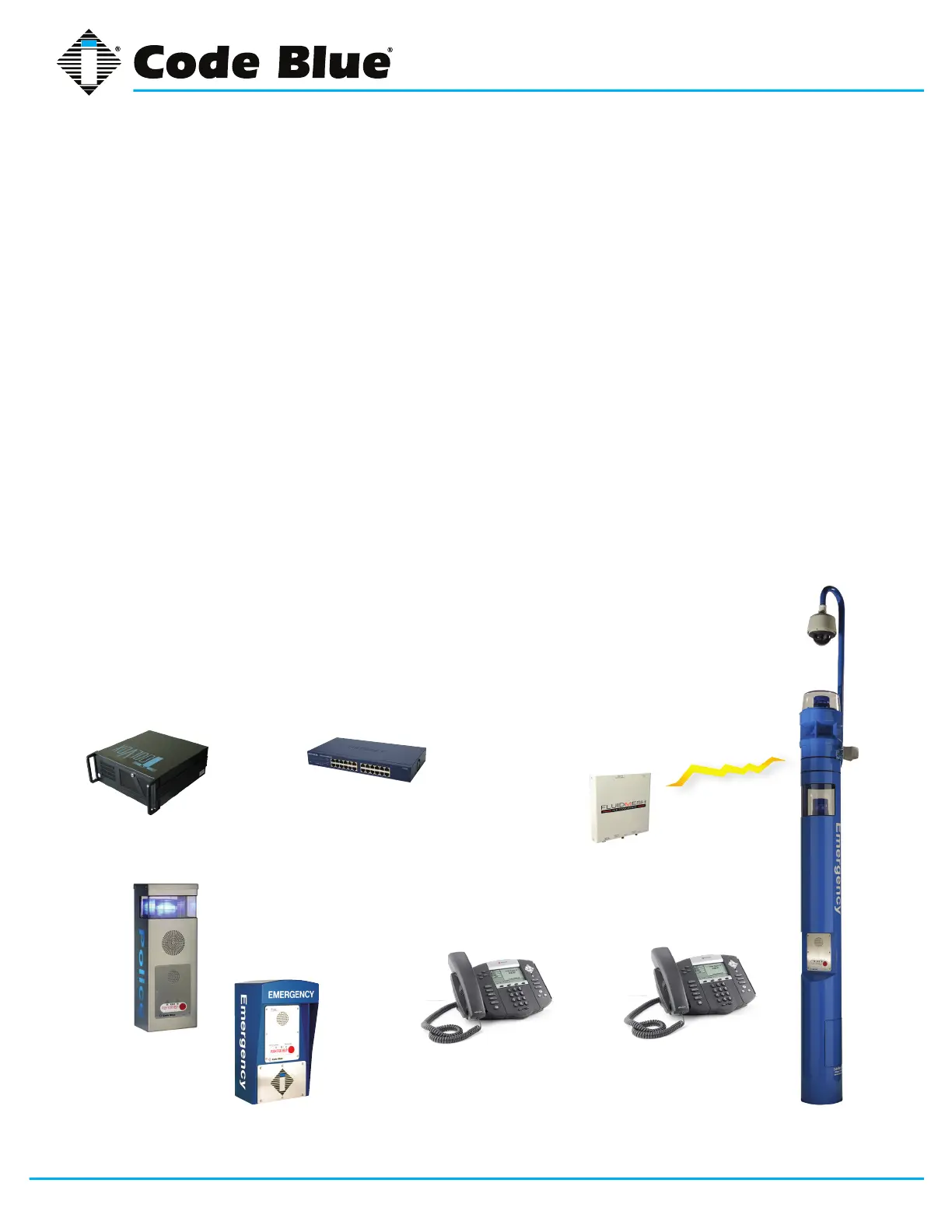
Typical IP5000 Speakerphone Uses
ToolVox
®
Communi-
cationManager
Network switch SecureMesh
or 802.11g
IP wireless
CB 2-e with
PublicAddress
CB 4-u
CB 1-s with
PublicAddress
Ip desk phones



 To Next Page