Code Blue
•
259 Hedcor Street
•
Holland, MI 49423 USA
•
800.205.7186
•
www.codeblue.com
GU-147-Bpage 8 of 47
IP5000 1.0 Series
Administrator Guide
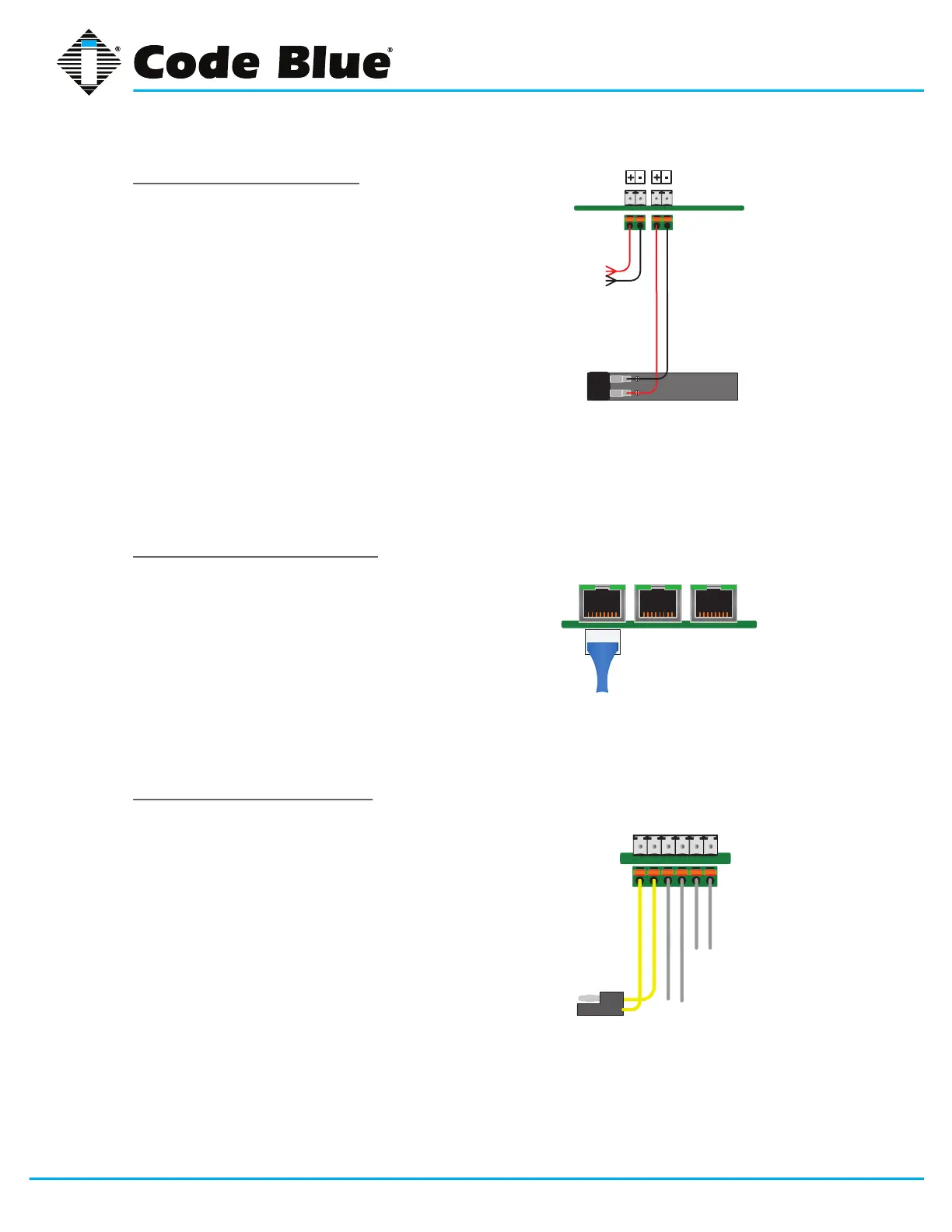
Connecting Power Sources
TheIP5000speakerphoneiscapableof
beingconnectedtoanypowersourcethat
provides12-24VoltsACorDCwithamini-
mumof430mAcurrentrating.Anoptional
batterycanbeconnectedtothesecondary
power input and the IP5000 speakerphone
willmonitorthebatteryforlowvoltage
conditions,typicallyutilizedinsolaror
NightCharge
®
applications.Itisstronglyrec-
ommendedthatyoudisconnectanypower
totheunitpriortoinstallation.Consultyour
local electrician for proper power connectiv-
itytoyourCodeBlueequipment.
Connecting Network Services
The IP5000 speakerphone has one PoE
switchportforconnectivitytoexistingnet-
works and two additional Ethernet switch
portsforconnectivityofauxiliaryEthernet
baseddevicessuchasIPcameras,card
readers, etc.
Connecting Network Devices
TheIP5000speakerphoneanalogauxiliary
connectionsaretwonormallyopenoutputs
andonenormallyopeninput.Typically,any
CodeBlueunitwithanLEDbeacon/strobe
willhavethetriggerconnectedtoAuxiliary
Output1.TheAuxiliaryOutputscanbe
programmedtobeactiveduringacallorby
enteringaspecictimeperiod.TheAuxiliary
Inputcanbeprogrammedtoperformany
script entered into the phone.
12-24V AC or DC
Battery12VDC
AuxiliaryPorts
Aux Output 1
Aux Output 2
Aux Input 1
PoE
LAN
LAN
Ethernet
LAN



 To Next Page