Code Blue
•
259 Hedcor Street
•
Holland, MI 49423 USA
•
800.205.7186
•
www.codeblue.com
GU-147-Bpage 18 of 47
IP5000 1.0 Series
Administrator Guide
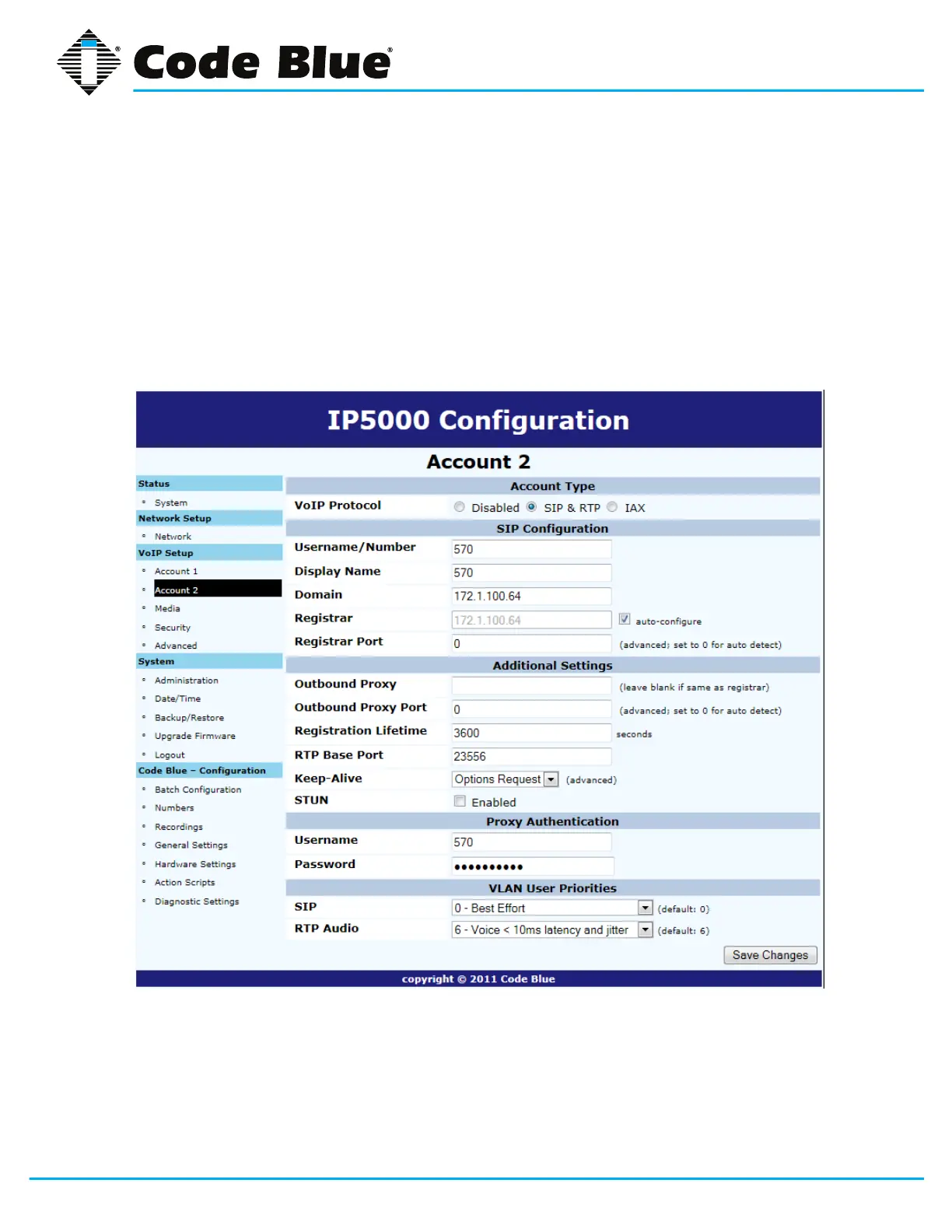
5.3 Configuring a SIP Account 2
TheIP5000EmergencyPhoneiscapableofconnectingtoVoIPsystemsviatheSIPprotocoltoa
secondSIPAccount.ClickontheAccount2menuitemundertheVoIPSetup,thenclickontheSIP
&RTPradialbuttonnexttoMode.EnteryourSIPCongurationsettings,AdditionalSettings,Proxy
AuthenticationandVLANUserPriorities.Oncethisinformationisentered,clickonSaveChanges.
The dual account option allows for failover. If one of the servers is off-line or down, the IP5000 will
stillbeoperable.



 To Next Page