Code Blue
•
259 Hedcor Street
•
Holland, MI 49423 USA
•
800.205.7186
•
www.codeblue.com
GU-147-Bpage 30 of 47
IP5000 1.0 Series
Administrator Guide
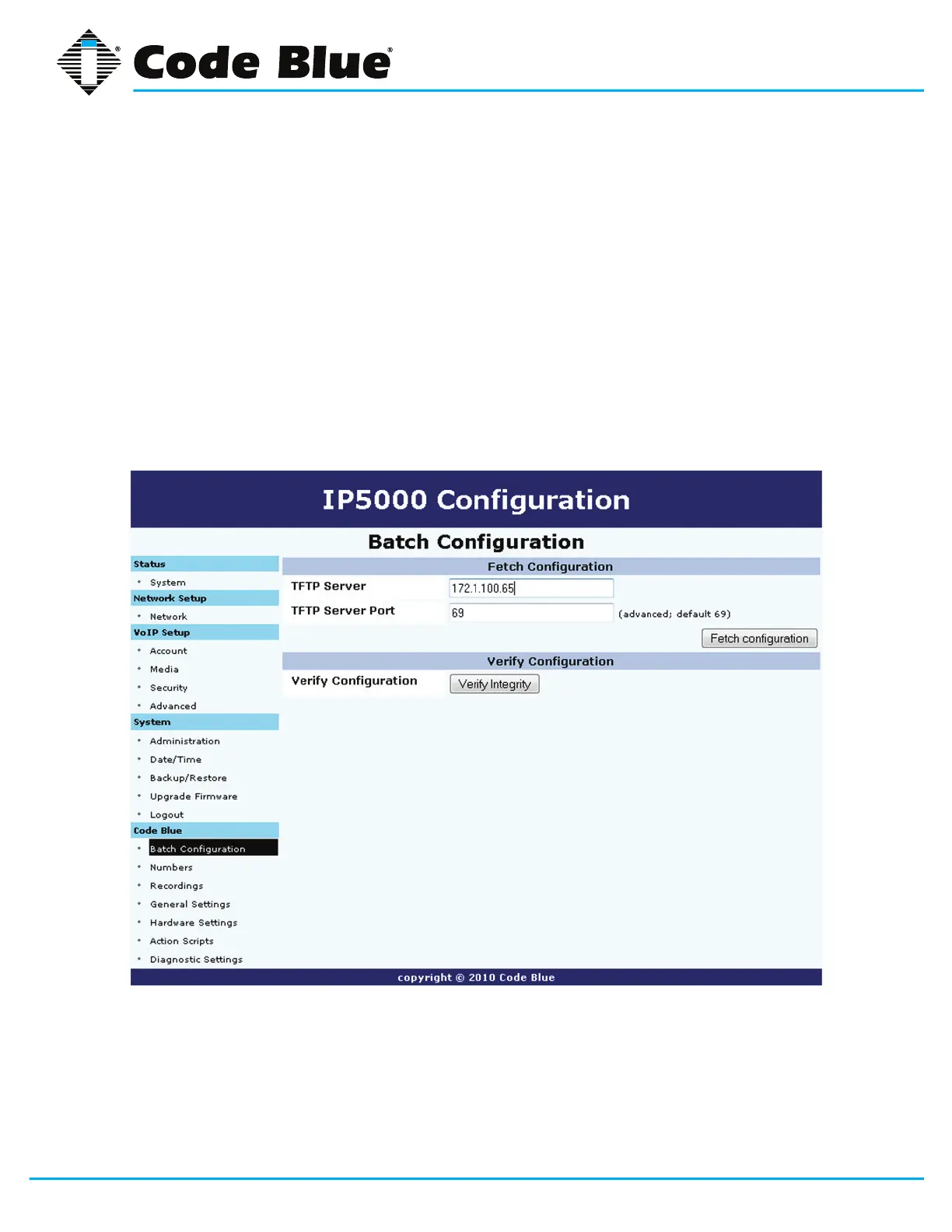
7.1 Batch Configuration
TheIP5000speakerphonecanbeconguredfromaTFTPserver.
1. Click on Batch Conguration under Code Blue (seefarleft-handcolumn)
2. Enter the TFTP Server IP address and TFTP Server Port.
3. Click on Fetch CongurationtopullthecongurationlesfromyourTFTPserver.
4. Click on Verify Integritytovalidatethecongurationlesaresuitableforuse.
IftheToolVoxIPMediaGatewayandUPDsoftwarearebeingutilized,thiswillbe
setautomaticallyandnomanualcongurationisneeded.



 To Next Page