Code Blue
•
259 Hedcor Street
•
Holland, MI 49423 USA
•
800.205.7186
•
www.codeblue.com
GU-147-Bpage 33 of 47
IP5000 1.0 Series
Administrator Guide
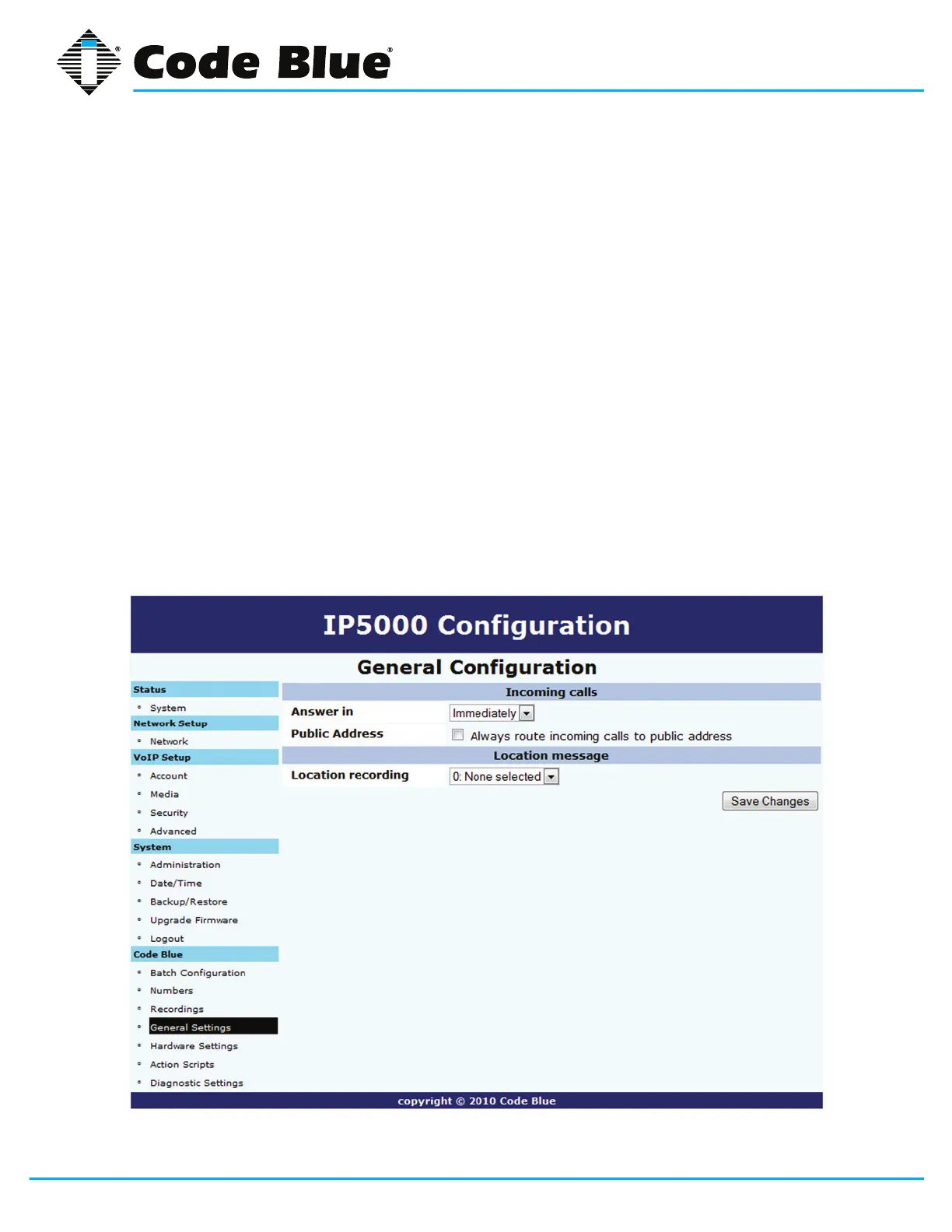
7.4 General Settings
The IP5000 speakerphone general conguration can be accessed by:
1. Clicking on General Settings under Code Blue(seefarleft-handcolumn).
InthissectionyoucanselecthowmanyringstheIP5000willwaitbeforeansweringan
incomingcall.
2. Click the down arrow next to Answer In to change settings.
3. Additionally,torouteallincomingcallstothePASlinelevelaudiooutputformassnotica-
tion,checkthebox(i.e.,Always route incoming calls to public address)nexttoPublic
Address.
The IP5000 can also be congured with a standard location message.
1. Click on the down arrow next to Location Recording to select this recording as the default
LocationMessage.
2. Onceyouhaveconguredtheoptionsonthispage,clickSave Changes.



 To Next Page