Code Blue
•
259 Hedcor Street
•
Holland, MI 49423 USA
•
800.205.7186
•
www.codeblue.com
GU-147-Bpage 45 of 47
IP5000 1.0 Series
Administrator Guide
10 Factory Reset
The system can be reset utilizing the following actions:
• Presstheresetbutton(seesection3.1)forvesecondsanditwilldeletethenetworkcong
les;scriptsandrecordingswillremain.
• Pressresetbutton(seesection3.1)for10secondsormoreandtheIP5000le
systemwillbeformattedresettingtofactorydefaults.
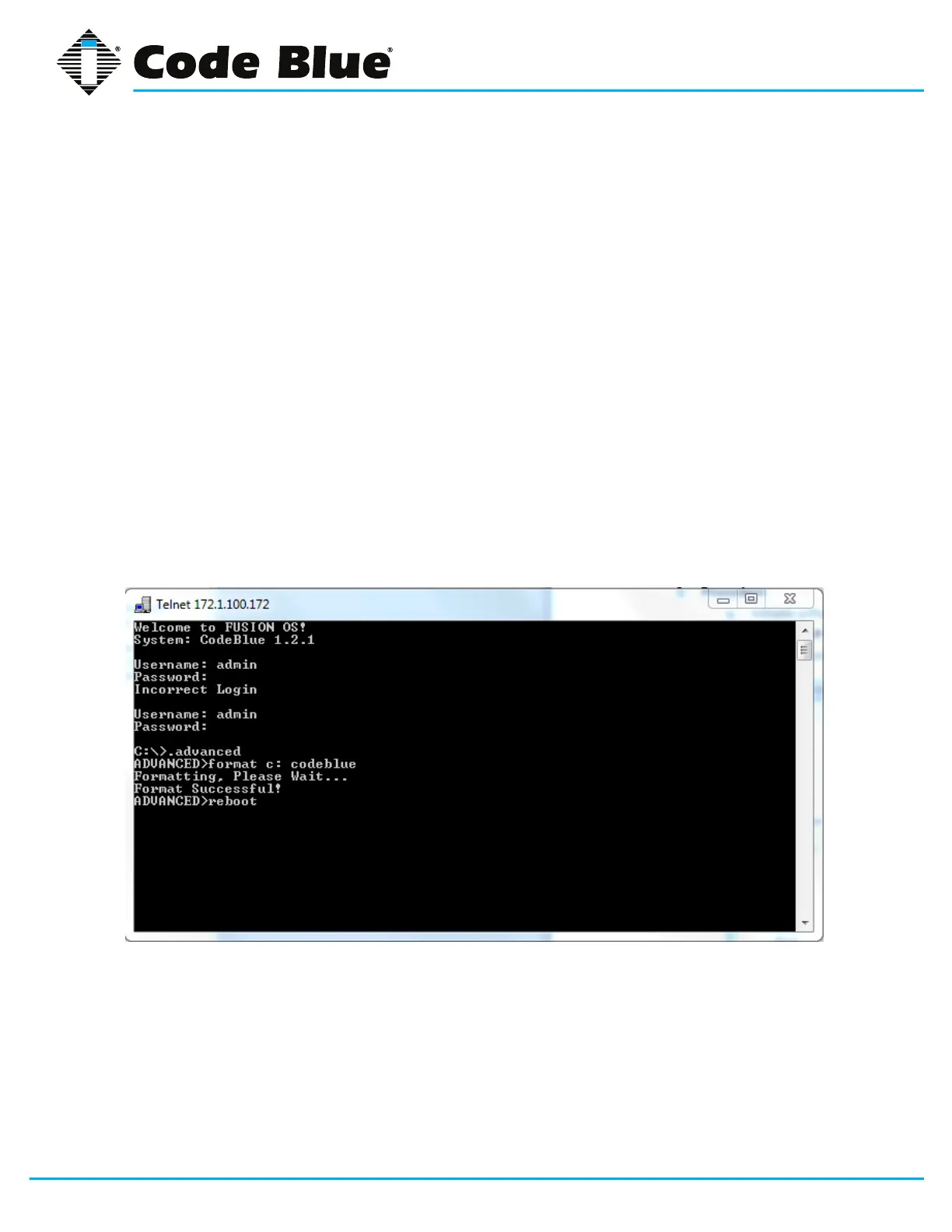
• Using Windows Telnet
» Open<IPAddress><port>
» EnterUsername:adminandPassword:admin
» Attheprompt,type.advanced
» Attheprompt,typeformatc:codeblue
Aftersuccessfullyformattingthephone,typereboot.
Code Blue Technical Support: 800-205-7186



 To Next Page