Code Blue
•
259 Hedcor Street
•
Holland, MI 49423 USA
•
800.205.7186
•
www.codeblue.com
GU-147-Bpage 20 of 47
IP5000 1.0 Series
Administrator Guide
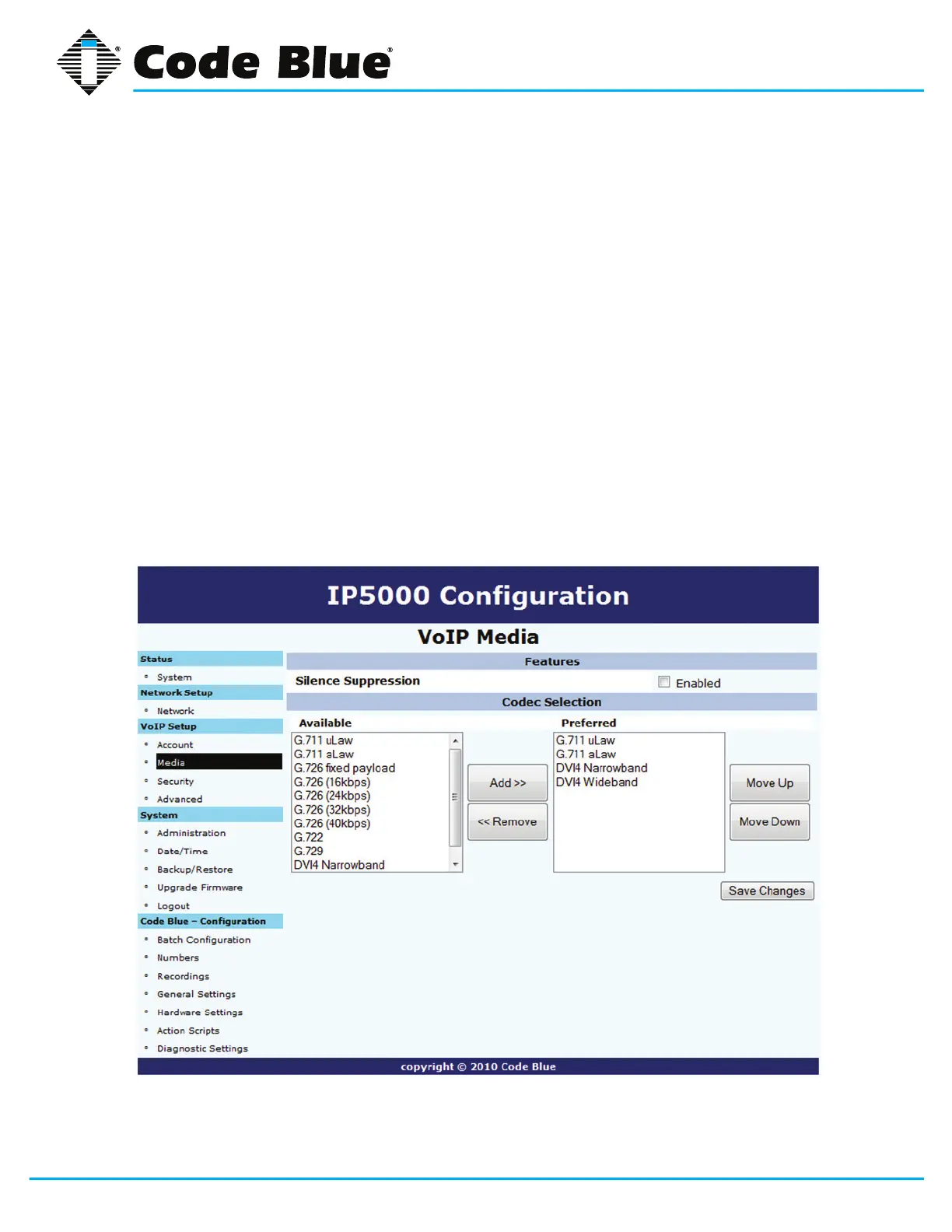
5.5 Configuring Media Settings
TheIP5000speakerphoneiscapableofutilizingvariouscodecsforcommunicatingwithVoIPsys-
temsandservices.
1. TocongurewhichcodecstheIP5000speakerphoneusesclickonMedia under the VoIP
Setupsection(seefarleft-handcolumn).
2. IfyouwanttheIP5000toperformSilence Suppression, select Enabledcheckbox.
3. Highlight the desired codec in the Availablelistboxandclickthe Add >>buttontoadd
themtothePreferredbox.
4. Use the Move Up and Move Downbuttonstoensurethecodecisinthecorrectpriority
orderfromtoptobottom.
5. Highlight a codec in the Preferredboxandclickthe<< Removebuttontoremovetheco
dec as an option.
6. Onceallinformationisentered,clickSave Changes.



 To Next Page