Presentation mode is similar to manual trigger mode, without using the trigger as a signal to start acquisition.
Package Detection Support
You can connect your package detection sensor to one of the digital inputs of your DataMan reader. When the reader
receives a signal that a package is detected, images that the reader collected are not discarded at the end of the trigger.
This way you can make sure that there was a package there, only the code was not readable. Looking at the No Read
images will help you find out why there was no decode results.
Package detection is only supported with Continuous trigger mode. Continuous (external) trigger mode means that the
trigger stops if the event generating the trigger stopped, or if there is a good read. Until the trigger stops, the reader
collects images. These are No Read images (otherwise the trigger would stop).
You can use this feature in a stand-alone configuration, or in a multi-reader sync configuration. In the latter case, connect
the sensor to the Primary reader. The Primary reader will initiate a request to save images and collect the images from
the secondary readers.
To make sure that the No Read images are collected, perform the following:
1. Connect your package detection device to one of the Inputs of your reader.
2. In the DataMan Setup Tool’s Inputs/Outputs pane's Inputs tab, check Allow Buffered No-Read Images on the
input you connected your reader to.
3. In the Inputs/Outputs pane, click the Buffering and Transfer link next to or above the tabs. This directs you to the
Buffering and Transfer pane. On the Image Buffering tab, change What Results to Buffer to All, or No Read.
l In the case of All, good reads are also saved together with No Reads.
l In the case of No Read, the image is buffered if the reader fails to read.
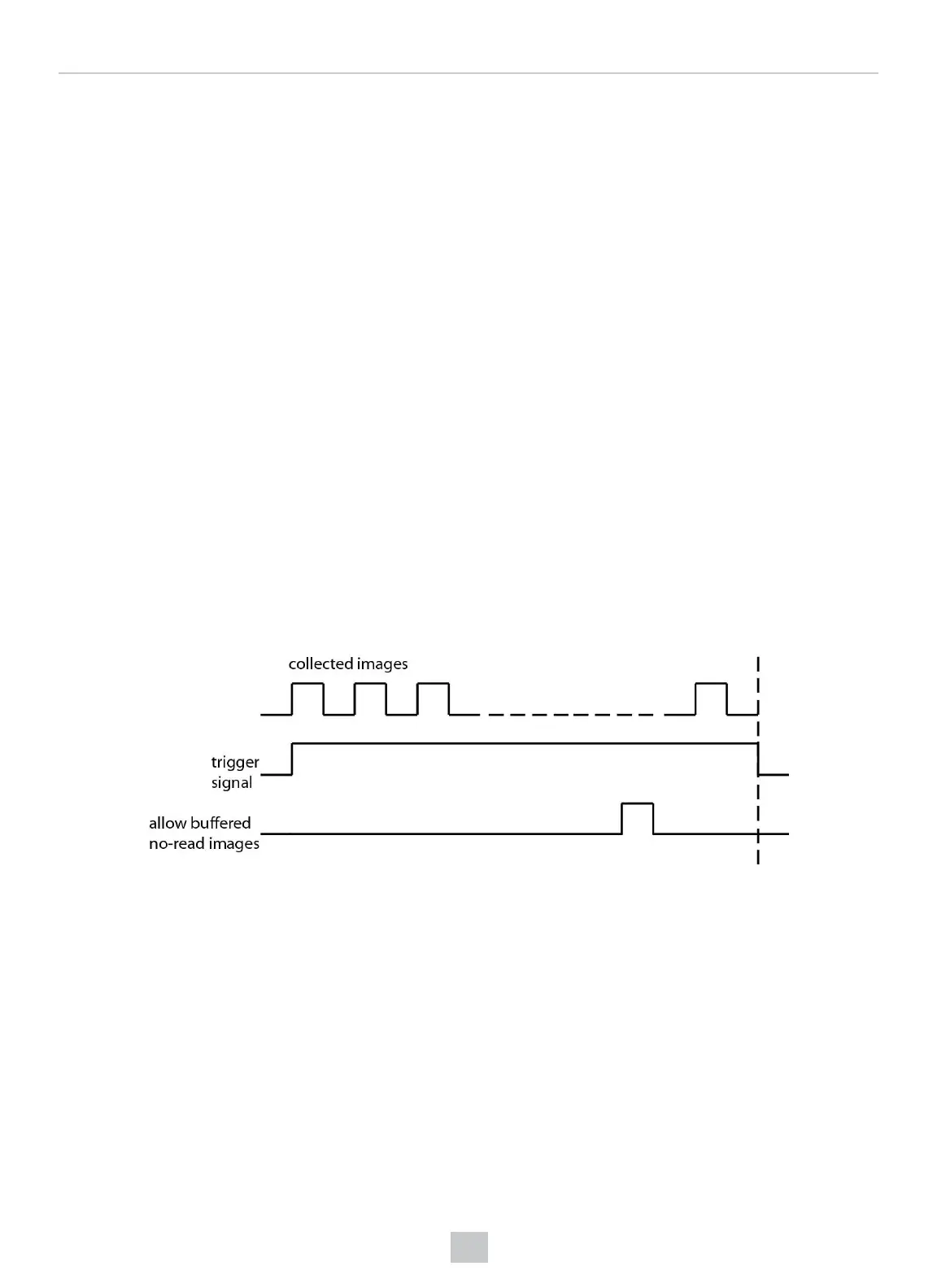
The following diagram shows the working mechanism:
The signal from the sensor tells the reader not to discard the collected images at the end of the trigger event.
Test Mode
Test mode lets you configure and test a reader that is connected to a production line without needing to slow down or
stop your line. To enter Test mode,
l Press the button (to which you previously assigned this function) on the device for 3 seconds
l Send a DataMan Control Command (DMCC)
l Click the Test Mode button in the DataMan Setup Tool
While in test mode, the reader, by default, ignores all external trigger sources and disables all input and output lines.
Test mode provides two ways for you to test your reader configuration:
158
Operations Guide











 To Next Page