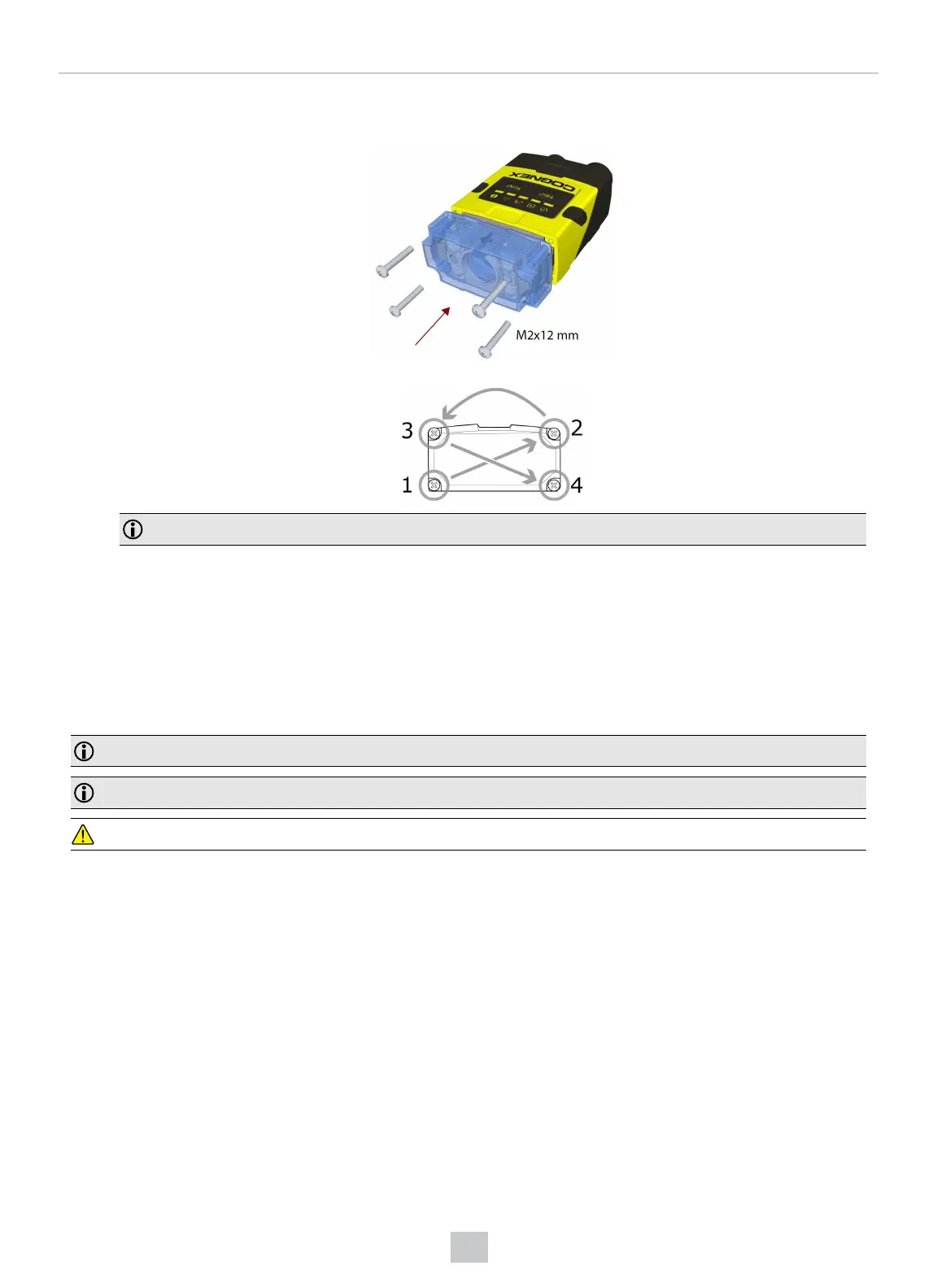
4. Attach the front cover. Observing the tightening sequence below, tighten all four screws to 9 Ncm using a torque
wrench.
Note: The rib in the front cover must be oriented to the top side.
DataMan 280 Installing and Changing Lenses
This section provides an overview about installing and changing different kinds of lenses:
l Installing a C-Mount Lens.
l Changing a 6.2 mm Lens to a 16 mm Lens.
l Installing a High Speed Liquid Lens.
Note: Use a Phillips screwdriver with drive size #1 for all Phillips screws that are reachable from the front side.
Note: Disconnect the reader from power before changing lenses or mounts.
CAUTION: Perform all lens modification procedures in a dust-free and ESD safe area.
39
Mechanical Information











 To Next Page