Replacing a C-Mount Lens
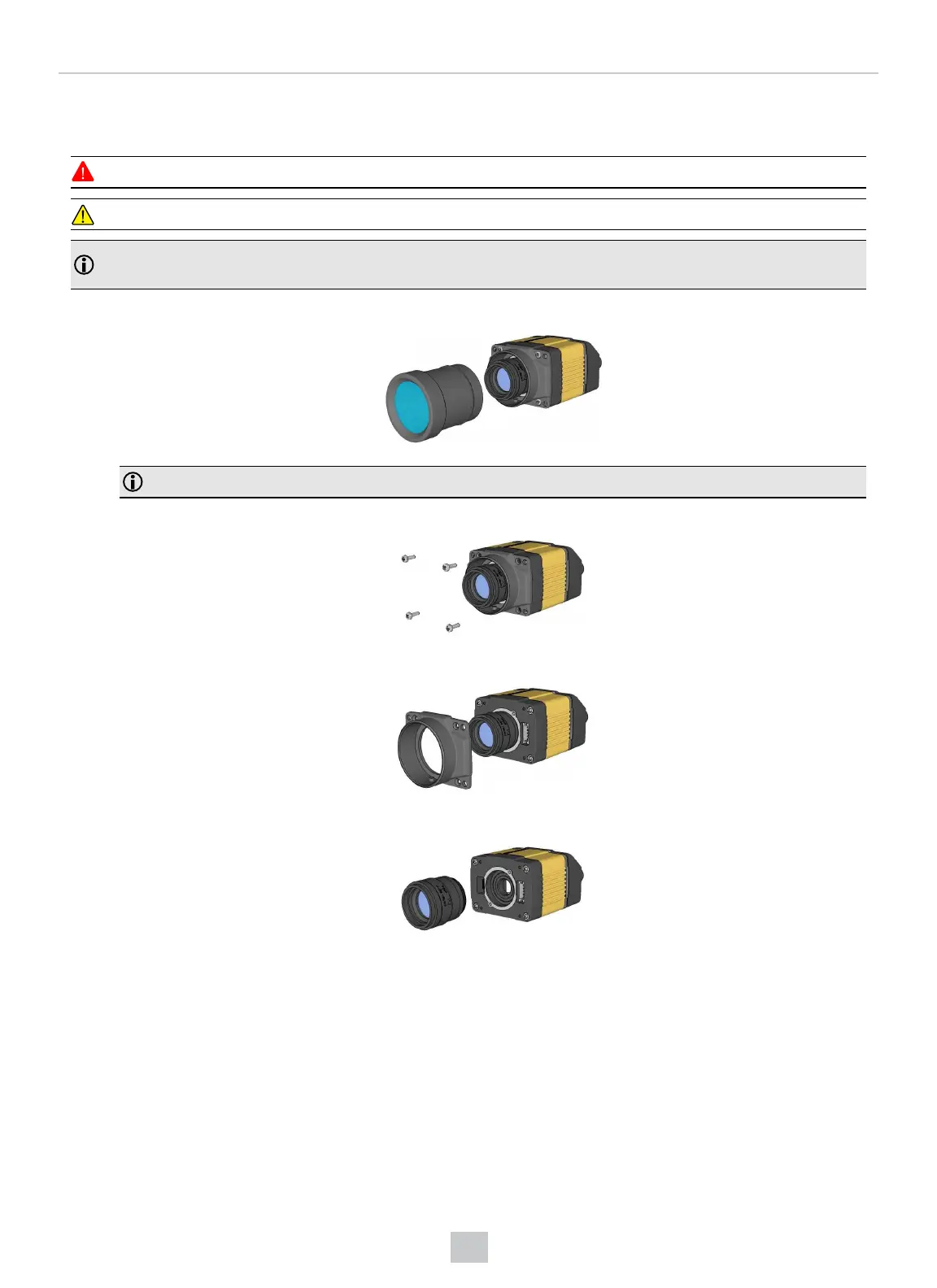
To remove and replace a C-Mount lens of a DataMan 300 or 360 series reader, perform the following steps:
WARNING: Disconnect the DataMan reader from power before continuing.
CAUTION: Do not leave the image sensor exposed to the environment.
Note: The following steps describe service procedures for both the DataMan 300 and the 360 readers, but the
images show only the DataMan 360.
1. Remove the front cover.
Note: Do not unscrew the front-most part of the nose of the cover to avoid risking the glass lens falling out.
2. Remove the screws from the C-mount cover base.
3. Remove the C-Mount cover base.
4. Remove the lens.
When replacing the lens, observe the following precaution:
l When you attach the front cover, align the peg on the reader and the slot on the cover so that the cover locks in
place.
When reattaching the C-mount cover base, tighten the screws in the sequence shown and observe a torque limit of 9 N-
cm (0.8 Lb-In).
57
Mechanical Information











 To Next Page