MACHINE PREPARATION
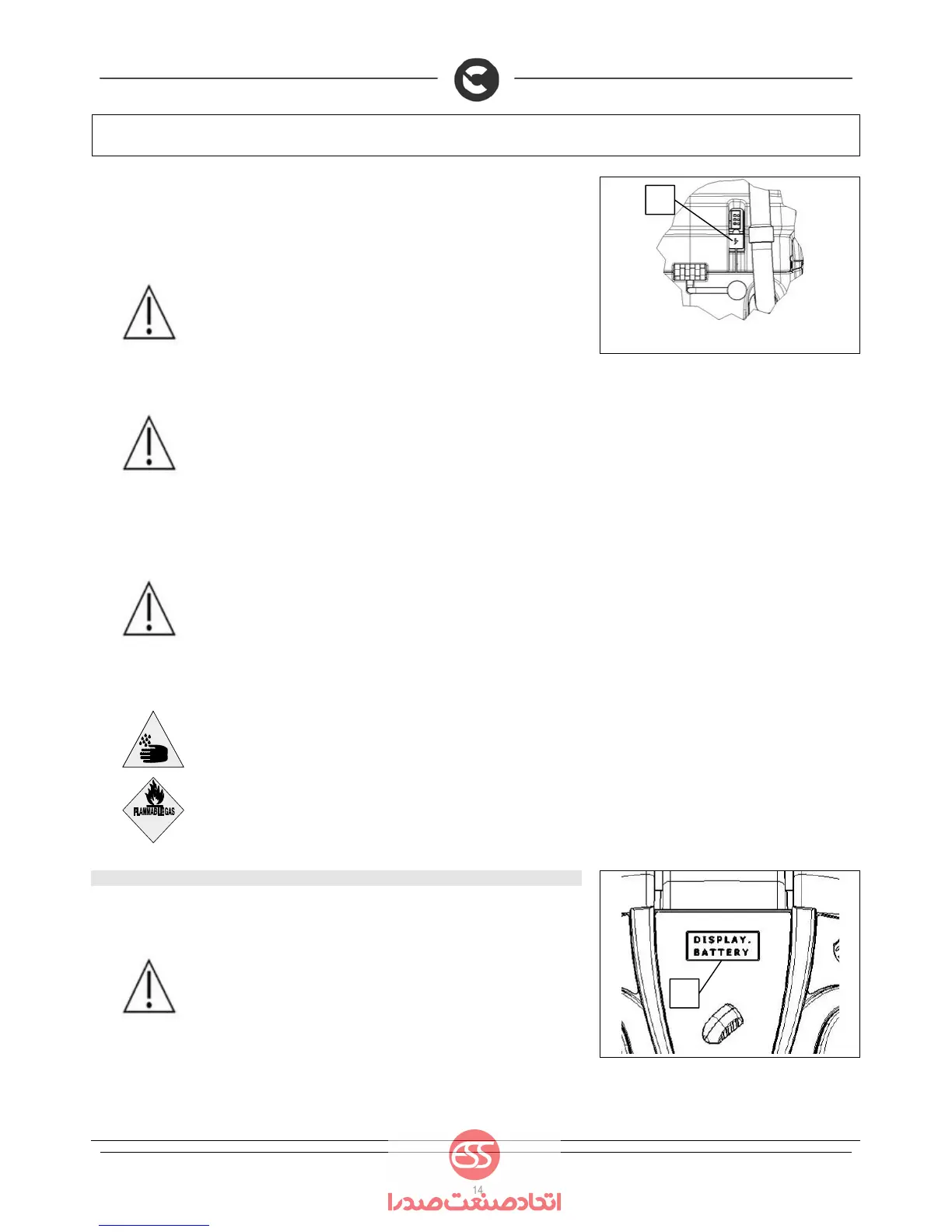
8. Lift the battery charger socket guard (3) on the back of the machine.
9. Plug the battery charger cable into the electrical system of the machine.
10. Plug the power supply cable of the charger into the mains socket.
When replacing the battery, be sure to use batteries suitable for the battery charger installed.
ATTENTION: the machine is equipped with an automatic system that
disconnects the power supply from the electrical system while the batteries are
being recharged
ATTENTION: in order not to cause permanent damage to the batteries it is
essential to avoid their complete discharge: arrange the recharge within a few
minutes of the switching on of the flashing "discharged batteries" signal.
ATTENTION: never leave the batteries completely discharged, even if the
machine is not being used.
ATTENTION: for the daily recharging of the batteries, you must fully respect
the indications provided by the manufacturer or retailer. All installation and
maintenance operations must be carried out by expert personnel, trained at the
COMAC assistance centre
WARNING Make sure that the battery charger green LED is on before using
the machine again
ATTENTION: danger of exhalation of gas and leakage of corrosive liquids.
ATTENTION: danger of fire: do not go near with free flames
11. BATTERY INDICATOR (B-BT VERSIONS)
On the instrument panel of the machine there is a monitor (1) indicating (amongst other things) the
battery charge status. If the upper line contains 8 light indicators, the battery charge level is 100%. If
the edges of the indicators are flashing, this means the batteries are run down.
ATTENTION: a few seconds after the last indicator on the monitor has flashed,
the brush motor will automatically switch off. With the remaining charge it is
possible to complete the drying process before recharging
3
1


 To Next Page