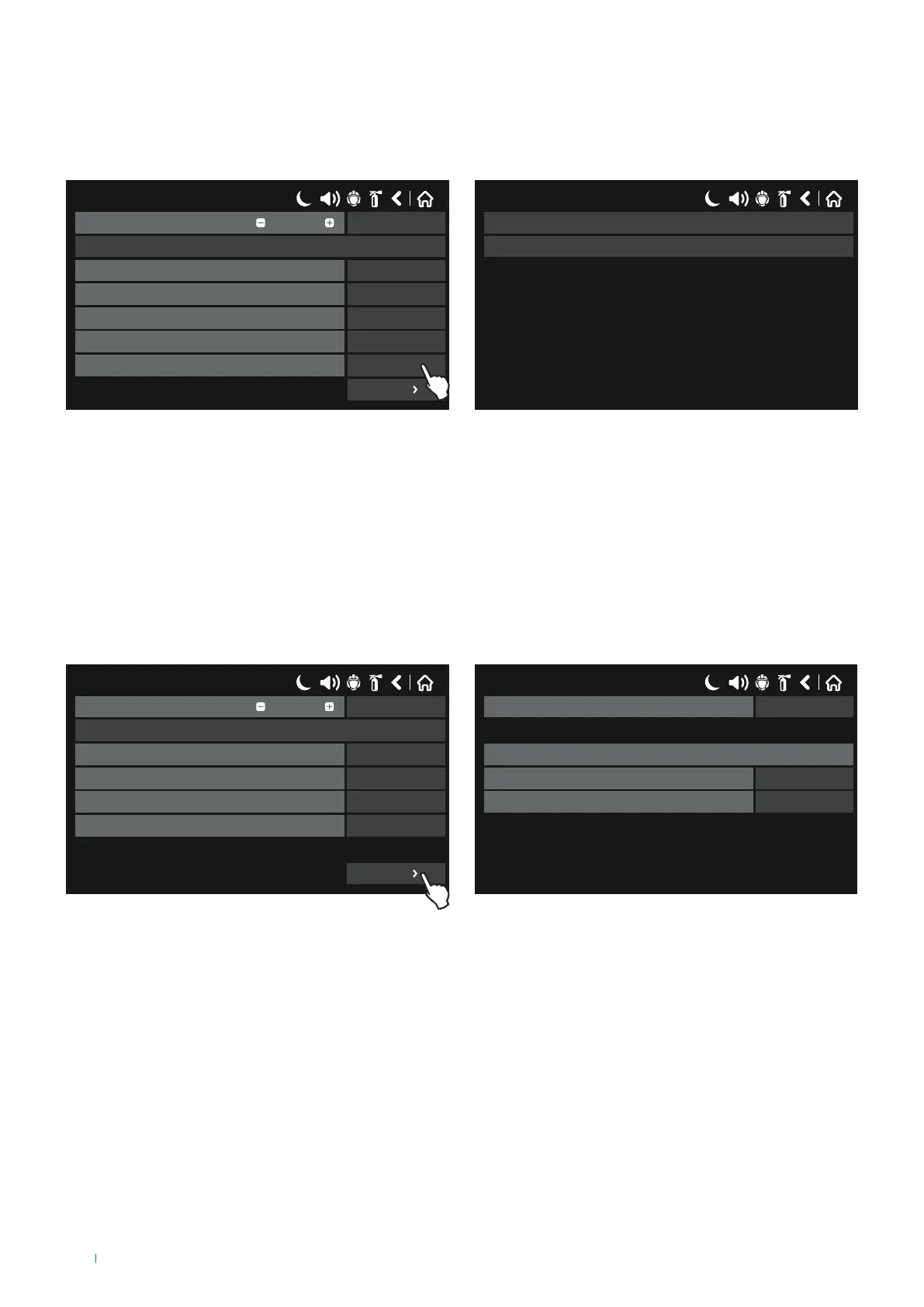
• ZONE GROUP: select this option when the input is generated by one of the zones in fire alarm or in fault status, belonging
to that specific zone group.
Press the button next to the “Functions” field to select the zone group event type:
Zone Fire: the input is generated by the Fire Alarm status of a Zone belonging to that zone group.
Zone Fault: the input is generated by the Fault status of a Zone belonging to that zone group.
17/06/2020 14:06
SAVEInput Number
Name
UnlatchedBehaviour
NORMALPolarity
0Input Delay
Zone GroupType
ZONE FIREFunction
1
More
17/06/2020 14:06
ZONE FIRE
ZONE FAULT
Press “MORE” to set:
◊ Zone Group Number: enter the number of the zone group which, in alarm or fault conditions, generates the input
between 1 and 48.
◊ Function: set the operating logic (OR / AND).
◊ Group: if necessary, enter the number of the input group to which the input should belong, between 1 and 250.
To save any new parameters, press “Save” on the main input screen.
• DEV. GROUP: select this option when the input is generated by a sensor (41RFU100, 41RML100, 41RCS100) in alarm
status, belonging to that specific group of sensors.
17/06/2020 14:06
SAVEInput Number
Name
UnlatchedBehaviour
NORMALPolarity
0Input Delay
Device GroupType
1
More
17/06/2020 14:06
1Group
Device group input parameters
1Device group
ORFunction
Press “MORE” to set:
◊ Device Group Number: enter the number of the device group which, in alarm status, generates the input between 1 and
100.
◊ Function: set the operating logic (OR / AND).
◊ Group: if necessary, enter the number of the input group to which the input should belong, between 1 and 250.
To save any new parameters, press “Save” on the main input screen.
58



 To Next Page