EasyManua.ls Logo

Commend GE 800 - The Licensing Process

Commend GE 800
60 pages
Print Icon
To Next Page IconTo Next Page
To Previous Page IconTo Previous Page
Loading...
6. Licensing GE 800
26 1.1/1209
The Licensing Process
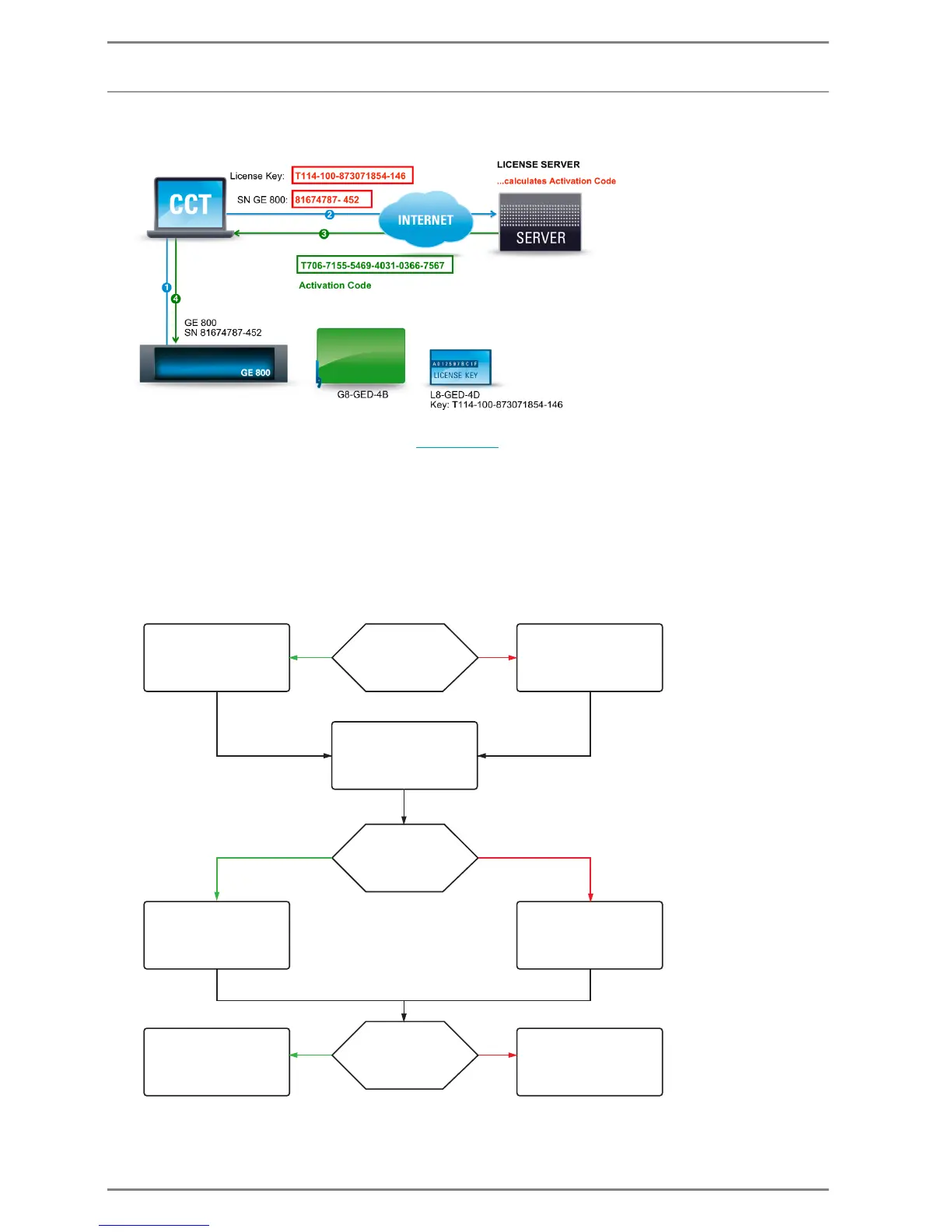
The following example shows a typical licensing process
1. Receiving of the serial number of the Intercom Server -> Allocation of the licence key to the serial
number of the Intercom Server in CCT (see page 30
).
2. CCT sends licence key and serial number to the licence server
3. The licence server calculates the activation code and sends it back to CCT
4. CCT sends activation code to Intercom Server -> licensing process complete
The licensing process depends on the two following factors:
CCT has or has no connection to the internet
CCT has or has no connection to the Intercom Server
Depending on these factors the licensing process follows a different procedure.

Internet
connection
connection
CCT to
Intercom
Server
Yes No
Yes No
Yes No
licences are
activated/deactivated
via the website
and manually
entered in CCT
licences are
activated/deactivated
by CCT automatically
Activation/deactivation
of licences in the
Intercom Server
automatically via CCT
Activation/deactivation
of licences in the Intercom
Server via station with
Dot-Matrix Display
(e.g. EE 811)
connection
CCT to
Intercom
Server
receive configuration
of Intercom Server
allocate licences
create offline-CCT-file and
enter the serial number
of the Intercom Servers
or open CCT-file