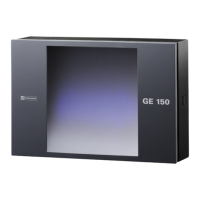
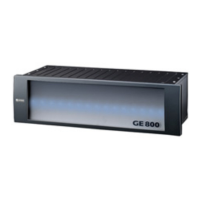
7. Configuration of IP-Terminals GE 800
36 1.1/1209
Compatibility IP-Terminals – IPStationConfig
Configuration of the IP-terminals with IPStationConfig is restricted to the respective firmware version
in the IP-terminals:
ET 901
2.0 build 3
2.2
02.4 Build 01 / 03.1 Build 01
02.5 Build 01 / 03.2 Build 01
DSP900 (for ET 908)
03.1 Build 01
03.2 Build 01
Installation
The following components must be installed before the program IPStationConfig can be installed:
Microsoft®.Net Framework 3.5 SP1
WinPcap 3.1
If an older version of WinPcap has been installed, it must be uninstalled (“Control Panel” – “Soft-
ware”).
If WinPcap can not be completely uninstalled and the new version can not be installed, it is re-
quired to delete the following files manually in the folder C:\WINDOWS\system32: wpcap.dll and
Basic configuration only:
IP-address / Subnet / Central-IP-address / Router-IP-address / Port
Firmware download in ET 901 only possible with CCT
Enhanced configuration & enhanced information:
Additional data to be saved in the ET 901: Color / Description / Call number
Indication of the firmware version of the ET 901 & the connection status to the central
Definition of passwords for all or single ET 901
Firmware download in ET 901 (without the need to use CCT)
Use of expansion/option boards (e.g. EB2E2A)
Configurable Ethernet parameters
Configuration VLAN-parameters
Dynamic Registration on the Intercom Server
DHCP-functionality
Configurable Ethernet parameters
Configuration VLAN-parameters
Dynamic Registration on the Intercom Server
DHCP-functionality


 To Next Page