GE 800 7. Configuration of IP-Terminals
1.1/1209 39
After selection of the file an acknowledgement dialog is displayed:
Click on “Yes” to start the download:
The current download status is indicated in the field Description.
The result of the download is indicated in the field Status.
Configuration
Configuration of IP-Subscribers
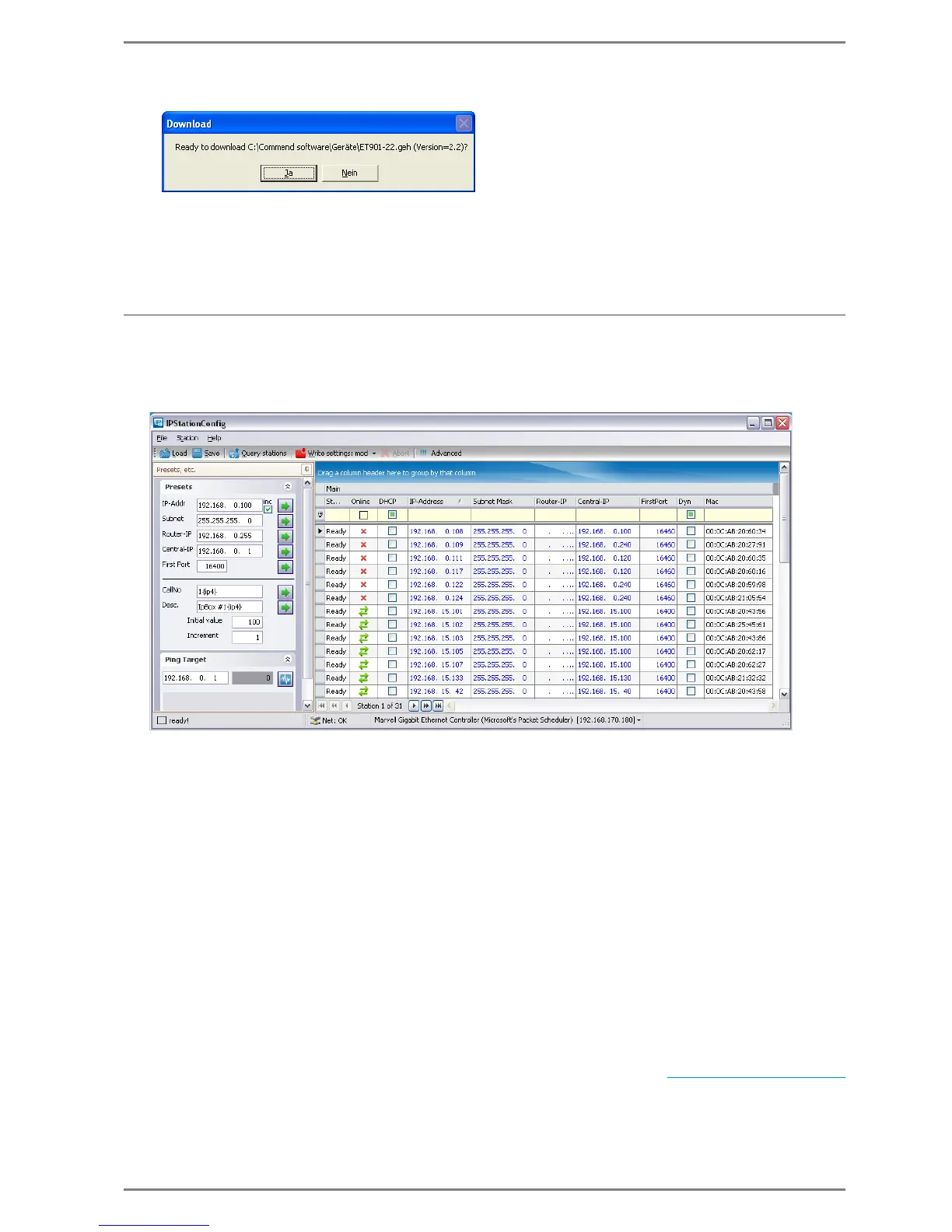
Click on the button Query stations to list the IP-subscribers in the network.
In the column Status the current status of the device in dependency to the program IPStationConfig
is indicated – either “Ready”, “Success”, “Timeout” or “Firmware Download”.
In the column Online the status of the connection between the IP-station / IP-box and the central is
indicated (online: green icon, offline: red icon).
If the checkbox
DHCP
is activated, a request to a DHCP server is sent by the IP-station/IP-box (after
the configuration has been sent to the station/box) in order to get the following required IP-confi-
guration data:
IP-Address IP-station/IP-box
Subnet mask
Router IP-Address
In the column
IP-Address
the IP-address of the
IP-station /
IP-box is defined manually (i.e. if DHCP is
not activated).
In the column Subnet mask the subnet mask can be changed manually
(if DHCP is not activated)
.
In the column Router-IP the IP-address of the router or standard gateway can be defined manually
(if DHCP is not activated)
.
In the column Central-IP the IP-address of the allocated G8-IP card is defined.
In the field FirstPort the standard destination port number can be changed (standard = 16400). The
port numbers only must be changed for special configurations with NAT (see ”
Router configuration


 To Next Page