6. Licensing GE 800
28 1.1/1209
Licence Pool
Before a licence can be allocated to an Intercom Server it must be added to the licence pool. For this
there are two possibilities:
Enter purchased licenses (Run / Demo, see ”
Enter purchased licenses”)
Create temporary licenses (see ”
Create temporary licenses”)
Enter purchased licenses
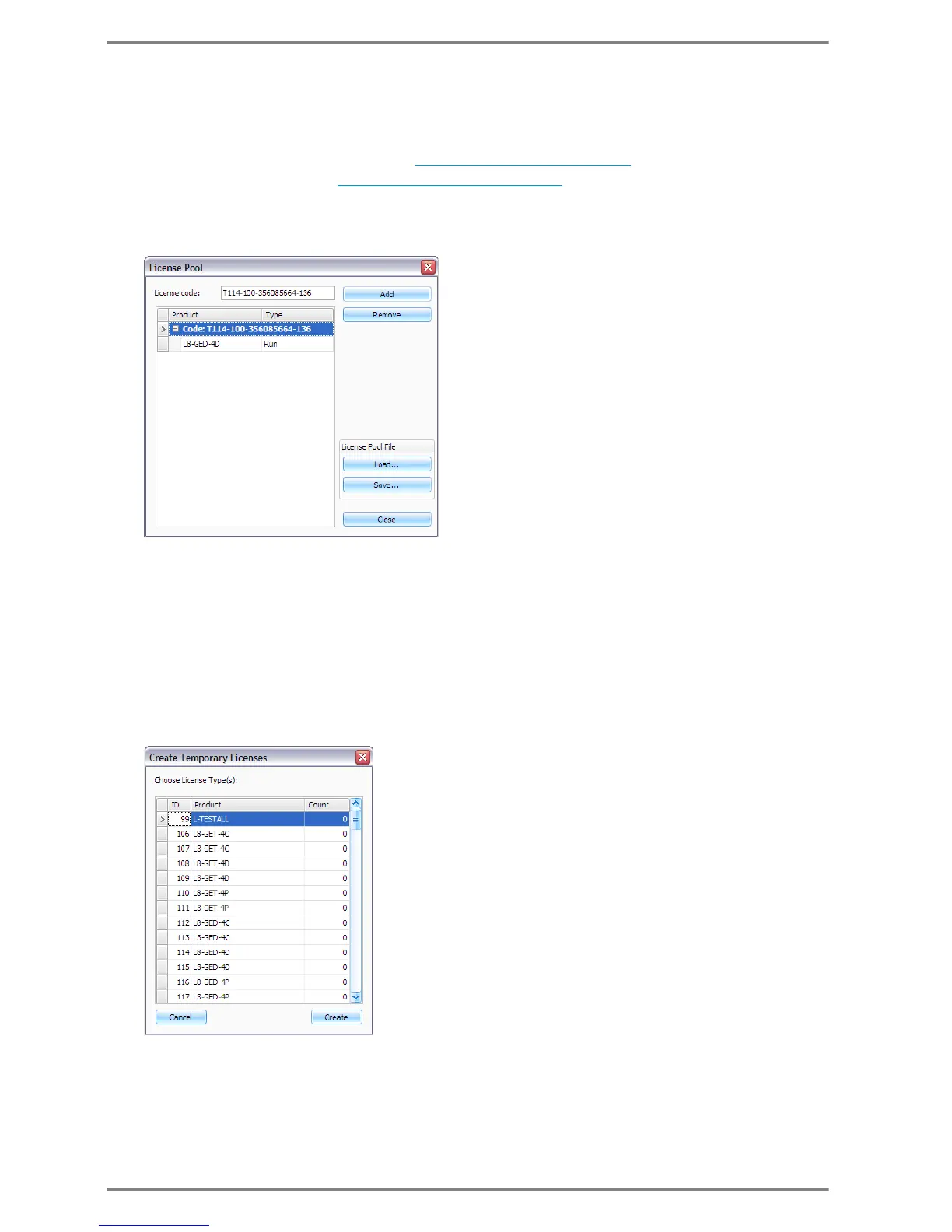
Enter the purchased licenses at Enter Licence(s)
Licence key: In this field the licence key is entered
Click Add to add the licence in the field licence code to the licence pool
Click Remove to remove the selected licence from the licence pool
Licenses can also be saved in a licence pool file:
Click Save to save the licenses in the licence pool in a LIC-file
Click Load to load a previously generated licence pool file
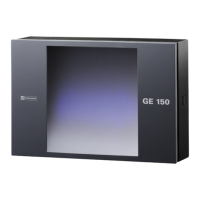
Create temporary licenses
Create the temporary licenses at Create Temporary License
Select the required amount of licenses per type in the column Count
Click Create to add the selected temporary licenses to the licence pool


 To Next Page