6. Licensing GE 800
32 1.1/1209
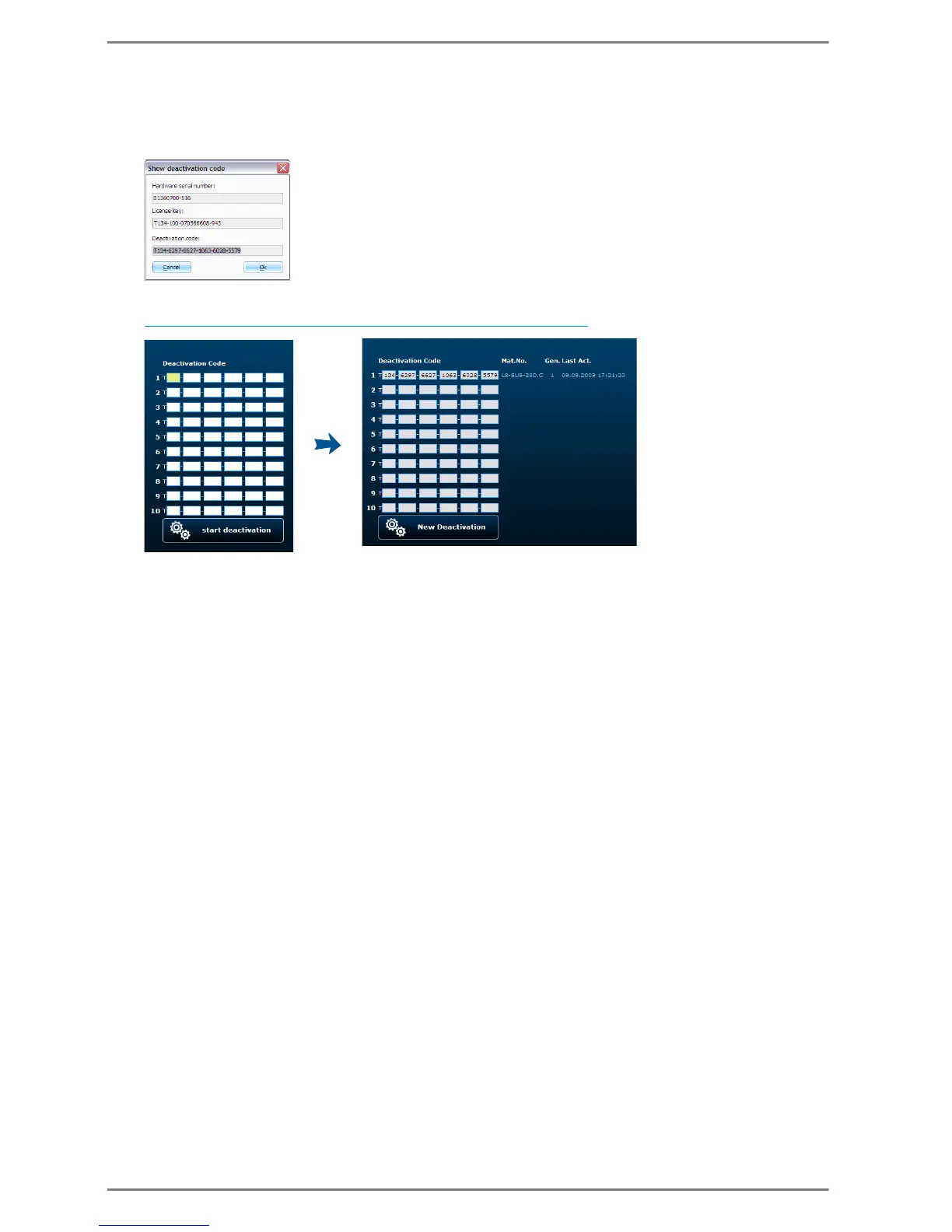
Deactivation
In the card area click on the licence with the right mouse button and select Enter/Change activati-
on code
Write down or copy the deactivation code
http://license.intercom-online.cc/Deactivation.aspx?language=de
Enter the code in the field Deactivation Code
Click start deactivation
The licence is deactivated at the licence server and can be allocated to a different Intercom Server


 To Next Page