C=44:FOR
1=1
440
442
44
442
44
440
44
440
442
440
442
44
442
44
44';::1
44
44';::1
442
440
442
44
442
44
44~~1
44
440
442
440
442
44
442
44
440
44
440 442
440
442
44
442
44
440
44
44€1
442
440
442
44
442
44
44';::1
44
44';::1
442
44~~1
442
44
442
44
44€1
F'HEIoJ
!
HEl·"
!
F.:EAII'r'.
TO
200:
''?C;
:NEXT: ?"PHEW! "
440
442
44
440
442
44
440
442
44
440 442
44
440
442
44
440
442
44
440 442
44
440
442
44
440 442
44
440
442
44
440
442
44
440 442
44
440
442
44
440
442
44
440
442
44
440 442
44
440
442
44
440
442
44
440 442
44
440
442
44
440 442
44
440 442
44
440 442
44
440
442
44
440
442
44
440
442
44
440
442
44
440
442
44
440 442
44
440 442
44
440
442
44
440 442
44
440
442
44
440
442
44
440 442
44
440 442
44
440 442
44
440
442
44
440
442
44
440
442
44
440
442
44
440
442
44
440
442
44
440 442
44
440
442
44
440
442
44
440 442
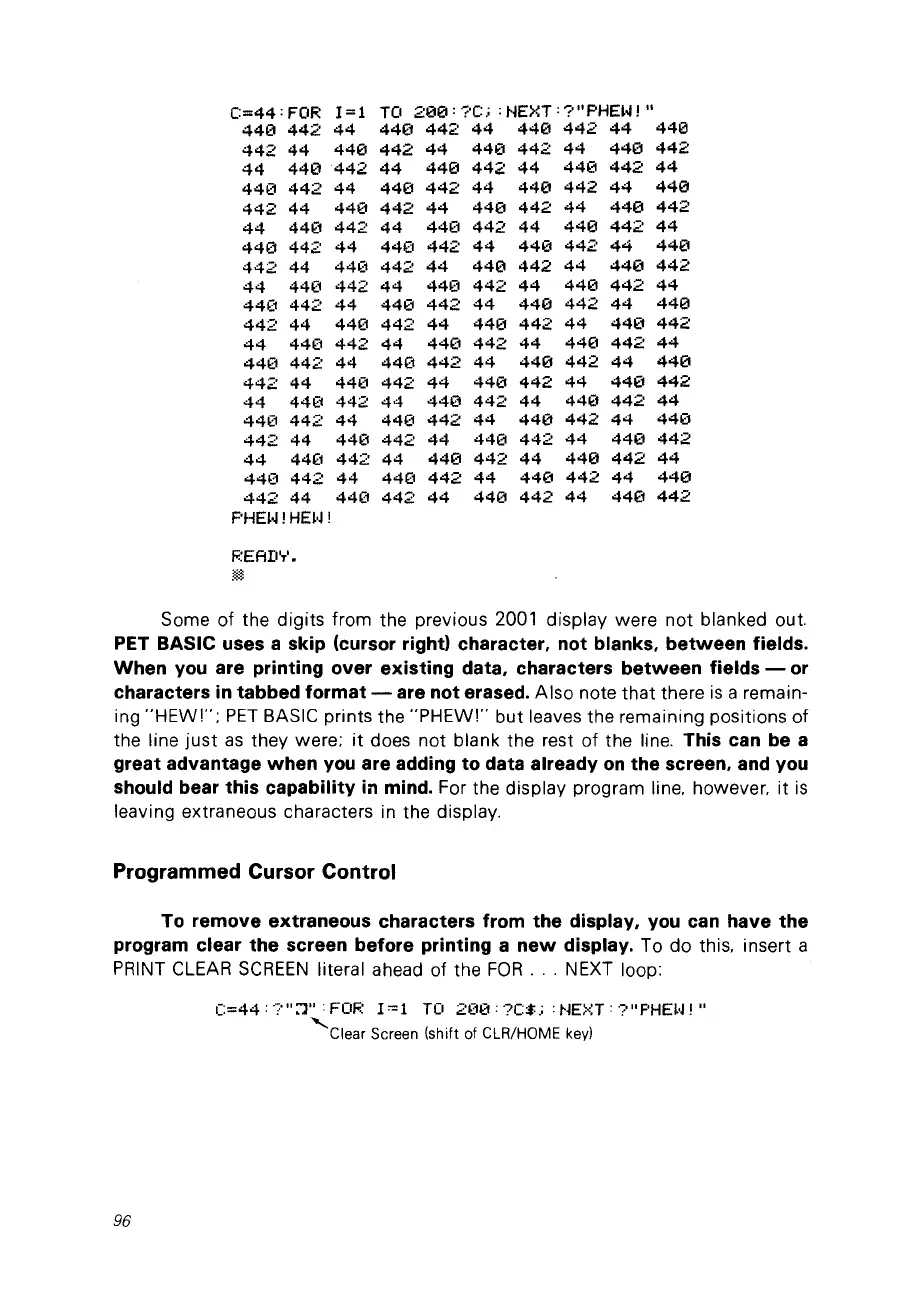
Some of the digits from the previous 2001 display were not blanked out.
PET BASIC uses a skip (cursor rightl character, not blanks,
between
fields.
When
you
are printing over existing data, charaeters
between
fields -
or
characters
in
tabbed format - are not erased. Aiso note that there
is
a remain-
ing
"HEW''';
PET
BASIC prints the
"PHEW!"
but leaves the remaining positions
of
the line
just
as
they were;
it
does not blank the rest of the line, This ean be a
great advantage when
you
are adding to data already
on
the sereen, and you
should bear this capability
in
mind. For the display program line. however. it
is
leaving extraneous characters in the display,
Programmed Cursor Control
To rem
ove
extraneous eharaeters from the display,
you
ean have the
program elear the sereen before printing a
new
display. To do this. insert a
PRINT
CLEAR
SCREEN
literai ahead of the FOR, ' , NEXT loop:
C=44 :
'?"
::1"
:
FOF:
1'"1
TO
2(10:
?C$
,:
:
~jE~<:T
:
?"
F'HEl·J
! "
'Clear
Screen (shift of ClR/HOME
key)
96



 To Next Page