Sample Program
This sample program
will
demonstrate how to
write
complex records of data
to a data tape, where the format of the data
is
specified by the programmer. The
new program MAIL.PRINT#
will
print a mailing list named MAIL anto a data tape.
MAIL
will
later
be
read
by another program called MAIL.lNPUT#. MAIL
is
similar
to the address book previously discussed, except that MAIL contains ail the
names and addresses from A to
Z.
Each name and address, along
with
the record
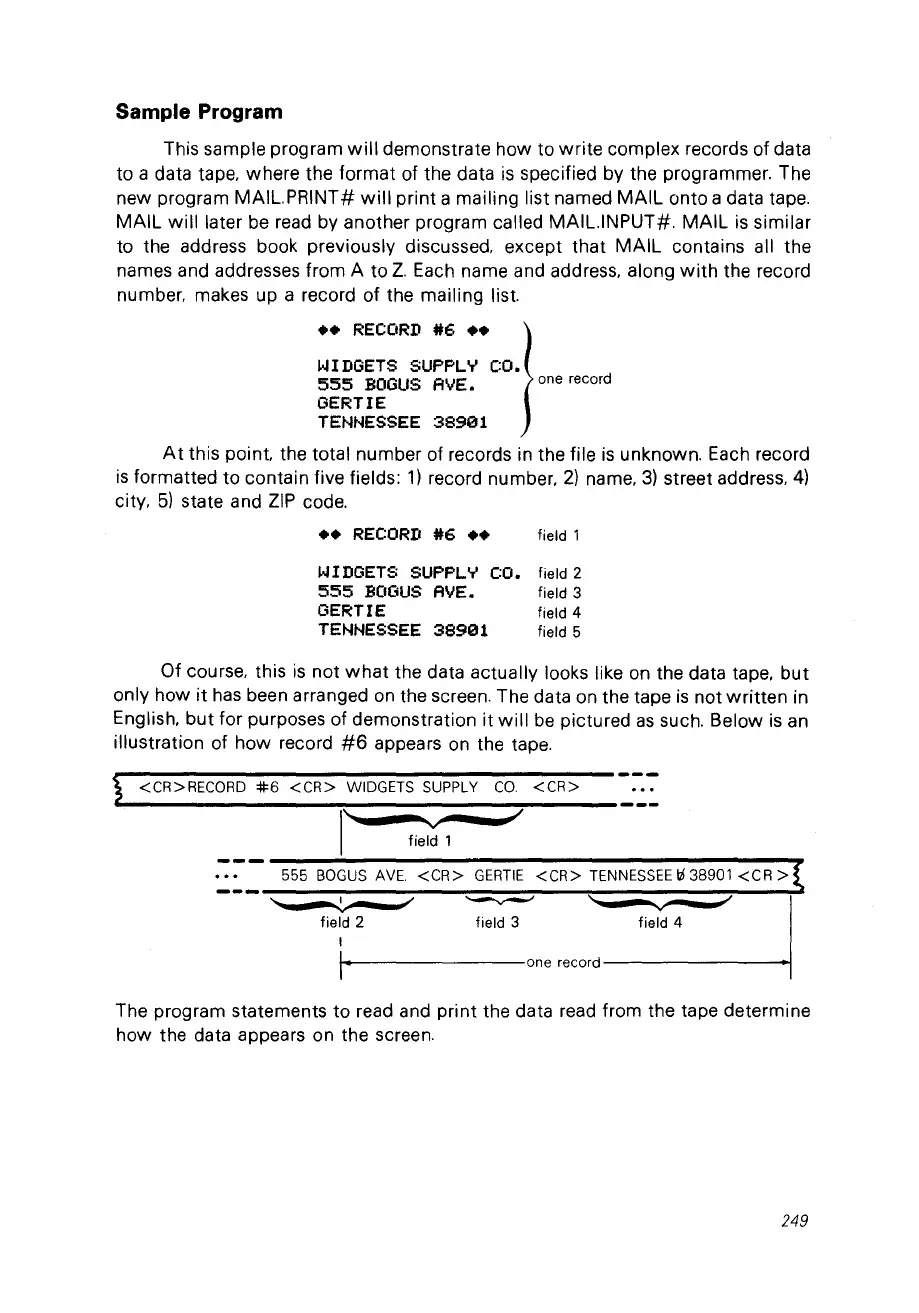
number. makes up a record of the mailing list.
••
RECORD
#6..
j
WIDGETS SUPPLY CO.
555
BOGUS
AVE.
one
record
GERTIE
TENNESSEE
38901
At
this point. the total number of records in the file
is
unknown. Each record
is
formatted
to
contain five fields:
1)
record number,
2)
name,
3)
street address,
4)
city,
5)
state and
ZIP
code.
••
RECORD
#6
••
field 1
WIDGETS SUPPLY CO. field 2
555
BOGUS
AVE.
field 3
GERTI
E field 4
TENNESSEE
38901
field 5
Of course, this
is
not
what
the data actually looks like
on
the data tape,
but
only how
it
has
been arranged
on
the screen. The data on the tape
is
not
written
in
English,
but
for purposes of demonstration
it
will
be
pictured
as
such. Below
is
an
illustration of how record
#6
appears
on
the tape.
<CR>RECORD
*6
<CR>
WIDGETS
SUPPLY
CO.
<CR>
l
''-
...
--
....
'V~--,,,.~
field 1
555
BOGUS
AVE.
<CR>
GERTIE
<CR>
TENNESSEE
t6
38901
<CR>
'--
-~
-
J'
~
\"
-
v
~
"
.1
field 2 field 3 field 4
1
1·
one
record
The program statements to read and print the data
read
from the tape determine
how the data appears on the screen.
249



 To Next Page