it
is
sent to the tape
with
no commas separating the words.
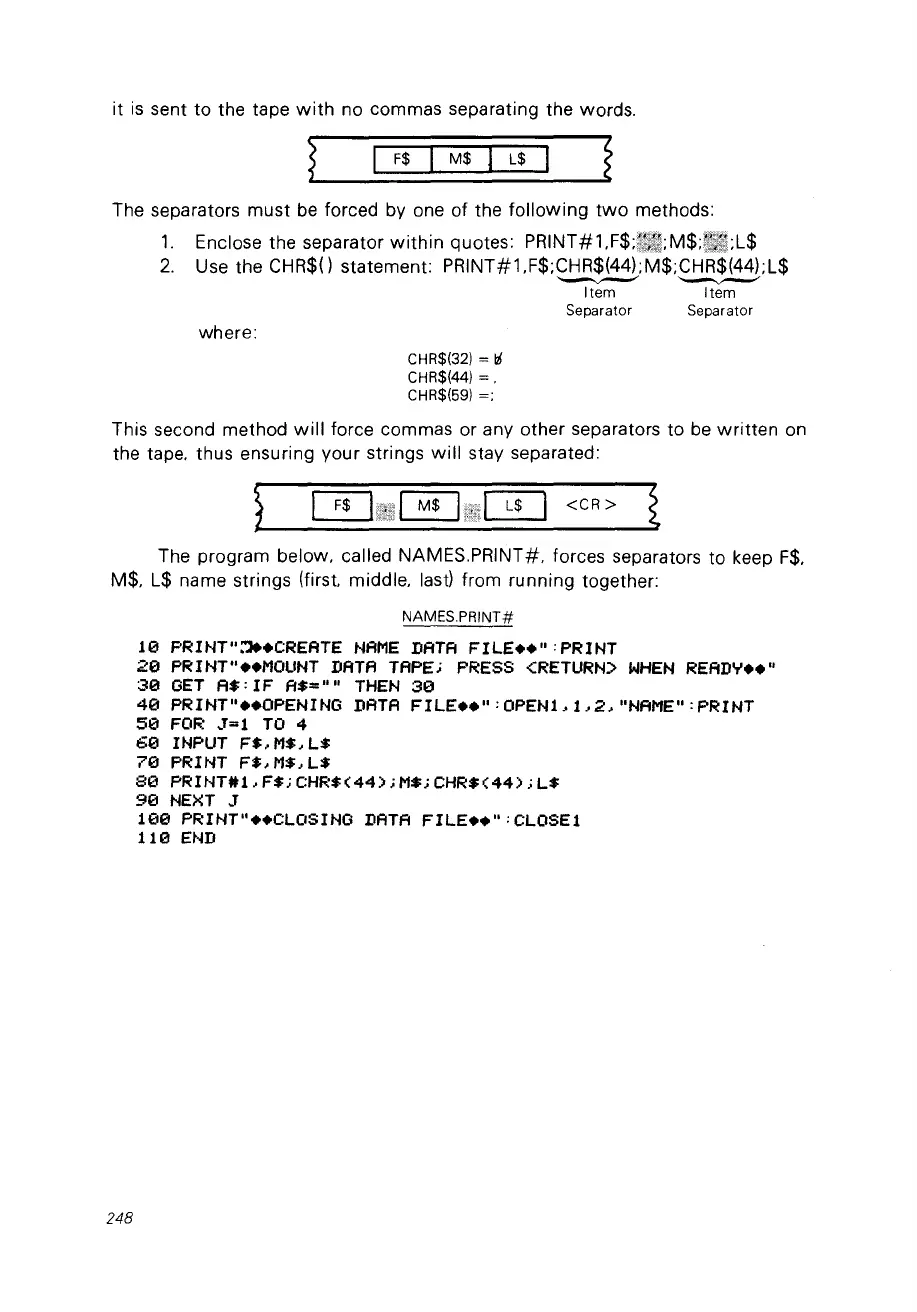
The separators must
be
forced by one of the
following
two
methods:
1.
Enclose the separator
within
quotes: PRINT#1
F$;[~IJI;MI$;ijm.'t1;L$
2.
Use the CHR$() statement: PRINT#1.F$;CHR$(44);M$;CHR$(44);L$
---
---
Item Item
Separator Separator
where:
CHR$(32) = li
CHR$(44) =.
CHR$(59)
=;
This second method
will
force commas or any other separators to
be
written
on
the tape. thus ensuring your strings
will
stay separated:
}
0~!~~1~l!rilllW
<CR>
t
The program below. called NAMES.PRINT#. forces separators to keep
F$.
M$. L$ name strings (first. middle. last) from running together:
NAMES.PRINT#
10
PRINT"~.CREATE
NAME
DATA
FILE
••
" :PRINT
20
PRINT"
••
MOUNT
DATA
TAPE;
PRESS
<RETURN>
WHEN
READ'T'
••
"
30
GET
A$:
IF
A$=""
THEN
30
40
PRINT"
••
OPENING
DATA
FILE
••
":OPENt.t,2."NAME":PRINT
50
FOR
~T=l
Ta 4
60
INPUT
F$.M$.L$
70
PRINT
F$.M$.L$
80
PRINT#1.F$;CHR$(44);M$;CHR$(44);L$
90
NEXT
J
100
PRINT
....
CLOSING
DATA
FILE
••
":CLOSEl
110
END
248



 To Next Page